camdolly
Move camera position and target
Syntax
camdolly(dx,dy,dz)

camdolly(dx,dy,dz,'targetmode')

camdolly(dx,dy,dz,targetmode,coordsys)

camdolly(ax,...)
Description
camdolly(dx,dy,dz) moves the camera position
and the camera target by the specified amounts dx,
dy, and dz.
camdolly(dx,dy,dz,'targetmode') uses the
targetmode argument to determine how the camera moves:
'movetarget'(default) — Move both the camera and the target.'fixtarget'— Move only the camera.
camdolly(dx,dy,dz,targetmode,coordsys) uses
the coordsys argument to determine how MATLAB® interprets dx, dy, and
dz:
'camera'(default) — Move in the coordinate system of the camera.dxmoves left/right,dymoves down/up, anddzmoves along the viewing axis. MATLAB normalizes the units to the scene.For example, setting
dxto 1 moves the camera to the right, which pushes the scene to the left edge of the box formed by the axes position rectangle. A negative value moves the scene in the other direction. Settingdzto 0.5 moves the camera to a position halfway between the camera position and the camera target.'pixels'— Interpretdxanddyas pixel offsets. This option ignoresdz.'data'— Interpretdx,dy, anddzas offsets in axes data coordinates.
camdolly(ax,...) operates on the axes
identified by the first argument, ax. When you do not specify an axes
object, camdolly operates on the current axes.
camdolly sets the axes CameraPosition and
CameraTarget properties,
which in turn sets the CameraPositionMode and
CameraTargetMode
properties to manual.
Examples
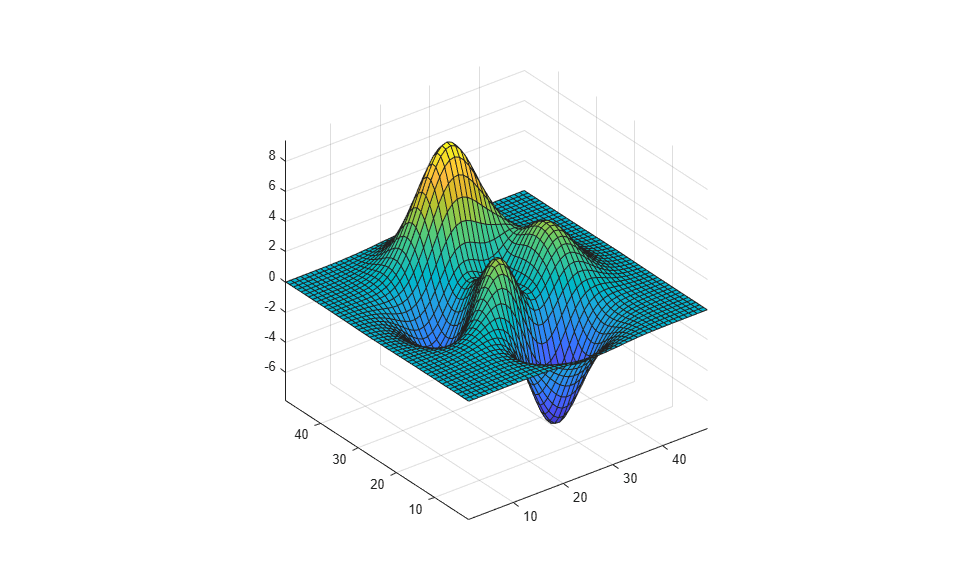
Move the camera along the x-axis and y-axis in a series of steps.
surf(peaks)
axis vis3d
t = 0:pi/20:4*pi;
dx = sin(t)./40;
dy = cos(t)./40;
for i = 1:length(t)
    camdolly(dx(i),dy(i),0)
    drawnow
end
Version History
Introduced before R2006a

