campos
Set or query camera position
Syntax
campos

campos([camera_position])

campos('mode')

campos('auto')

campos('manual')

campos(ax,...)
Description
campos returns
the camera position in the current axes.
campos([camera_position]) sets
the position of the camera in the current axes to the specified value.
Specify the position as a three-element vector containing the x-, y-,
and z-coordinates of the desired location in
the data units of the axes.
campos('mode') returns the
value of the camera position mode, which can be either auto (the
default) or manual.
campos('auto') sets the
camera position mode to auto.
campos('manual') sets the
camera position mode to manual.
campos(ax,...) performs
the set or query on the axes identified by the first argument, ax.
When you do not specify an axes object, campos operates
on the current axes.
campos sets or queries values of the axes CameraPosition and CameraPositionMode properties.
The camera position is the point in the Cartesian coordinate system
of the axes from which you view the scene.
Examples
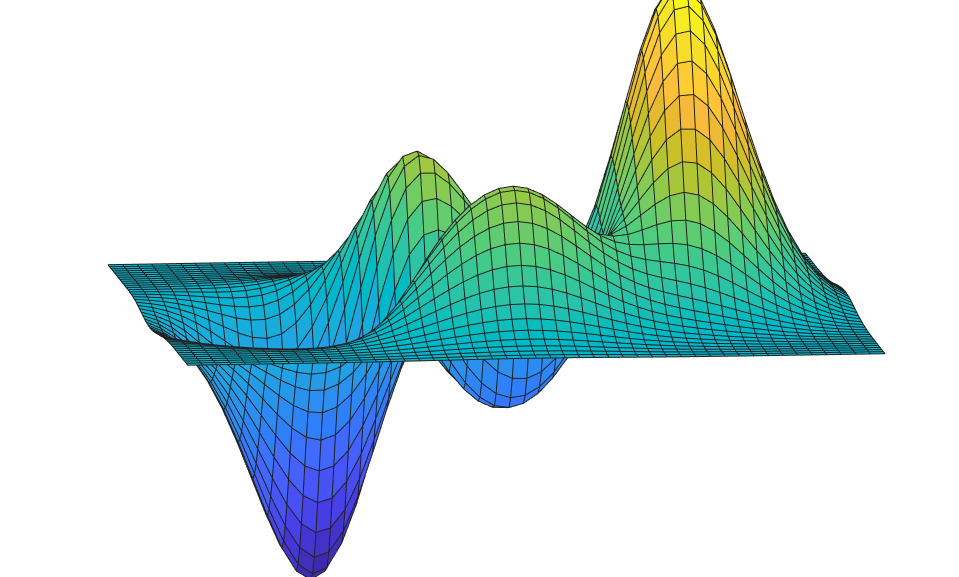
Move the camera along the x-axis in a series of steps.
surf(peaks)
axis vis3d off
for x = -200:5:200
    campos([x,5,10])
    drawnow
end
Version History
Introduced before R2006a

