hidden
R2026bRemove hidden lines from mesh plot
Syntax
hidden on

hidden off

hidden

hidden(ax,...)
Description
Hidden line removal draws only those lines that are not obscured
by other objects in a 3-D view. The hidden function
only applies to surface plot objects that have a uniform FaceColor.
hidden on turns on hidden
line removal for the current mesh plot so lines in the back of a mesh
are hidden by those in front. This is the default behavior.
hidden off turns off hidden
line removal for the current mesh plot.
hidden toggles the hidden
line removal state.
hidden(ax,...) modifies surface objects in the axes specified by
ax instead of the current axes.
Examples
Create a mesh plot of the peaks function.
figure
mesh(peaks)
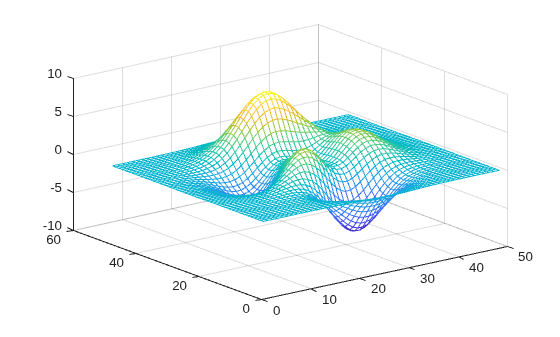
By default, MATLAB® hides obscured lines from the view. Show the obscured parts of the mesh by setting the hidden line removal to off.
hidden off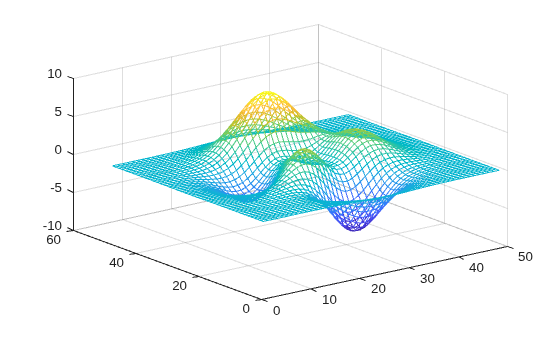
Algorithms
When a surface graphics object has a uniform FaceColor matching the Color property of the axes, hidden off sets the
FaceColor of the surface object to 'none'.
hidden on sets the FaceColor property
of such surface objects to match the axes Color property
(or to match that of the figure, if axes Color is 'none').
Version History
Introduced before R2006a

