spfun
Apply function to nonzero sparse matrix elements
Syntax
Description
F = spfun(func,S)func to the nonzero elements of a sparse matrix
S. The input argument func is a function handle to a
function that takes one input argument.
This operation preserves the sparsity of the original matrix S unless
the function func returns zero for some nonzero elements of
S.
Examples
Create a 4-by-4 sparse diagonal matrix.
S = diag(sparse(1:4))
S = 4×4 sparse double matrix (4 nonzeros)
   (1,1)        1
   (2,2)        2
   (3,3)        3
   (4,4)        4
Apply the exponential function to the nonzero elements of S. The resulting matrix has the same sparsity pattern as S.
F = spfun(@exp,S)
F = 4×4 sparse double matrix (4 nonzeros)
   (1,1)       2.7183
   (2,2)       7.3891
   (3,3)      20.0855
   (4,4)      54.5982
Because spfun only applies to nonzero elements of S, the value of F(i) is zero whenever S(i) is zero. This is different from applying the function to all elements of S. For example, compare the result to applying the exponential function to all elements of S. The exp(S) function returns 1 for the elements of S that are 0s.
full(exp(S))
ans = 4×4

    2.7183    1.0000    1.0000    1.0000
    1.0000    7.3891    1.0000    1.0000
    1.0000    1.0000   20.0855    1.0000
    1.0000    1.0000    1.0000   54.5982
Create a random 50-by-50 sparse matrix with density 0.02, where the matrix has 50 nonzero elements. Plot the sparsity pattern of the matrix S.
rng default;
S = sprand(50,50,0.02);
spy(S)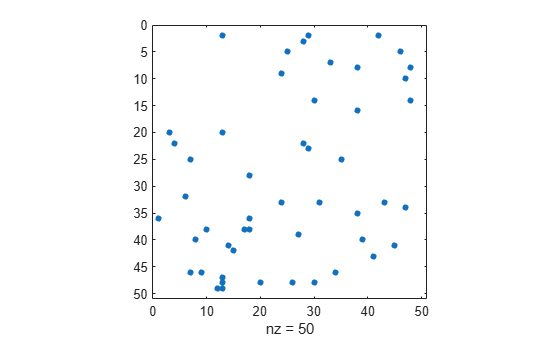
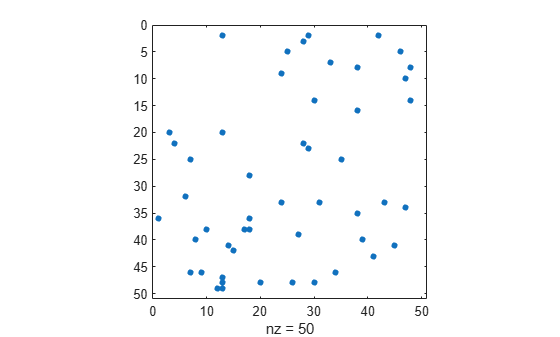
Evaluate the quadratic function to the nonzero elements of S. The evaluated function using spfun has the same sparsity pattern as the matrix S.
fun = @(x) x.^2 + x + 1;
F = spfun(fun,S);
spy(F)
Input Arguments
Tips
If
funcreturns zero for inputs that are zero, you can usefunc(S)to return the same results as callingspfunon a sparse matrixS.

