What Is Map Projection?
A map projection manages distortions introduced when representing the 3-D surface of the Earth on a 2-D display. Distortions manifest themselves in the display of areas, distances, directions, and shapes. To address this problem, mapping software uses these projections to create accurate map displays.
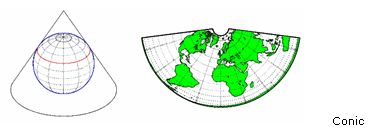
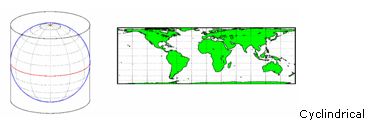
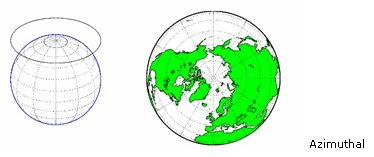
Map projections can be divided into three main classes: cylindrical, conic, and azimuthal. For example, the popular Universal Transverse Mercator (UTM) coordinate system covers the Earth’s surface in 60 zones, each using a secant transverse Mercator (cylindrical) projection with an ellipsoidal model of Earth.
For more information, see Mapping Toolbox™.
Examples and How To
Software Reference
See also: Mapping Toolbox, Steve on Image Processing, geodesy, image analysis, geometric transformations and image registration, image processing and computer vision, Teaching computing in geoscience resources


