Model-Based Calibration Toolbox 3.4
Latest Features
Version 3.4
Released: 01 Mar 2008Version 3.4, part of Release 2008a, includes the following enhancements:
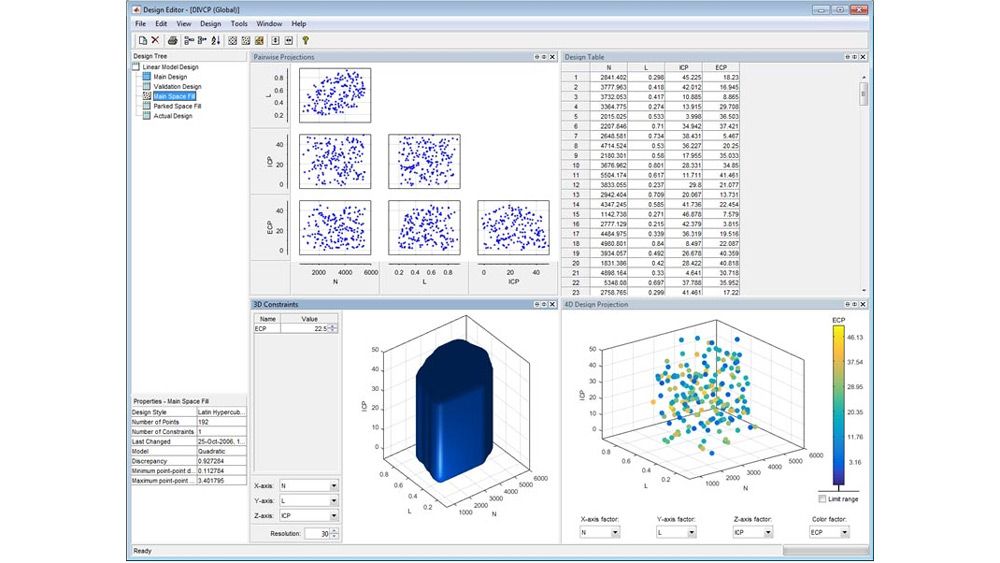
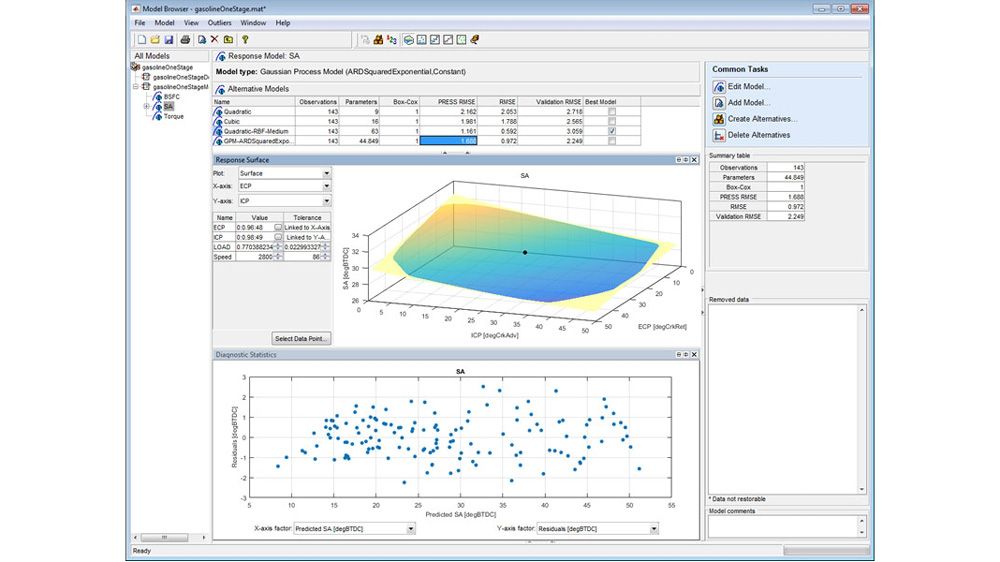
- New command-line functionality for creating space-filling, optimal, classical, or custom experimental designs
- New Sobol and Halton sequence space-filling design types for generating highly uniform experimental designs
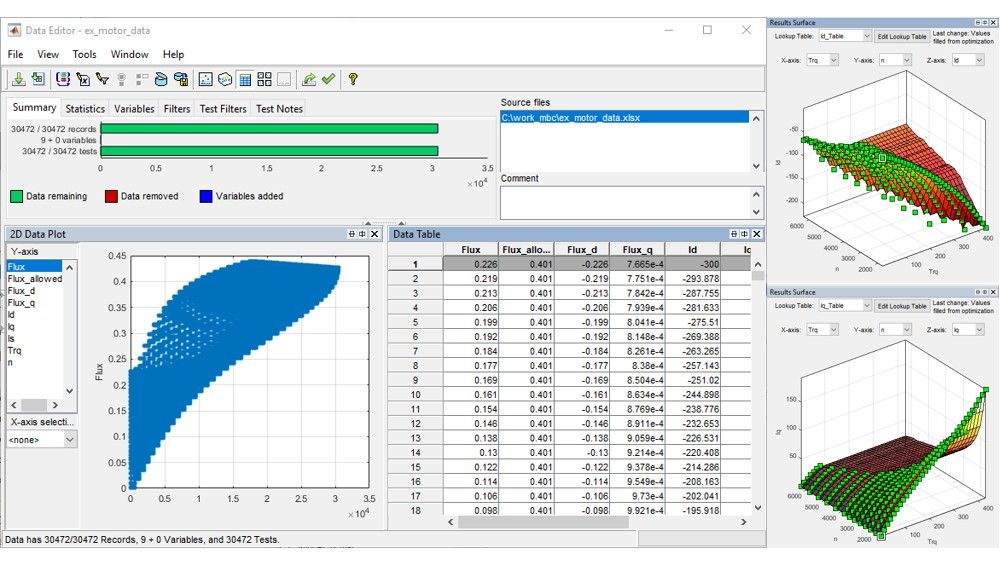
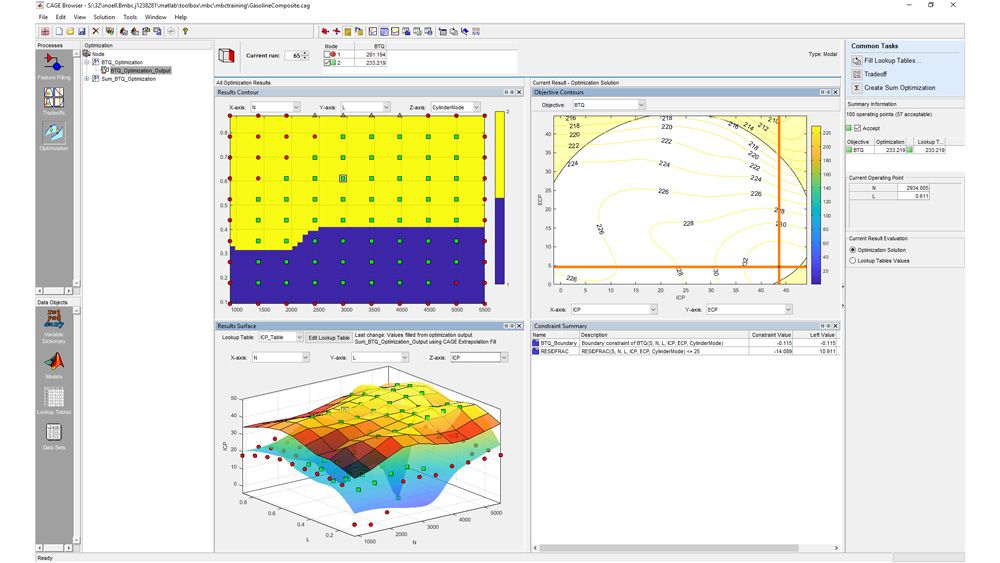
- New contour and surface views of optimization output that aid in assessment of results for generating optimal lookup tables
- New parallel computing support for fitting multiple models to experimental data
- Enhanced generation of multiple starting conditions to help detect global optima with gradient-based optimization algorithms
See the Release Notes for details.
Update Now
- Download the latest version if your software maintenance service is current.
- Purchase or request a renewal quote if your maintenance service has lapsed.
- Try the latest version by downloading or requesting trial software.
Version 3.3
Released: 01 Sep 2007Version 3.3, part of Release 2007b, includes the following enhancements:
- Command-line functionality for defining inputs for test plans and models
- Expanded command-line functionality for creating, editing, and fitting local models
- Enhanced defaults and previews for space-filling designs, including design property improvements and improved handling of constrained design points
- Enhanced optimization set up and analysis, including support for boundary constraint definition in the optimization wizard, ability to rename objectives and constraints, and improved display of table gradient constraints
See the Release Notes for details.
Version 3.2
Released: 01 Mar 2007Version 3.2, part of Release 2007a, includes the following enhancements:
- Ability to create, edit, and fit models interactively either by using new command-line functionality or by building scripts to automate the process
- New tools for assessing and using optimization results to generate optimal look-up tables
- Ability to use distributed computing to speed up multiple-run optimization problems (requires Distributed Computing Toolbox)
- Ability to find globally optimal solutions using genetic algorithms and pattern search methods (requires Genetic Algorithm and Direct Search Toolbox)
See the Release Notes for details.
Version 3.1
Released: 01 Sep 2006Version 3.1, part of Release 2006b, includes the following enhancements:
Optimization- Gradient constraints for controlling table smoothness in optimization-based and feature-based table filling
- Contour plot view for optimization results
- Point-by-point variable bounds for finer control of optimization problems
- Ability to enable and disable optimization constraints for “what-if” studies
- Support for starting optimizations from results of a previous run, to solve related “what-if” problems faster and to refine calibration results by tweaking algorithm settings
- Enhanced user interface for comparing results of different calibration optimization problems
- Improved integration of validation metrics within model selection process
- Enhanced local modeling at each operating point (a complementary approach to building a single, global model)
- Ability to alter variable ranges and refit models automatically
Version 3.0.1
Released: 01 Mar 2006Version 3.0.1, part of Release 2006a, includes a number of bug fixes. See the Release Notes for details. See the Release Notes for details.
Version 3.0
Released: 17 Nov 2005- Command-line interface for automating the modeling process
- Support for filling multiple calibration tables simultaneously
- Wizards for feature-based and optimization-based table filling
- CAGE Import Tool that lets you:
- Import models, features and optimizations into existing CAGE sessions
- Use new engine models in existing feature filling and optimization processes
- Improved boundary modeling capabilities, including:
- Convex hull models
- Support for creating boundary models in subsets of the test plan variables
- Revamped graphical user interface
- Calibration import and export links:
- ETAS INCA (via .dcm files)
- ATI Vision (via a live link or .mat file)
- Improved optimization speed
- Improved optimization robustness, with multiple start points and automatic scaling
See the Release Notes for details.
Version 2.1.2
Released: 22 Sep 2004Version 2.1.2 includes the latest bug fixes.
Version 2.1.1
Released: 17 Jun 2004Version 2.1.1 includes the latest bug fixes.
Version 2.1
Released: 02 Jun 2004CAGE New Features
There is new functionality in CAGE tradeoff views, model views, tables, data sets and features.
Tradeoff Enhancements
- There is improved zooming on graphs
- You can now remove tables
- There is much more information in the table display
- Enhanced multimodel import interface
- You can set inputs to table values
Optimization Enhancements
- New streamlined filling of calibration tables using optimization results
- You can now perform mixed point and sum optimizations
Tables Functionality
- Simplified table creation -- you can select size, initial value and inputs all at once, and normalizers are automatically initialized across variables; so there is no longer any need to go to the Calibration Manager or initialize normalizers (except in features)
- You can convert tables directly to models
- New table arithmetic tool allows you to perform operations on whole tables or selected cells
- New extrapolation mask creation options in tables (from boundary models and Prediction Error)
- The Tables view is now one of the Data Objects and no longer a Process (this used to be called Manual Calibration)
Models Enhancements
- You can now import models from multiple files simultaneously
- Boundary models are enabled in the Surface Viewer and Models View
- You can use the new Model Properties dialog to view information such as the model type, definition, inputs, availability of Prediction Error Variance and constraints, creation date, user name, and toolbox version
- There is improved zooming on the model connections graph
Data Sets and Features Enhancements
- Data sets are significantly faster for larger datasets
- You can now copy feature strategies to the clipboard
Model Browser New Features
There is new functionality in the Data and Design Editors and modeling interfaces.
Data Editor Enhancements
- You can now select and remove outliers in the Data Editor plots
- You can apply test notes to help you identify and sort problem data for analysis in the Data Editor
- You can select noted tests to view them in other plots and tables
- There is a new improved interface for importing data from the Workspace
Design Editor Enhancements
- You can display the number of overlapping design points in the projection graphs
- You can round columns of the design
Modeling Enhancements
- Now you can export models directly to CAGE
- You can clip using boundary models in the Prediction Error Variance viewer
- It is now easier to build exported Simulink models in Real-Time Workshop. To build your exported models, you no longer need to copy all .c and .h files from mbc/mbcsimulink to the directory where you are building the Simulink models.
Version 2.0
Released: 19 May 2003Optimization
A major new enhancement to the Model-Based Calibration Toolbox is designed to develop optimized base map calibrations in the
Calibration Generation tool (CAGE) from MBC models of engine data. For example, CAGE can minimize fuel consumption at a single
operating point or over a set of operating points to meet cycle emissions requirements, using HC, NOx, and Exhaust Gas Temperature
as constraints. CAGE can also perform multi-objective optimizations, such as trading off emissions and fuel consumption objectives
based on user-specified trade-off limits. Optimization scenarios can be incorporated into the provided templates for non-standard
or customer-specific problems.
Features:
- Single objective optimization
- Multiobjective optimization
- Summation optimization over an operating point set
- Fill Tradeoff automatically using any optimization function
- Fill tables with optimization output
- User-defined optimization functions
- Optimization output view enables graphical investigation of results, including Pareto plots to aid solution selection for multiobjective optimizations
Boundary Modeling
Allows for modeling complex operating envelopes using non-parametric surfaces. This can be used to:
- Show the boundary of the region on plots to improve understanding
- Constrain optimizations so that the results (free variables) are within the operating envelope
- Display boundary models in Model Browser response surface viewer and cross-section viewer
- Display boundary models in CAGE in the optimization view
New model types & modeling improvements
Several new model types & general modeling improvement are included in this release to provide the user with more advanced
modeling capabilities and techniques.
New model types:
- User-defined and transient models are now available as one-stage models.
- Tree Regression methods for fitting Radial Basis Functions (RBF)
- Local Multi-Models for site-specific models. Fit a variety of different models to each test and choose criteria to automatically select the best fit for each
- Fit the same model to all tests using Local Average Fit. This allows you to fit global models to your data while also being able to view the fit to each test individually
Modeling improvements:
- There are flexible summary statistics and model selection criteria in the Model Browser. Use these criteria to automatically select best models, in addition to using them as diagnostic statistics when comparing models
- Automatic stepwise is available for RBF models
- All linear models can be ‘pruned’ as a stepwise option to remove less useful model terms
Performance improvements
The toolbox now includes the following improvements in performance via improved algorithms:
- Stepwise is improved in terms of speed and large data set handling
- Fitting and handling of large data sets is more efficient (size ~ 1000 to 10000 points)
- Faster model evaluation in CAGE
- Reduce CAGE file sizes
Usability enhancements
In response to customer feedback, the following changes have been made to improve the toolbox's user interfaces:
- There is a new and improved Data Editor with increased functionality. There are new viewing options similar to the Design Editor so you can view your data in many ways simultaneously. You can now access the Data Editor to view and export your modeling data from all nodes in the model tree. For example, this allows you to extract the value of MBT from all your local models and export them to the workspace. The Data Editor retains a memory of view settings
- There is support for more blocks in CAGE strategy parsing — all standard Simulink lookup tables and the relational operator block
- Item duplication enabled in CAGE: Models, tables, variables, data sets, normalizers, optimizations
- Usability improvements in the new Surface Viewer in CAGE - including retaining a memory of settings within a session and retaining plot options between CAGE sessions
- In the Model Browser the response surface view and cross-section view now retain a memory of settings for all models within a test plan
- Multi-model tradeoff in CAGE is improved (one model for all sites)
- Simplified model set up dialog for radial basis functions
- New Design Merge tool allows easy combination of design points into a single design
Important:
You must uninstall any previous versions of the toolbox before installing version 2.0. If you have not done this, incompatibilities will cause errors. If you have already installed the latest version without removing a previous version, simply uninstall version 2.0 and then reinstall.
Store