Create AUTOSAR Architecture from System Composer Model
R2026bYou can export a System Composer™ Component (System Composer) or architecture model to an AUTOSAR architecture model configured for the AUTOSAR Classic or AUTOSAR Adaptive Platform.
Create AUTOSAR Architecture from System Composer Component
Since R2023a
To create an AUTOSAR architecture model from a System Composer component, use one of these methods:
In your System Composer architecture model, right-click the component and select
Create AUTOSAR Architecture Model.Select the component. On the toolstrip, on the Modeling tab, in the Component section, click Create AUTOSAR Architecture Model.

Use the
createArchitectureModel(System Composer) function with theClassicAUTOSARArchitectureorAdaptiveAUTOSARArchitectureoption for themodelTypeargument.
During the process, the export creates inline subcomponents as:
A Classic Component or an Adaptive Component if the subcomponent does not contain other components
A Software Composition if the subcomponent does contain other components
If the component you export has a defined behavior, the export process updates
configuration parameters for the linked implementation model to support AUTOSAR
modeling. Under Solver, the Type parameter
changes to Fixed-step and the Solver
parameter changes to auto. Under Code
Generation, the System target file changes to
autosar.tlc for AUTOSAR Classic architectures or
autosar_adaptive.tlc for AUTOSAR Adaptive architectures.
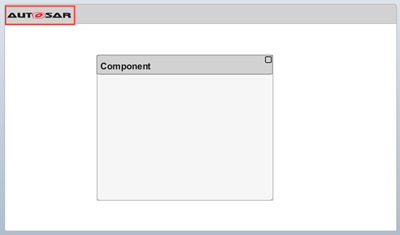
After you export, observe the AUTOSAR icon in the upper left corner. The new AUTOSAR architecture contains the elements from the component, including the previously applied stereotypes.
Export System Composer Architecture to AUTOSAR Architecture
Since R2023b
To export your model to an AUTOSAR architecture, use one of these methods:
On the toolstrip, on the Simulation tab, click the Save button arrow, then select a model type.

Once you select a model type, you can specify the New model name and the Destination folder. You must also specify Platform and select Configure behavior models for AUTOSAR.
Export your model programmatically using the
systemcomposer.exportToAUTOSARArchitecture(System Composer) function.
AUTOSAR Software Architecture Template Constraints and Limitations
The AUTOSAR Software Architecture template applies AUTOSAR Platform-specific constraints. When you export, the process removes model elements in an existing System Composer architecture that are not supported in an AUTOSAR architecture.
The benefit of using the AUTOSAR Software Architecture template is the application of AUTOSAR Platform-specific constraints. To support end-to-end AUTOSAR software design workflow, the template does not support these elements:
A nonunique short name.
Local interfaces.
Some System Composer model elements are not supported in the AUTOSAR software architecture template. These elements include:
Adapter (System Composer) blocks with
UnitDelay,RateTransition, orMergeas the applied interface conversion. The applied interface conversion changes toNonefor these Adapter blocks.Reference components referencing a system or software architecture.
systemcomposer.arch.Function(System Composer) objects. System Composer functions are not supported in AUTOSAR Software Composition blocks.

