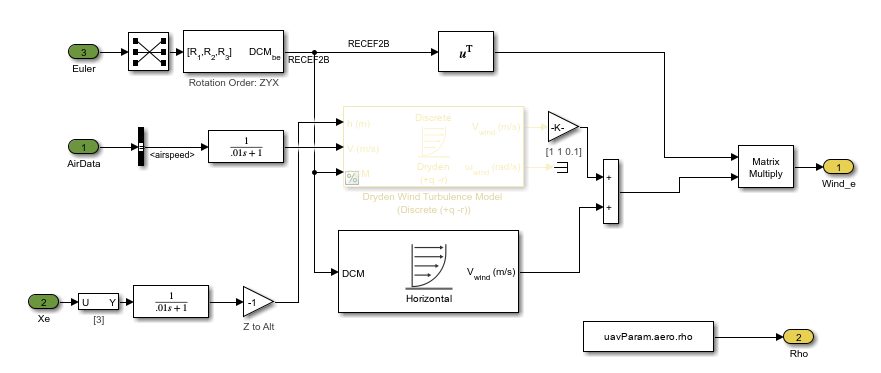
VTOL UAV Controller Template: Tune hover control design in steady wind condition
The VTOL UAV Controller Template has been updated with a new example that demonstrates how to improve the hover performance of the Vertical Take-Off and Landing (VTOL) UAV by tuning the hover control design in the presence of a constant wind. For more information, visit Tune Hover Control Design for VTOL UAV in Steady Wind Condition.
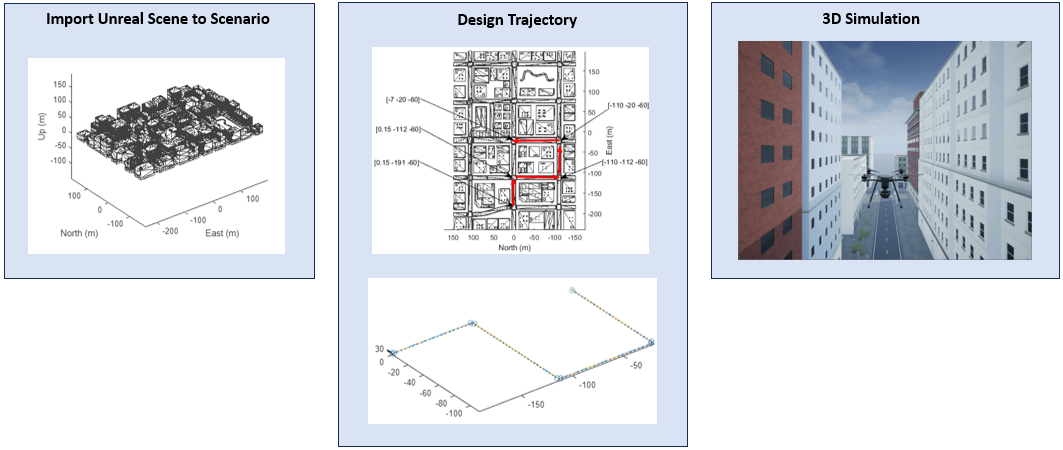
UAV Scenario and 3D Simulation Integration: Design flight trajectories for 3D simulation in UAV scenario
The addMesh function
of the uavScenario object now supports adding Suburban or US City Block scenes to a UAV scenario
for flight trajectory design. Import trajectories into the 3D simulation environment in
Simulink using the Read UAV Trajectory
block.
For an example, see Simulate UAV Scenario Trajectory in Unreal Engine Environment.
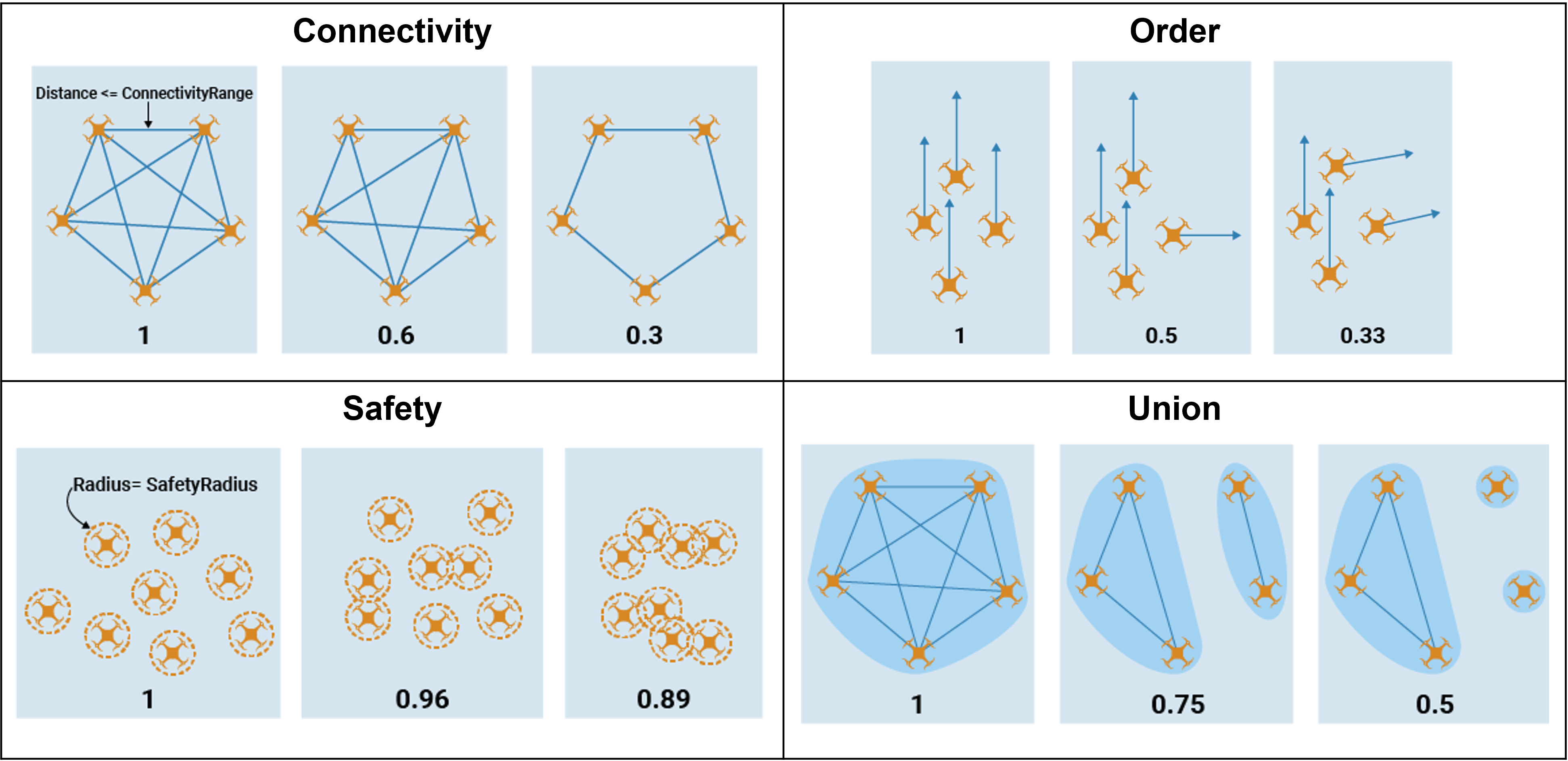
UAV Formation Metrics: Evaluate UAV formation quality
Evaluate UAV formation quality in applications, such as drone shows, agricultural
missions, etc. by creating a uavFormationMetrics object and using the metrics function to obtain connectivity, order, safety, and union metrics.
Obtain formation graphs and inter-UAV distances by using the formationInfo function.
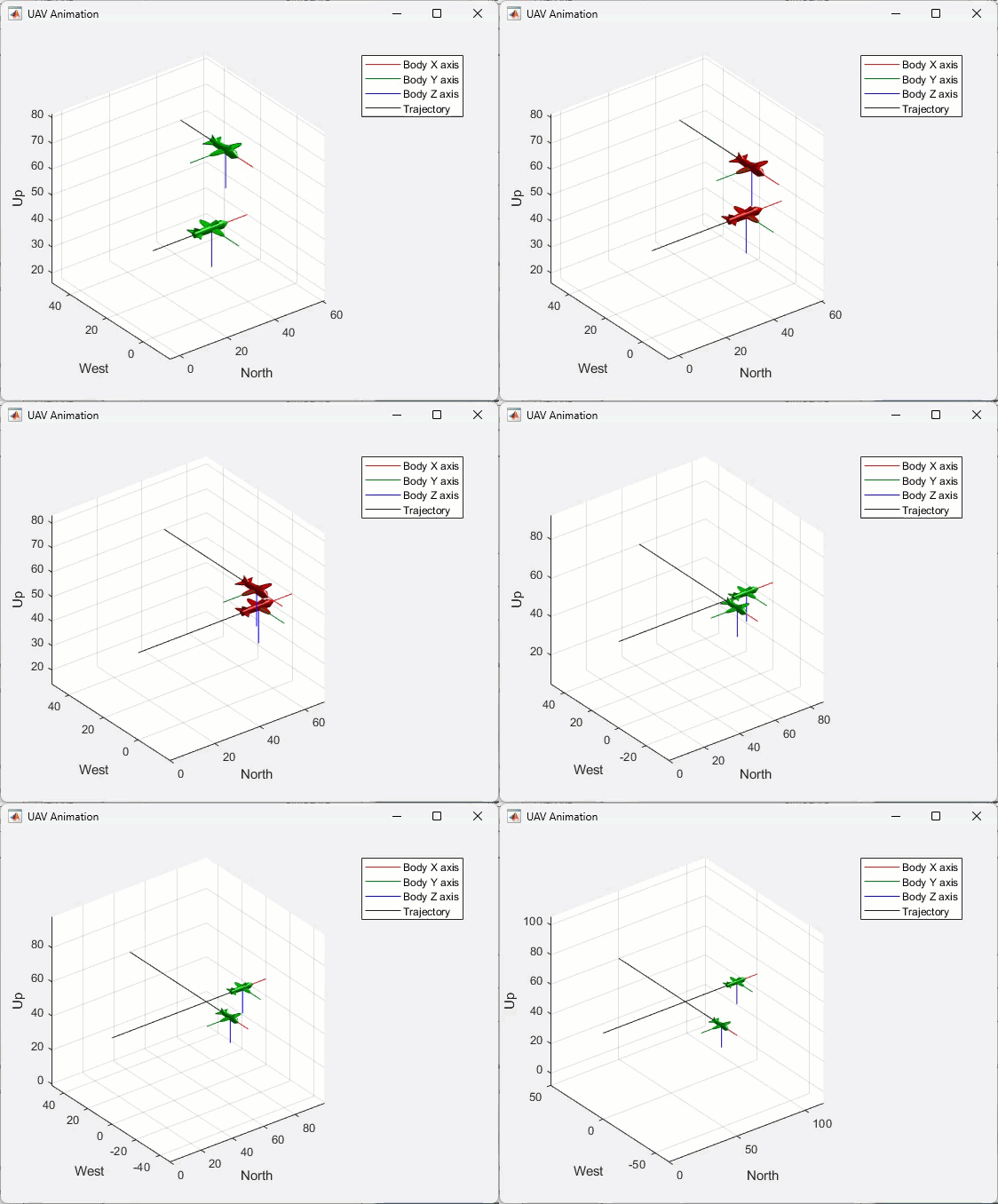
UAV Animation Block Enhancements: Visualize multiple UAVs and markers
You can now use the UAV Animation block to visualize multiple UAVs and markers. For an example of using markers to visualize the lookahead point of a waypoint-following controller, see the Tuning Waypoint Follower for Fixed-Wing UAV example.
PX4 Autopilots: Generate PX4 Cube Blue H7 autopilot code
You can now use the UAV Toolbox Support Package for PX4® Autopilots to generate code for the Cube Blue H7 autopilot.
To configure Simulink to generate code for the Cube Blue H7 autopilot, open the model
Configuration Parameters dialog box, select Hardware
Implementation, and set Hardware board to
PX4 Cube Blue H7.
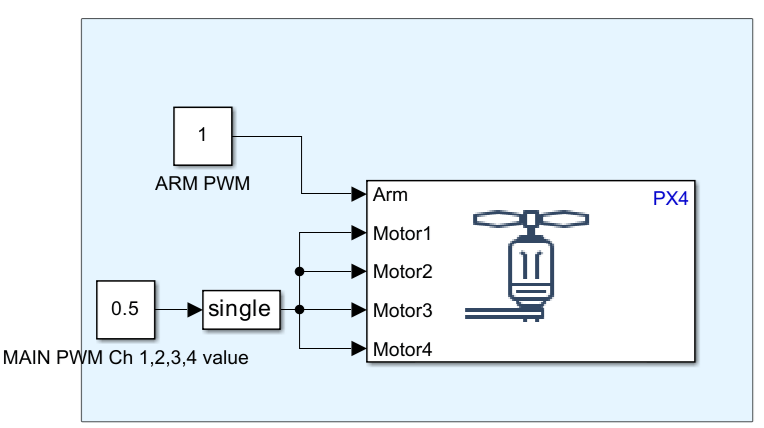
PX4 Autopilots: Set actuator values for motors and servos using PX4 Actuator Write block
Starting in R2024b, you can use the PX4 Actuator Write block in your Simulink model to write motor and servo actuator values over the PWM and UAVCAN interfaces. This block is available in the PX4 Peripheral Blocks library in the UAV Toolbox Support Package for PX4 Autopilots.
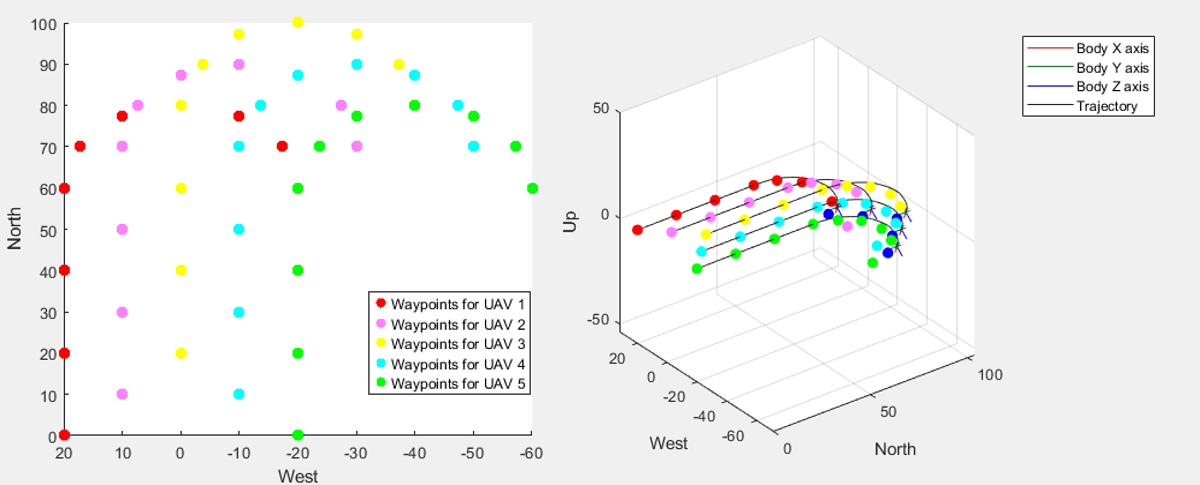
New Example: Simulate Multiple Fixed-Wing UAVs in Simulink Using System Objects
This release contains a new example on how you can simulate multiple UAVs in a waypoint following mission. Use this example as a reference to simulate formation flights, swarm mission, and other missions that requires simulating multiple UAVs. For more information, visit Simulate Multiple Fixed-Wing UAVs in Simulink Using System Objects
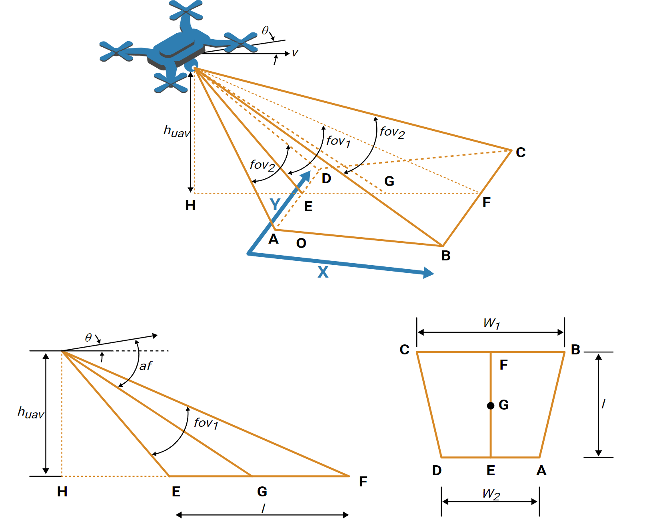
Example Update: Survey Urban Environment Using UAV
The Survey Urban Environment Using UAV example has been updated to provide more information on how to calculate the coverage width of the camera.
3D Simulation Updates
Stream 3D maps using the new Geospatial Configuration API
Use the new sim3d.environment.GeospatialConfiguration API to stream 3D maps and
configure the Cesium® ion™ stream in Simulation 3D MATLAB
simulations..
Customize Unreal Engine® Scenes on Linux® Platforms
You can now customize Unreal Engine scenes using Linux platforms. For more detail on how to configure your environment, visit Configure Environment on Linux Platforms.
Migration to Unreal Engine 5.3
The 3D visualization engine that is used in UAV Toolbox has been updated to Unreal Engine 5.3. Previously, the toolbox used Unreal Engine 5.1.
If your Simulink® model uses an Unreal Engine executable or project developed using a prior release of the UAV Toolbox Interface for Unreal Engine Projects support package, the simulation can return an error.
To migrate the project so that it is compatible with the R2024b version of the support package, see Migrate Projects Developed Using Prior Support Packages.
Functionality being removed or changed
PX4 Autopilots: PX4 PWM Output block will be removed
Still runs
The PX4 PWM Output block is not recommended for use and will be removed in a future release. Use the PX4 Actuator Write block instead.