Results for

In a recent blog post, @Guy Rouleau writes about the new Simulink Copilot Beta. Sign ups are on the Copilot Beta page below. Let him know what you think.
Guy's Blog Post - https://blogs.mathworks.com/simulink/2025/12/01/a-copilot-for-simulink/
Simulink Copilot Beta - https://www.mathworks.com/products/simulink-copilot.html
Parallel Computing Onramp is here! This free, one-hour self-paced course teaches the basics of running MATLAB code in parallel using multiple CPU cores, helping users speed up their code and write code that handles information efficiently.
Remember, Onramps are free for everyone - give the new course a try if you're curious. Let us know what you think of it by replying below.
Run MATLAB using AI applications by leveraging MCP. This MCP server for MATLAB supports a wide range of coding agents like Claude Code and Visual Studio Code.
Check it out and share your experiences below. Have fun!
GitHub repo: https://github.com/matlab/matlab-mcp-core-server
Yann Debray's blog post: https://blogs.mathworks.com/deep-learning/2025/11/03/releasing-the-matlab-mcp-core-server-on-github/
I just learned you can access MATLAB Online from the following shortcut in your web browser: https://matlab.new
Thanks @Yann Debray
From his recent blog post: pip & uv in MATLAB Online » Artificial Intelligence - MATLAB & Simulink
Nine new Image Processing courses plus one new learning path are now available as part of the Online Training Suite. These courses replace the content covered in the self-paced course Image Processing with MATLAB, which sunsets in 2026.
New courses include:
- Work with Image Data Types
- Image Registration
- Edge, Circle, and Line Detection
- Manage and Process Multiple Images
The new learning path Image Segmentation and Analysis in MATLAB earns users the digital credential Image Segmentation in MATLAB and contains the following courses:
I’d like to take a moment to highlight the great contributions of one of our community members, @Paul, who is fast approaching an impressive 5,000 reputation points!
Paul has built his reputation the best way possible - by generously sharing his knowledge and helping others. Over the last few years, he’s provided thoughtful and practical answers to hundreds of questions, making life a little easier for learners and experts alike.
Reputation points are more than just numbers here - they represent the trust and appreciation of the community. Paul’s upcoming milestone is a testament to his consistency, expertise, and willingness to support others.
Please join me in recognizing Paul's contributions and impact on the MATLAB Central community.
Worth the wait: seven new online training courses and one new learning path were released with 25a, covering topics in Controls, Electrification, and Physical Modeling. This release also brings new functionality to support interactions across both MATLAB and Simulink within a single course, beginning with the new Controls courses below:
- Control System Design with MATLAB and Simulink (learning path – includes the 5 controls courses listed below)
- Control System Modeling Essentials
- Linearization of Nonlinear Systems
- Control System Analysis Techniques
- PID Control Techniques
- Classical Controller Design Techniques
- Battery State Estimation
- Motor Modeling with Simscape Electrical
Share your ideas, suggestions, and wishlists for improving MathWorks products. What would make the software absolutely perfect for you? Discuss your idea(s) with other community users.
Guidelines & Tips
We encourage all ideas, big or small! To help everyone understand and discuss your suggestion, please include as much detail as possible in your post:
- Product or Feature: Clearly state which product (e.g., MATLAB, Simulink, a toolbox, etc.) or specific feature your idea relates to.
- The Problem or Opportunity: Briefly describe what challenge you’re facing or what opportunity you see for improvement.
- Your Idea: Explain your suggestion in detail. What would you like to see added, changed, or improved? How would it help you and other users?
- Examples or Use Cases (optional): If possible, include an example, scenario, or workflow to illustrate your idea.
- Related Posts (optional): If you’ve seen similar ideas or discussions, feel free to link to them for context.
Ready to share your idea?
Click here and then "Start a Discussion”, and let the community know how MATLAB could be even better for you!
Thank you for your contributions and for helping make MATLAB Central a vibrant place for sharing and improving ideas.
@William Rose, Your dedication to helping others and sharing your knowledge is a big win for the community. Thanks for taking the time to contribute so thoughtfully - your impact is definitely being noticed.👏
Keep it up!
We are excited to announce the first edition of the MathWorks AI Challenge. You’re invited to submit innovative solutions to challenges in the field of artificial intelligence. Choose a project from our curated list and submit your solution for a chance to win up to $1,000 (USD). Showcase your creativity and contribute to the advancement of AI technology.

I am inspired by the latest video from YouTube science content creator Veritasium on his distinct yet thorough explanation on how rainbows work. In his video, he set up a glass sphere experiment representing how light rays would travel inside a raindrop that ultimately forms the rainbow. I highly recommend checking it out.
In the meantime, I created an interactive MATLAB App in MATLAB Online using App Designer to visualize the light paths going through a spherical raindrop with numerical calculations along the way. While I've seen many diagrams out there showing the light paths, I haven't found any doing calculations in each step. Hence I created an app in MATLAB to show the calculations along with the visualizations as one varies the position of the incoming light ray.
Demo video:
For more information about the app and how to open it and play around with it in MATLAB Online, please check out my blog article:
Watch episodes 5-7 for the new stuff, but the whole series is really great.
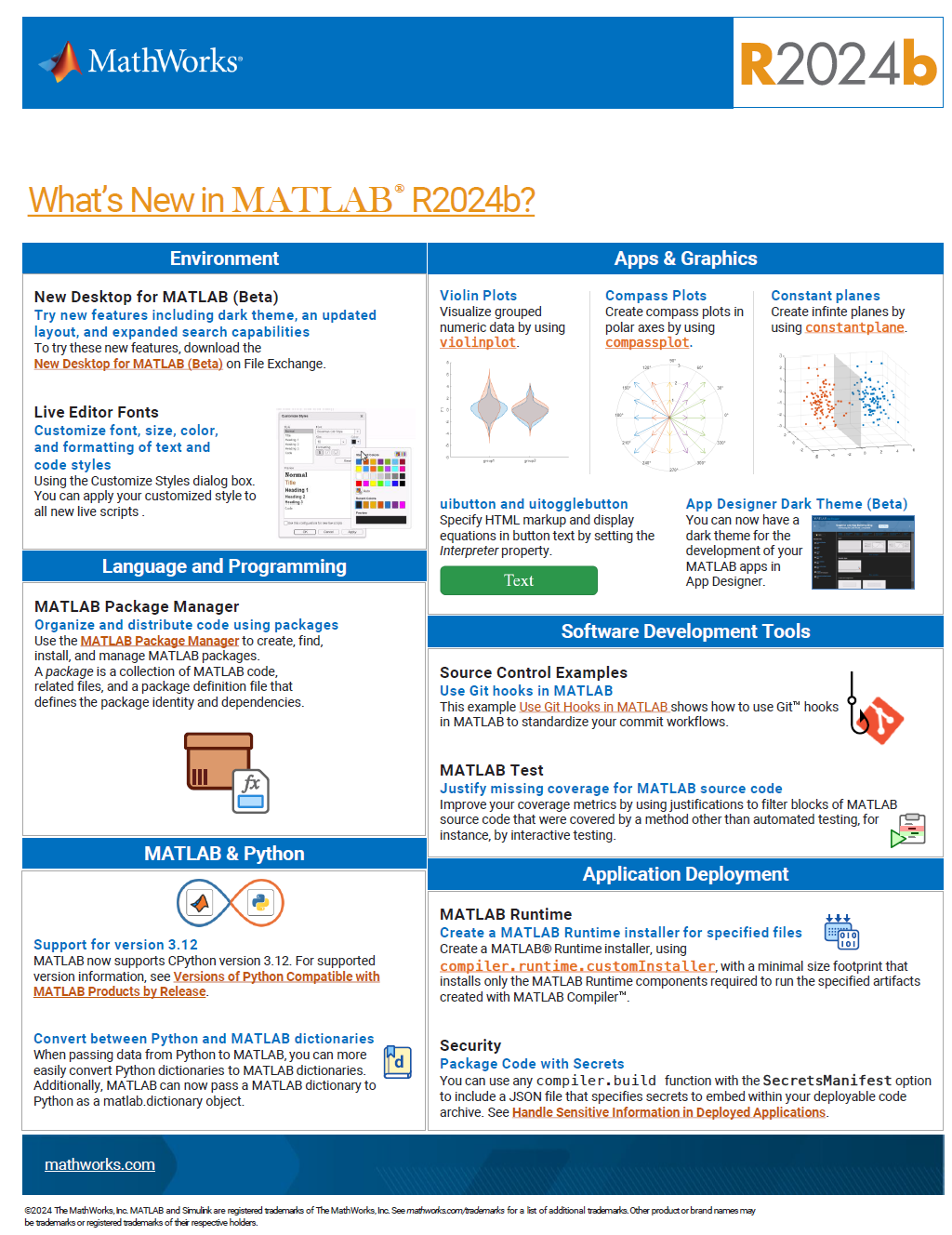
See the attached PDF for a higher resolution
Related blogs posts:
Local large language models (LLMs), such as llama, phi3, and mistral, are now available in the Large Language Models (LLMs) with MATLAB repository through Ollama™!
Read about it here:
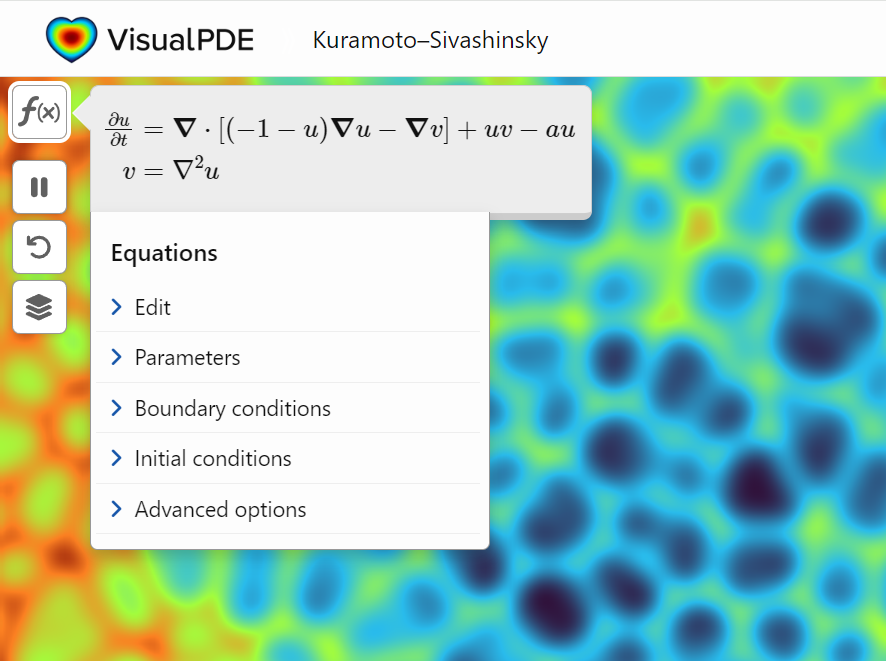
A library of runnable PDEs. See the equations! Modify the parameters! Visualize the resulting system in your browser! Convenient, fast, and instructive.
A colleague said that you can search the Help Center using the phrase 'Introduced in' followed by a release version. Such as, 'Introduced in R2022a'. Doing this yeilds search results specific for that release.
Seems pretty handy so I thought I'd share.
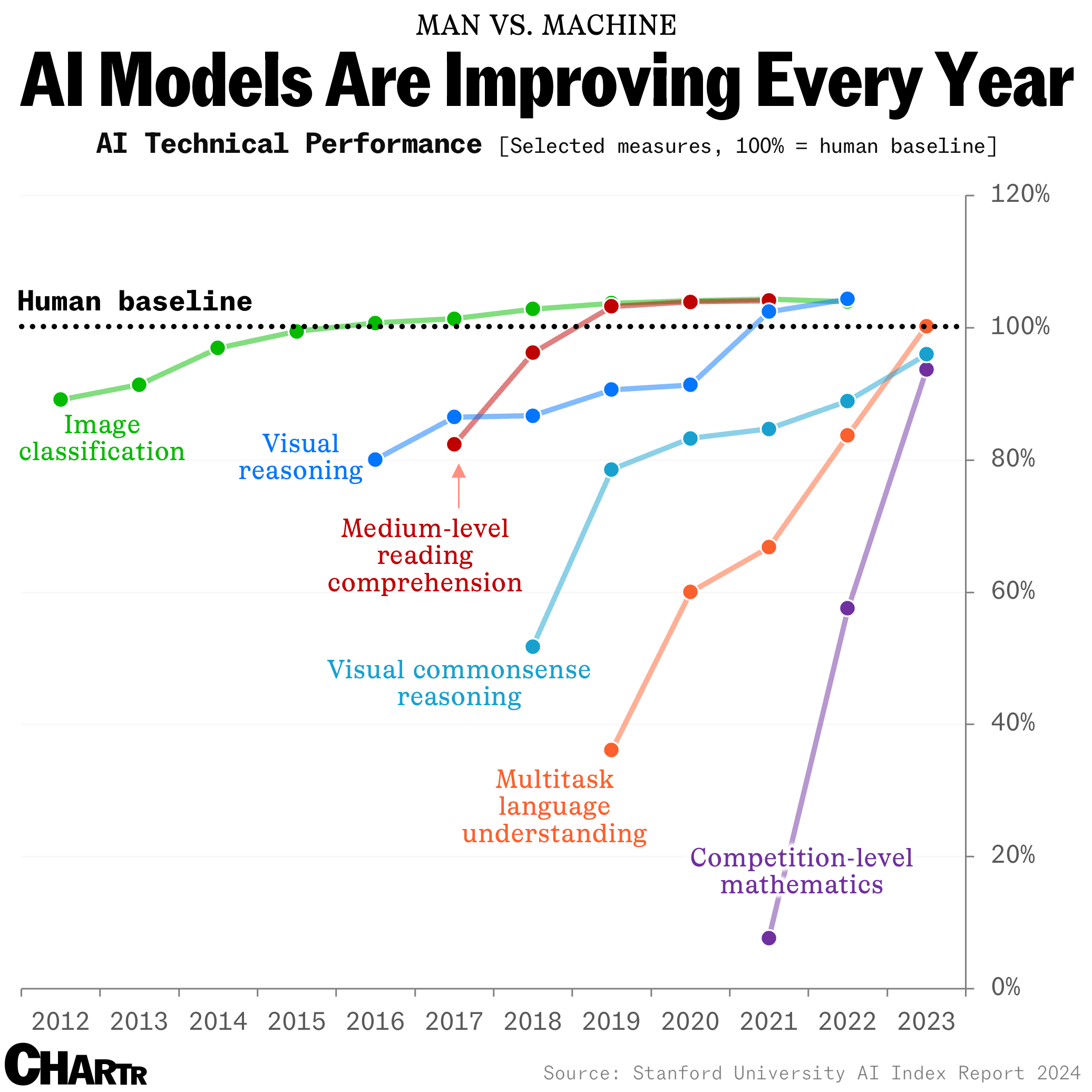
How long until the 'dumbest' models are smarter than your average person? Thanks for sharing this article @Adam Danz
I created an ellipse visualizer in #MATLAB using App Designer! To read more about it, and how it ties to the recent total solar eclipse, check out my latest blog post:
Github Repo of the app (you can open it on MATLAB Online!):
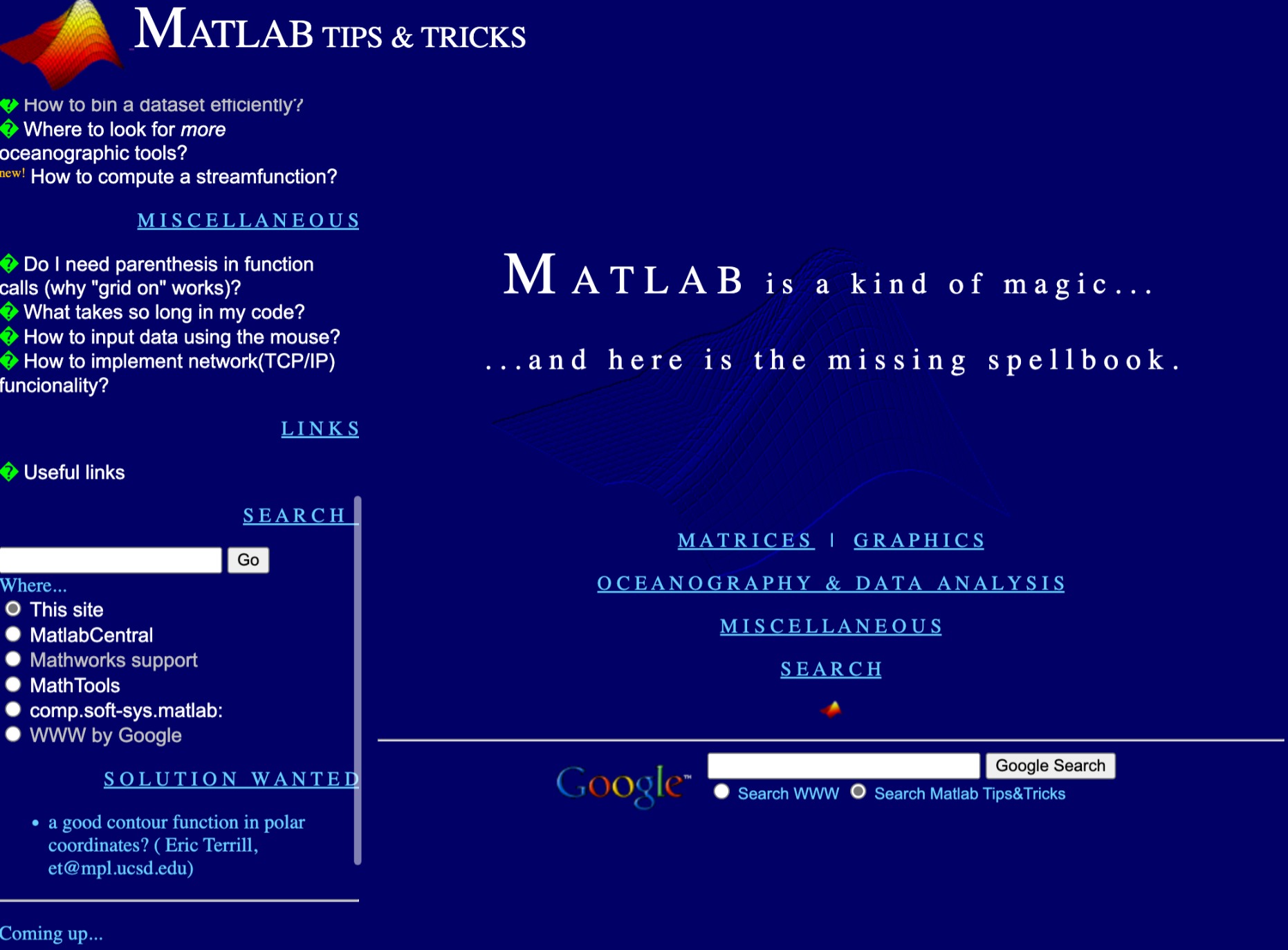
I feel like no one at UC San Diego knows this page, let alone this server, is still live. For the younger generation, this is what the whole internet used to look like :)