cmunique
Eliminate duplicate colors in colormap; convert grayscale or truecolor image to indexed image
Description
[
removes duplicate rows from the colormap Y,newmap] = cmunique(X,map)map to produce a new
colormap, newmap. The function also adjusts the indices in
intensity image X to maintain correspondence between the
indices and the colormap, and returns the result in Y. The
image Y and associated colormap newmap
produce the same image as X and map but
with the smallest possible colormap.
[
converts the truecolor image Y,newmap] = cmunique(RGB)RGB to the indexed image
Y and its associated colormap, newmap.
The returned colormap is the smallest possible colormap for the image, containing
one entry for each unique color in RGB.
Note
newmap might be very large, because the number of
entries can be as many as the number of pixels in
RGB.
Examples
Use the magic function to define X as a 4-by-4 array that uses every value in the range between 1 and 16.
X = magic(4);
Use the gray function to create an eight-entry colormap. Then, concatenate the two eight-entry colormaps to create a colormap with 16 entries, map. In map, entries 9 through 16 are duplicates of entries 1 through 8.
map = [gray(8); gray(8)];
size(map)
ans = 1×2

    16     3
Use cmunique to eliminate duplicate entries in the colormap.
[Y, newmap] = cmunique(X, map);
size(newmap)
ans = 1×2

     8     3
cmunique adjusts the values in the original image X so that Y and newmap produce the same image as X and map.
figure
image(X)
colormap(map)
title('X and map')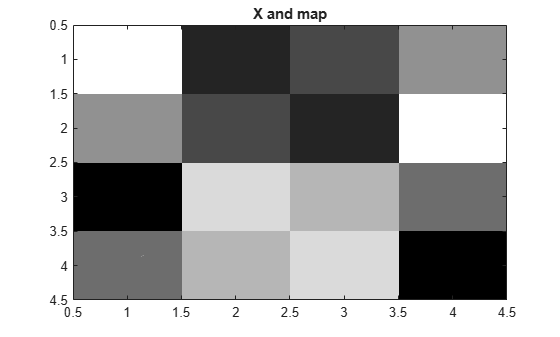
figure
image(Y)
colormap(newmap)
title('Y and newmap')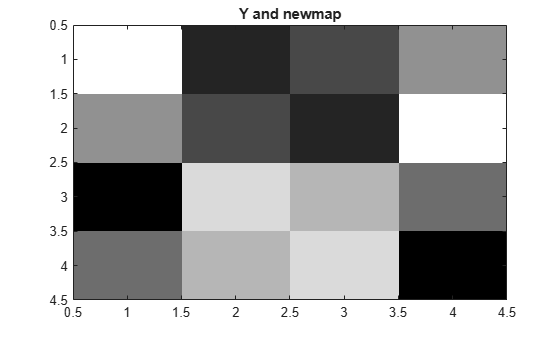
Input Arguments
Output Arguments
Version History
Introduced before R2006a

