delete
R2026bDelete files or objects
Description
delete deletes
filenamefilename from disk, without requesting verification.
By default, the specified file is permanently deleted. To change whether the file
is permanently deleted or sent to the recycle folder, go to the
Home tab, and in the Environment
section, click
Settings. Select MATLAB > General and in the Deleting files section, select from
the available options. Alternatively, you can use the recycle function.
When file recycling is on, the delete function moves deleted
files to a location specific to the platform:
Windows® — Recycle bin
macOS — Trash
Linux® platforms — Subfolder with the prefix
MATLAB_Files_in the system temporary folder, as returned by thetempdirfunction
Note
On macOS, file recycling is not applied to files deleted from network drives.
delete(___,ResolveSymbolicLinks=
specifies whether to delete a symbolic link or remove the target of the symbolic
link. (since R2024b)tf)
Examples
Delete all files in the current folder with a .mat extension.
delete *.matDelete a graphics object and a graphics object array.
Create a bar chart and plot five lines. Then delete the bar chart.
b = bar(1:5);
hold on
P = plot(magic(5));
delete(b)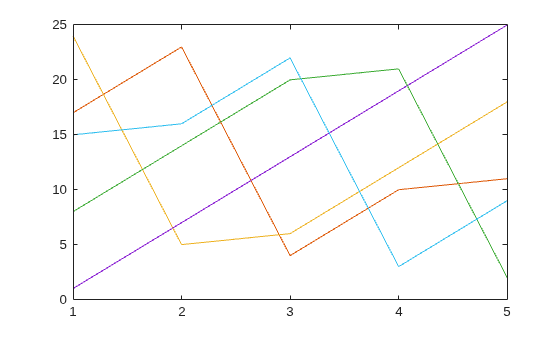
The Bar object variable b remains in the workspace, but no longer refers to an object.
display(b)
b =
  handle to deleted Bar
Delete all the Line objects created by plot.
delete(P)