| Products & Services | Solutions | Academia | Support | User Community | Company |
| Download Product Updates | | | Get Pricing | | | Trial Software |
| Documentation → MATLAB |
| Contents | Index |
| Learn more about MATLAB |
As an alternative to the doc function, use the Function Browser.
doc
doc functionName
doc methodname
doc classname
doc classname.methodname
doc productToolboxName
doc foldername/functionname
doc UserCreatedClassName
doc opens the Help browser, if it is not already running, and otherwise brings the Help browser to the top.
doc functionName displays the reference page for functionName in the Help browser. functionname can be a function, or block in an installedMathWorks product.
doc methodname displays the reference page for the method methodname. You may need to run doc classname and use links on the classname reference page to view the methodname reference page.
doc classname displays the reference name for the classclassname. You may need to qualify classname by including its package: doc packagename.classname.
doc classname.methodname displays the reference name for the method methodname in the classclassname. You may need to qualify classname by including its package: doc packagename.classname.
doc productToolboxName displays the documentation roadmap page for productToolboxName in the Help browser. productToolboxName is the folder name for a product in matlabroot/toolbox. To get productToolboxName for a product, run which functionname, where functionname is the name of a function in that product; MATLAB returns the full path to functionname, and productToolboxName is the folder following matlabroot/toolbox/.
doc foldername/functionname displays the reference page for the functionname that exists infoldername. Use this to go to the reference page for an overloaded function.
doc UserCreatedClassName displays the help comments from the user-created class definition file, UserCreatedClassName.m, in an HTML format in the Help browser. UserCreatedClassName.m must have a help comment following the classdef UserCreatedClassName statement or following the constructor method for UserCreatedClassName. To directly view the help for any method, property, or event of UserCreatedClassName, use dot notation, as in doc UserCreatedClassName.MethodName. For more information, see Providing Help for Classes You Create.
If one form of the doc syntax does not display the page you expected, try a different form. Or find the reference page another way, such as, using the Function Browser.
The doc function is intended only for reference pages supplied by The MathWorks. The exception is the doc UserCreatedClassName syntax.
doc does not display HTML files you create yourself. To display HTML files for functions you create, use the web function.
Display the reference page for the abs function:
doc abs
If the Simulink and Signal Processing Toolbox™ products are installed and the product filter includes their documentation, the Help browser displays a message that displays links to the abs reference page in those products.
Display the reference page for the abs function in the Signal Processing Toolbox product:
doc signal/abs
Display the reference page for the findobj method in the handle class:
doc handle.findobj
Display the reference page for the handle class:
doc handle
Display the reference page for the Map class in the containers package:
doc containers.Map
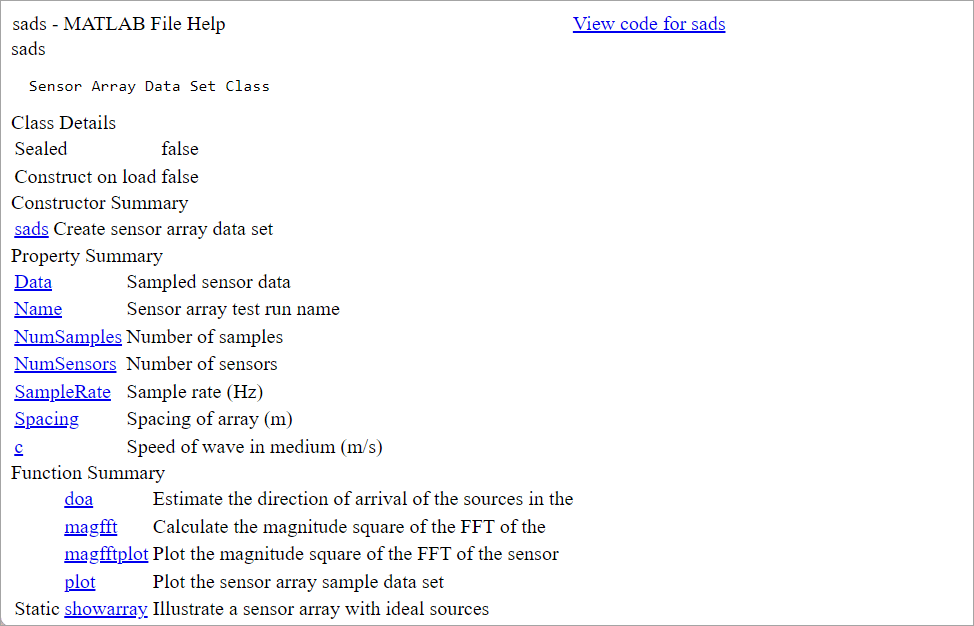
Display the help comments in the sads.m class definition file for the user-created sads class:
doc sads
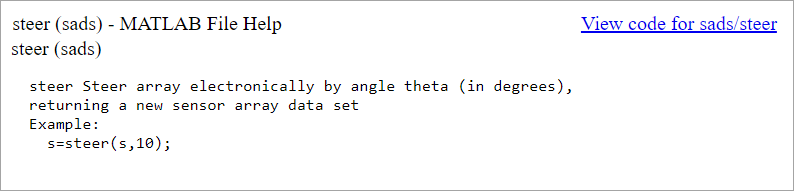
Go directly to help for the steer method of the user-created sads class:
doc sads.steer
docsearch, help, helpbrowser, web
Topics in the User Guide:
![]() | dmperm | docopt | ![]() |

Includes the most popular MATLAB recorded presentations with Q&A sessions led by MATLAB experts.
| © 1984-2009- The MathWorks, Inc. - Site Help - Patents - Trademarks - Privacy Policy - Preventing Piracy - RSS |