run
Run MATLAB script
Syntax
Description
run( runs
the MATLAB® script specified by scriptname)scriptname.
Examples
Create a temporary folder that is not on your current path.
tmp = tempname;
mkdir(tmp)
Write MATLAB code to a file in the folder.
newFile = fullfile(tmp,'ANewFile.m');
fid = fopen(newFile,'w');
fprintf(fid,'Z = magic(5);\n');
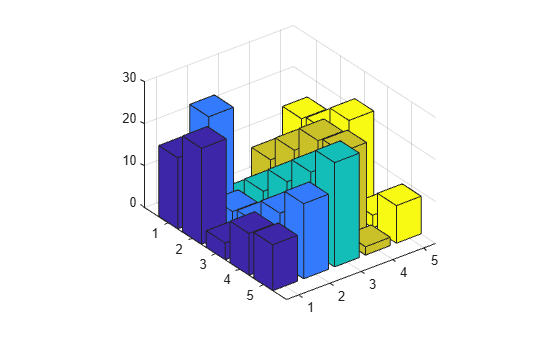
fprintf(fid,'b = bar3(Z);\n');
fclose(fid);
Run the script.
run(newFile)
Input Arguments
Tips
To update the output when running live scripts, use the Run button in the Live Editor tab instead of the
runfunction. Therunfunction does not update live scripts with new output.runchanges to the folder that contains the script, executes it, and resets back to the original folder. If the script itself changes folders, thenrundoes not revert to the original folder, unlessscriptnamechanges to the folder in which this script resides.
Version History
Introduced before R2006a

