readEncodedTile
Read data from specified tile
Description
tileData = readEncodedTile(t,tileNumber)tileNumber
from the TIFF file represented by the Tiff object
t.
The readEncodedTile function trims the area in a tile that is
outside of the ImageLength and ImageWidth
boundaries. Therefore, image data from tiles that occur on the right edge or the
bottom edge of the image can have different dimensions.
[
returns the YCbCr components of the image data contained in the tile specified by
Y,Cb,Cr] = readEncodedTile(t,tileNumber)tileNumber from the TIFF file represented by the
Tiff object t. Use this syntax only with
images that have a YCbCr photometric interpretation.
Depending upon the values of the YCbCrSubSampling tag, the size
of the Cb component can differ from the Y
component.
Examples
Read a tile of image data from a TIFF file that contains an image with a tiled layout.
t = Tiff('peppers_RGB_tiled.tif','r');
Determine the number of tiles and the tile size in the image.
nTiles = numberOfTiles(t)
nTiles =
36
tileSize = [getTag(t,'TileLength') getTag(t,'TileWidth')]
tileSize = 1×2

    32    48
Read and display the 19th tile of the image. The readEncodedTile function trims the area in a tile that is outside of the ImageLength and ImageWidth boundaries. Therefore, image data from tiles that occur on the right edge or the bottom edge of the image can have different dimensions.
tile = readEncodedTile(t,19);
imshow(tile);
title('19^{th} Tile of Peppers Image (RGB)');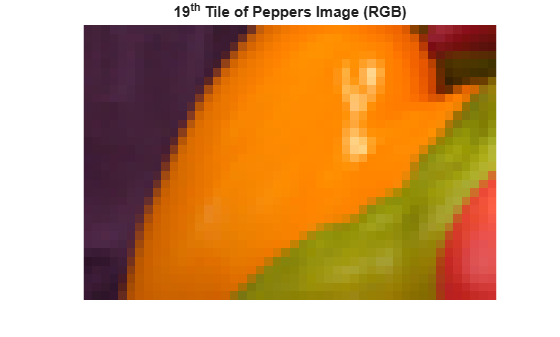
Close the Tiff object.
close(t);
Read a tile of image data from a YCbCr TIFF file that contains an image with a tiled layout.
t = Tiff('peppers_YCbCr_tiled.tif','r');
Determine the number of tiles and the tile size in the image.
nTiles = numberOfTiles(t)
nTiles =
36
tileSize = [getTag(t,'TileLength') getTag(t,'TileWidth')]
Read and display the Y component of the 19th tile of the image. The readEncodedTile function trims the area in a tile that is outside of the ImageLength and ImageWidth boundaries. Therefore, image data from tiles that occur on the right edge or the bottom edge of the image can have different dimensions.
[Y,Cb,Cr] =  readEncodedTile(t,19);
imshow(Y)
title('19^{th} Tile of Peppers Image (YCbCr)')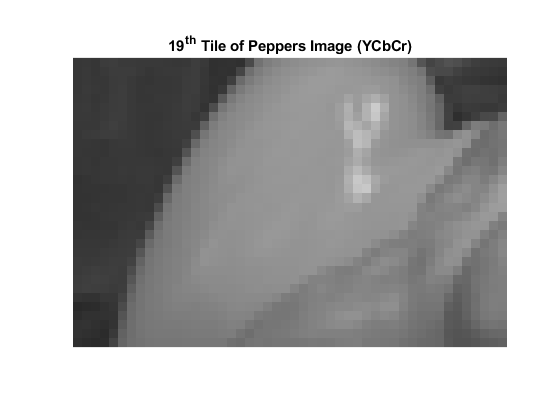
Close the Tiff object.
close(t);
Input Arguments
Output Arguments
Limitations
readEncodedTilereturns image data from SVS files as RGB data only, even for SVS files with YCbCr photometric interpretation.
Algorithms
Version History
Introduced in R2009b

