uistack
R2026bReorder visual stacking of UI components
Description
uistack( shifts the specified UI
component up one level within the visual stacking order of UI components. If
comp)comp is a vector of UI components, uistack
shifts each component in the vector up one level.
Examples
Create a UI figure with a button and a gauge. Because the gauge is created second, it appears in the front and covers the button.
fig = uifigure;
btn = uibutton(fig,"Text","Go","Position",[148 148 25 25]);
g = uigauge(fig);
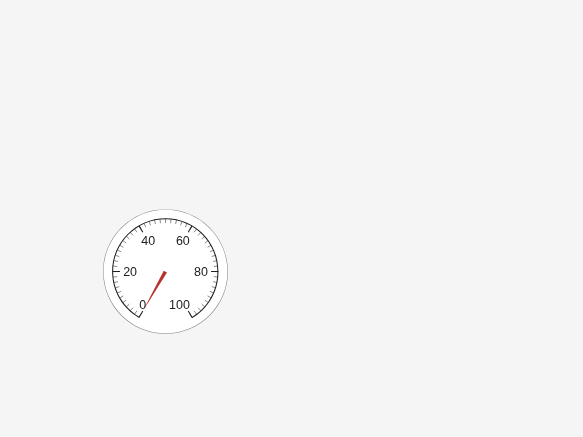
Bring the button to the front by moving it to the top of the stack.
uistack(btn,"top");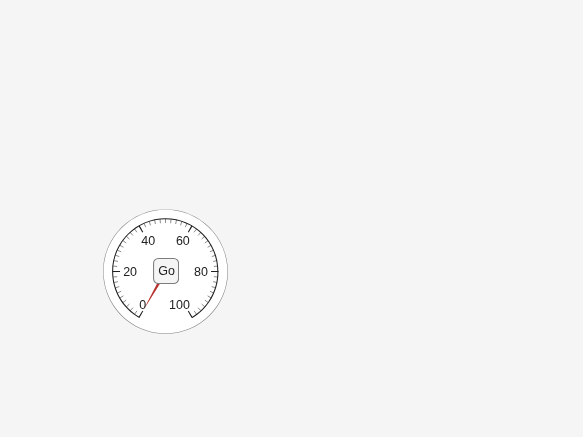
Create a UI figure that contains five overlapping panels with different titles and background colors.
fig = uifigure;
a = uipanel(fig,"Title","A","BackgroundColor","white","Position",[200 200 170 150]);
b = uipanel(fig,"Title","B","BackgroundColor","cyan","Position",[100 170 170 150]);
c = uipanel(fig,"Title","C","BackgroundColor","green","Position",[50 90 170 150]);
d = uipanel(fig,"Title","D","BackgroundColor","yellow","Position",[140 140 170 150]);
e = uipanel(fig,"Title","E","BackgroundColor","magenta","Position",[170 110 170 150]);
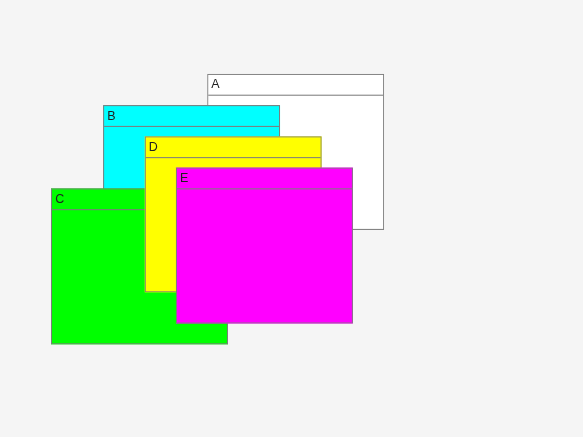
List the children in the UI figure.
fig.Children
ans =
  5×1 Panel array:

  Panel    (E)
  Panel    (D)
  Panel    (C)
  Panel    (B)
  Panel    (A)
Reorder the panels by shifting panels a and c up one level in the stack relative to their current positions.
comp = [a c];
uistack(comp)
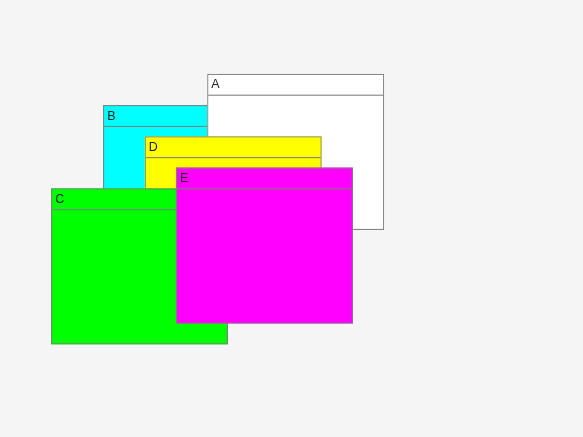
List the children again. Changing the stacking order of the panels also changes the order of the children in the UI figure.
fig.Children
ans =
  5×1 Panel array:

  Panel    (E)
  Panel    (C)
  Panel    (D)
  Panel    (A)
  Panel    (B)
Create a UI figure that contains a tree with two top-level nodes, each with two child nodes.
fig = uifigure;
t = uitree(fig,"Position",[20 20 150 150]);
category1 = uitreenode(t,"Text","Vegetables");
category2 = uitreenode(t,"Text","Fruits");
n1 = uitreenode(category1,"Text","Cucumber");
n2 = uitreenode(category1,"Text","Carrot");
n3 = uitreenode(category2,"Text","Apple");
n4 = uitreenode(category2,"Text","Banana");
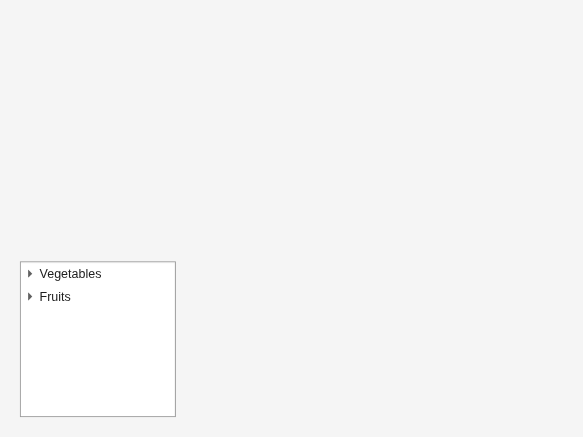
Expand all of the nodes in the tree.
expand(t)
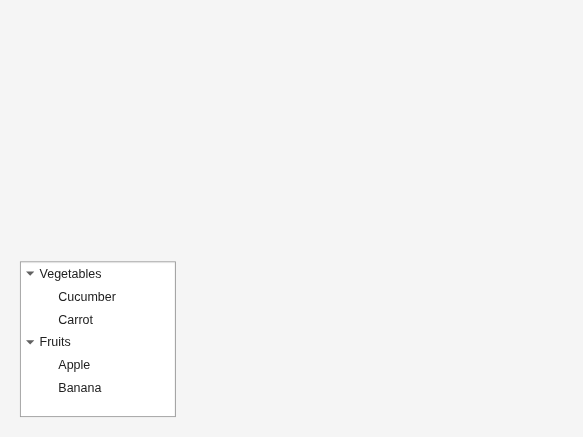
Move the Fruits node to the top of the stack. The node reorders relative to all other nodes that share a parent. This command moves the Fruits node and all of its child nodes above the Vegetables node.
uistack(category2,"top")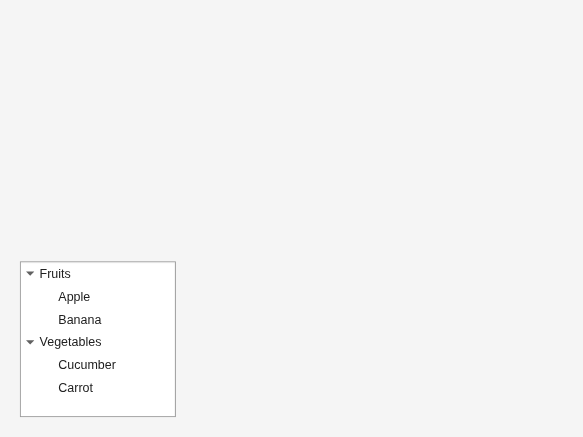
Rearrange the child nodes of the Fruits node. Move the Apple node one level down, below the Banana node.
uistack(n3,"down",1)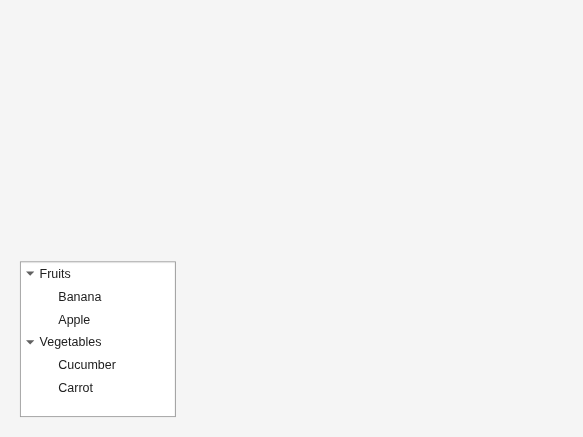
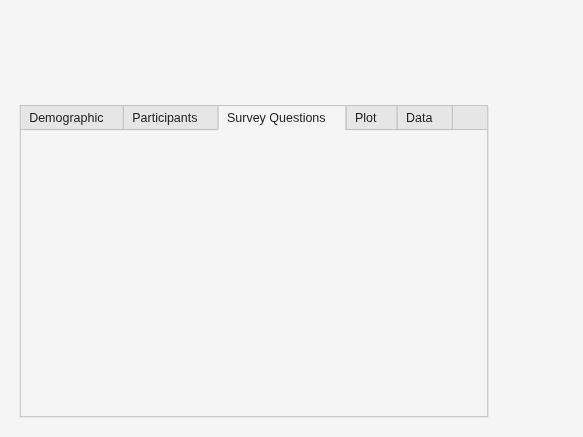
Create a UI figure that contains a tab group with five tabs.
fig = uifigure;
tg = uitabgroup(fig,"Position",[20 20 450 300]);
t1 = uitab(tg,"Title","Survey Questions");
t2 = uitab(tg,"Title","Demographic");
t3 = uitab(tg,"Title","Participants");
t4 = uitab(tg,"Title","Data");
t5 = uitab(tg,"Title","Plot");
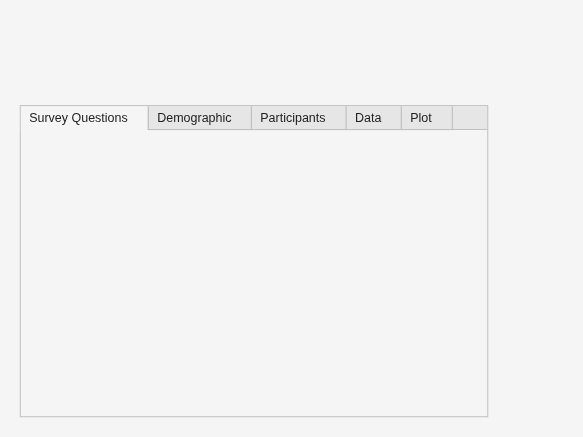
Move the Data tab to the bottom of the stack. The tab appears all the way on the right.
uistack(t4,"bottom")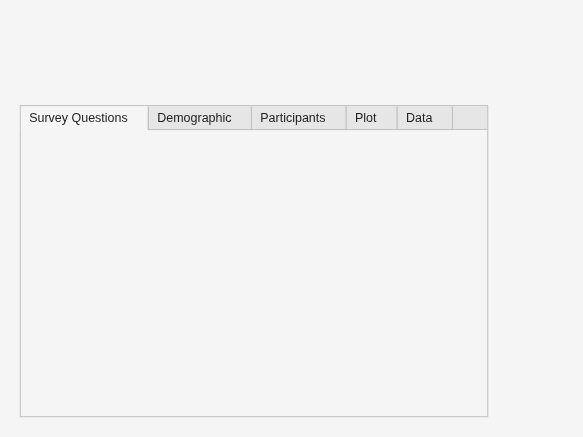
Move the Survey Questions tab two levels to the right.
uistack(t1,"down",2)