Zero-Order Hold
Implement zero-order hold sample period

Libraries:
Simulink /
Discrete
HDL Coder /
Discrete
Description
The Zero-Order Hold block holds its input for the sample period you specify. If the input is a vector, the block holds all elements of the vector for the same sample period.
You specify the time between samples with the Sample time
parameter. A setting of -1 means the block inherits the
Sample time.
Tip
Do not use the Zero-Order Hold block to create a fast-to-slow transition between blocks operating at different sample rates. Instead, use the Rate Transition block.
Bus Support
The Zero-Order Hold block is a bus-capable block. The input can be a virtual or nonvirtual bus signal. No block-specific restrictions exist. All signals in a nonvirtual bus input to a Zero-Order Hold block must have the same sample time, even if the elements of the associated bus object specify inherited sample times. You can use a Rate Transition block to change the sample time of an individual signal, or of all signals in a bus. See Modify Sample Times for Nonvirtual Buses and Bus-Capable Blocks for more information.
You can use an array of buses as an input signal to a Zero-Order Hold block. For details about defining and using an array of buses, see Group Nonvirtual Buses in Arrays of Buses.
Comparison with Similar Blocks
The Memory, Unit Delay, and Zero-Order Hold blocks provide similar functionality but have different capabilities. Also, the purpose of each block is different.
This table shows recommended usage for each block.
| Block | Purpose of the Block | Reference Examples |
|---|---|---|
| Unit Delay | Implement a delay using a discrete sample time that you specify. The block accepts and outputs signals with a discrete sample time. |
|
| Memory | Implement a delay by one major integration time step. Ideally, the block accepts continuous (or fixed in minor time step) signals and outputs a signal that is fixed in minor time step. |
|
| Zero-Order Hold | Convert an input signal with a continuous sample time to an output signal with a discrete sample time. |
Each block has the following capabilities.
| Capability | Memory | Unit Delay | Zero-Order Hold |
|---|---|---|---|
| Specification of initial condition | Yes | Yes | No, because the block output at time t = 0 must match the input value. |
| Specification of sample time | No, because the block can only inherit sample time from the driving block or the solver used for the entire model. | Yes | Yes |
| Support for frame-based signals | No | Yes | Yes |
| Support for state logging | No | Yes | No |
Examples
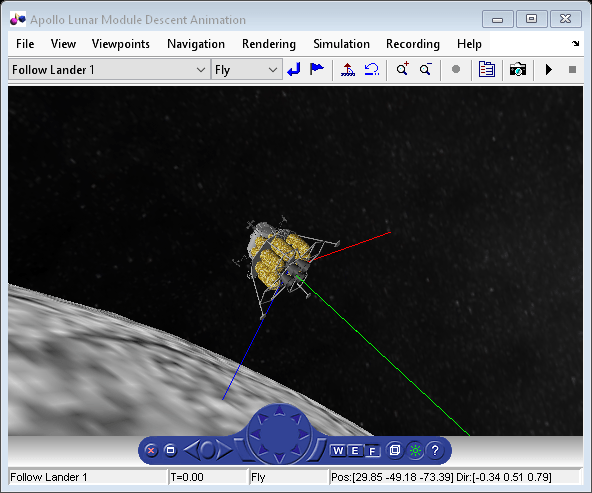
Developing the Apollo Lunar Module Digital Autopilot
"Working on the design of the Lunar Module digital autopilot was the highlight of my career as an engineer. When Neil Armstrong stepped off the LM (Lunar Module) onto the moon's surface, every engineer who contributed to the Apollo program felt a sense of pride and accomplishment. We had succeeded in our goal. We had developed technology that never existed before, and through hard work and meticulous attention to detail, we had created a system that worked flawlessly." -Richard J. Gran, The Apollo 11 Moon Landing: Spacecraft Design Then and Now.
Ports
Input
Output
Parameters
Block Characteristics
Data Types |
|
Direct Feedthrough |
|
Multidimensional Signals |
|
Variable-Size Signals |
|
Zero-Crossing Detection |
|

