union
R2026bUnion of polyshape objects
Syntax
Description
[
also returns vertex mapping information from the vertices in
polyout,shapeID,vertexID] = union(poly1,poly2)polyout to the vertices in poly1 and
poly2. The union function only supports
this syntax when poly1 and poly2 are scalar
polyshape objects.
The shapeID elements identify whether the corresponding vertex
in polyout originated in poly1,
poly2, or was created from the union.
vertexID maps the vertices of polyout to
the vertices of poly1, poly2, or the
union.
___ = union(___,
specifies options using one or more name-value arguments in addition to any of the
input argument combinations in previous syntaxes. You can use any of the output
argument combinations in previous syntaxes. For example, Name=Value)polyout =
union(poly1,poly2,Simplify=false) returns a polyshape
object whose vertices have not been modified regardless of intersections or improper
nesting.
Examples
Create and plot two polygons.
poly1 = polyshape([0 0 1 1],[1 0 0 1]);
poly2 = polyshape([0.75 1.25 1.25 0.75],[0.25 0.25 0.75 0.75]);
plot(poly1)
hold on
plot(poly2)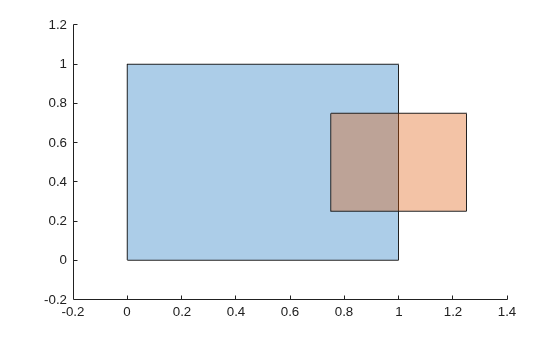
figure
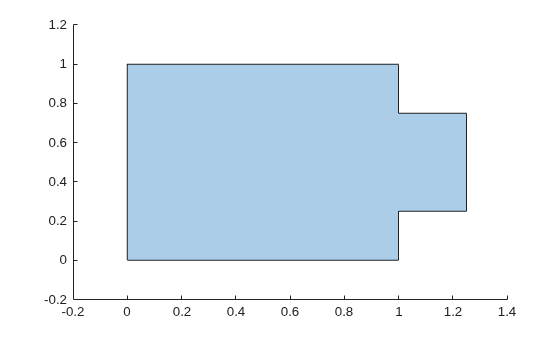
Compute and plot the union of poly1 and poly2.
polyout = union(poly1,poly2)
polyout =
  polyshape with properties:

      Vertices: [8×2 double]
    NumRegions: 1
      NumHoles: 0
plot(polyout)
xlim([-0.2 1.4]);
ylim([-0.2 1.2]);
Create a vector of polygons and plot each polygon.
polyarray1 = polyshape([0 0 1 1],[1 0 0 1]);
polyarray2 = polyshape([0.75 1.25 1.25 0.75],[0.25 0.25 0.75 0.75]);
polyvec = [polyarray1 polyarray2]
polyvec =
  1×2 polyshape array with properties:

    Vertices
    NumRegions
    NumHoles
plot(polyvec(1))
hold on
plot(polyvec(2))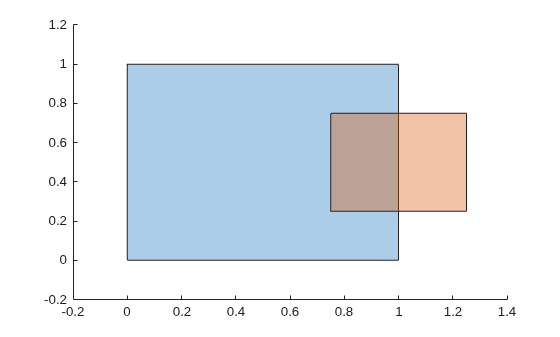
figure
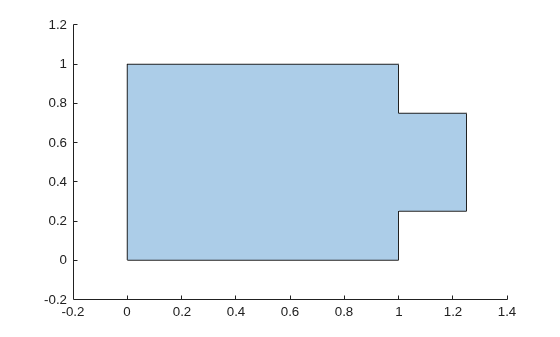
Compute and plot the union of the two polygons.
polyout = union(polyvec)
polyout =
  polyshape with properties:

      Vertices: [8×2 double]
    NumRegions: 1
      NumHoles: 0
plot(polyout)
xlim([-0.2 1.4]);
ylim([-0.2 1.2]);
Create two polygons, and compute and plot their union. When calling the union function, specify three output arguments to return the vertex mapping information.
poly1 = polyshape([0 0 1 1],[1 0 0 1]);
poly2 = translate(poly1,[0.5 0.25]);
[polyout,shapeID,vertexID] = union(poly1,poly2);
plot(polyout)
axis equal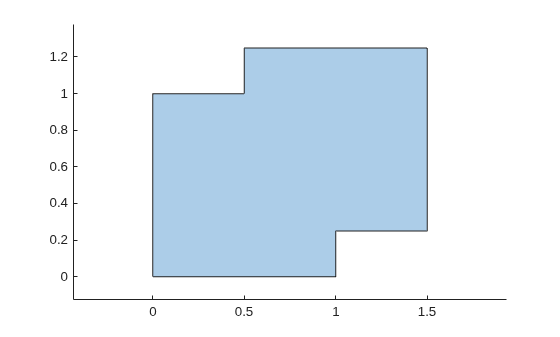
Display the vertex coordinates of the union and the corresponding vertex mapping information.
Vertices = polyout.Vertices;
table(Vertices,shapeID,vertexID)
ans = 8×3 table
     Vertices      shapeID    vertexID
    ___________    _______    ________

      0       1       1          1
    0.5       1       0          0
    0.5    1.25       2          1
    1.5    1.25       2          2
    1.5    0.25       2          3
      1    0.25       0          0
      1       0       1          3
      0       0       1          4
The first and the last two values in shapeID are 1, indicating that the corresponding vertices of the union originated in poly1. The corresponding values in vertexID are 1, 3, and 4, indicating that the vertices are the first, third, and fourth vertices in the property poly1.Vertices. Similarly, the third, fourth, and fifth vertices of the union originated in poly2, and they are the first, second, and third vertices in the property poly2.Vertices. The second and sixth vertices are created by the union, and the corresponding values in shapeID and vertexID are 0.
Now create a union of polygons that do not intersect or touch.
poly2 = translate(poly1,[1.2 0]);
[polyout,shapeID,vertexID] = union(poly1,poly2);
plot(polyout)
axis equal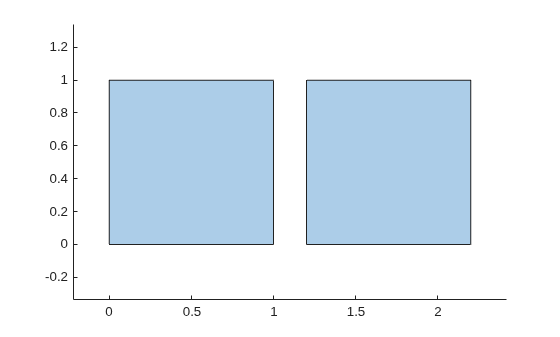
The resulting union has two boundaries, separated by a row of NaN values. The corresponding values in shapeID and vertexID are also NaN.
Vertices = polyout.Vertices;
table(Vertices,shapeID,vertexID)
ans = 9×3 table
     Vertices     shapeID    vertexID
    __________    _______    ________

      0      1        1          1
      1      1        1          2
      1      0        1          3
      0      0        1          4
    NaN    NaN      NaN        NaN
    1.2      1        2          1
    2.2      1        2          2
    2.2      0        2          3
    1.2      0        2          4
Create and plot two polygons. The first polygon represents a square with a hole at its center, and the second polygon is a square without holes.
poly1 = polyshape([0.25 0.25 0.75 0.75], ...
                  [0.75 0.25 0.25 0.75]);
poly2 = polyshape([0 0 1 1],[1 0 0 1]);
poly1 = subtract(poly2,poly1);
poly2 = translate(poly2,[0.5 0.5]);

plot([poly1 poly2])
axis equal
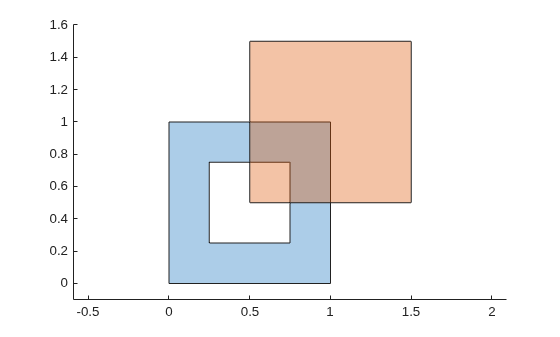
Compute and plot their union.
[polyout,shapeID,vertexID] = union(poly1,poly2);
plot(polyout)
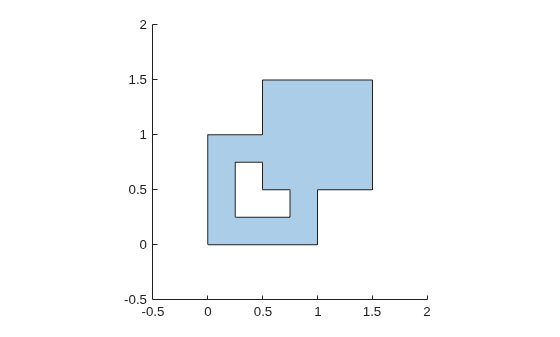
Display the vertex coordinates of the resulting polyshape object and the corresponding vertex mapping information.
Vertices = polyout.Vertices;
table(Vertices,shapeID,vertexID)
ans = 15×3 table
      Vertices      shapeID    vertexID
    ____________    _______    ________

       0       1        1          1
     0.5       1        0          0
     0.5     1.5        2          1
     1.5     1.5        2          2
     1.5     0.5        2          3
       1     0.5        0          0
       1       0        1          3
       0       0        1          4
     NaN     NaN      NaN        NaN
    0.25    0.75        1          6
    0.25    0.25        1          7
    0.75    0.25        1          8
    0.75     0.5        0          0
     0.5     0.5        2          4
     0.5    0.75        0          0
The resulting union has two boundaries. In the Vertices property of the output polyshape object, the two sets of boundary coordinates are separated by a row of NaN values. The corresponding values of shapeID and vertexID are also NaN.

