Discrete-Event Chart
R2026bDiscrete event chart
Discrete-Event Chart block

To add a block to a model, double-click the canvas and start typing the block name. Then, select the block from the list.
Libraries:
SimEvents
Description
The Discrete-Event Chart block is similar to a Stateflow® chart but is used for discrete events. The block requires a Stateflow license.
The distinguishing characteristic of the Discrete-Event Chart block is that it executes in an event-based rather than time-based fashion. The Discrete-Event Chart block provides these advantages for discrete-event modeling:
Precise timing — The time resolution for occurrence of events can be arbitrarily precise and is not limited by the sample time of the model.
Trigger on arrival — A Discrete-Event Chart block executes immediately on message arrival. It does not wait for the next sample time hit.
Variable execution order — A Discrete-Event Chart block does not have a fixed sorted execution order. The order of execution depends on the run-time conditions of the model.
Multiple executions per time step — A Discrete-Event Chart block can execute zero or multiple times in a single time step.
The Discrete Event Chart can be used in a similar fashion to the Stateflow Chart (Stateflow).
To access the chart properties, right-click the Discrete-Event Chart block, and then select Properties. For more information about the block properties, see Create Custom Queuing Systems Using Discrete-Event Stateflow Charts.
For information about SimEvents® common design patterns with Discrete-Event Chart block, see SimEvents Common Design Patterns.
Examples
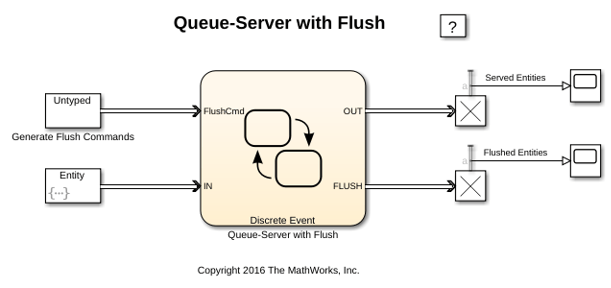
Flush Entities from a Queue-Server
Use a Discrete-Event Chart block to model a queue-server that can flush entities when it receives a message on the "FlushCmd" port.
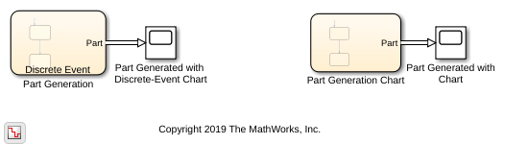
Discrete-Event Chart Precise Timing
The precise timing that a Discrete-Event Chart block executes as it generates parts in a facility. The behavior of the Discrete-Event Chart and the Stateflow® blocks are compared. Both blocks require a Stateflow® license. Using a Discrete-Event Chart block, the example shows that the temporal resolution of events can be arbitrarily precise and independent from the model sample time.
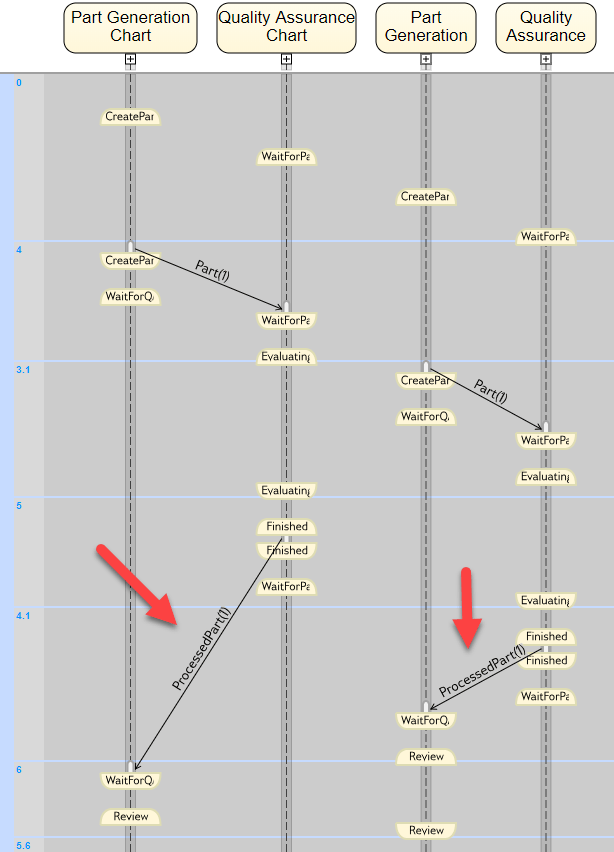
Trigger a Discrete-Event Chart Block on Message Arrival
Trigger a Discrete-Event Chart Block on the message arrival when generating parts in a facility and performing quality assurance. In the example, behaviors of a Discrete-Event Chart and Stateflow® Chart blocks are compared. Both blocks require a Stateflow® license. The example shows that, a Discrete-Event Chart block executes immediately upon the arrival of a message and does not wait for the next sample time hit.
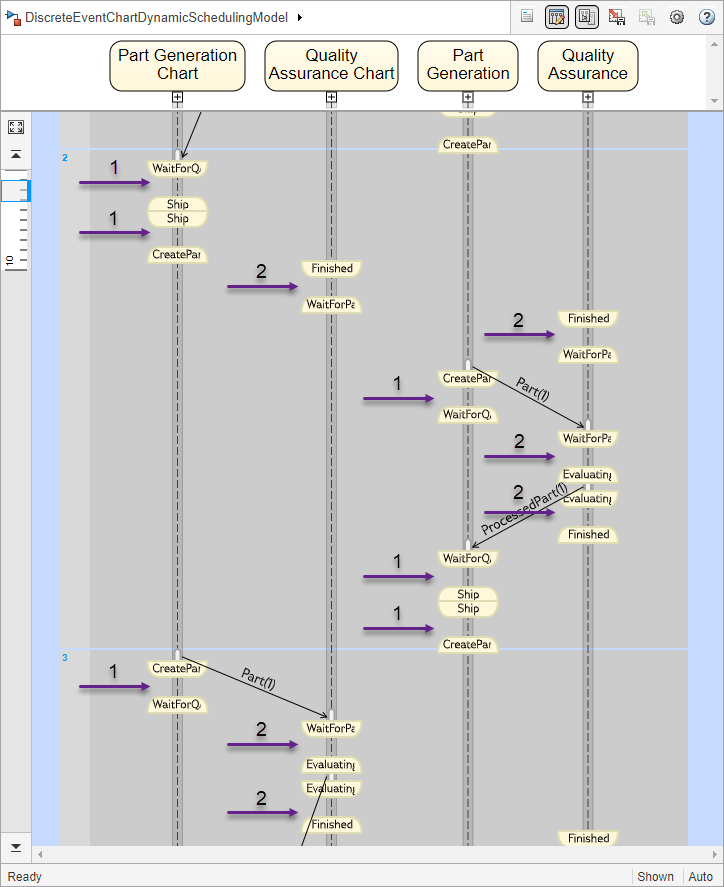
Dynamic Scheduling of Discrete-Event Chart Block
Use the dynamic scheduling that the Discrete-Event Chart block provides. A Discrete Event Chart block can execute zero or multiple times in a time step. The example compares the behaviors of the Discrete-Event Chart and Stateflow® Chart blocks. Both blocks require a Stateflow® license.
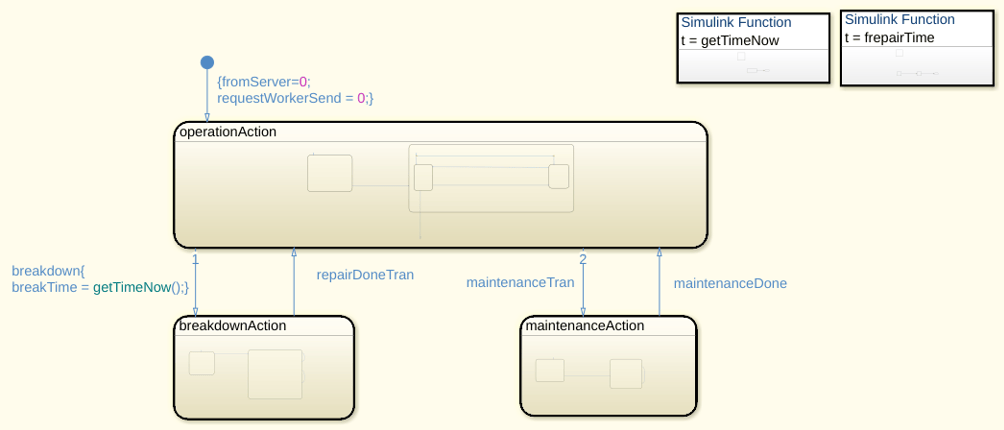
Modeling Machine Failure
Model random failures and scheduled maintenance of a machine during regular operation. In the model, the machine can transition between three different states.
Programmatic Use: Add Block
To add the block programmatically, use the add_block function with one of these library block paths as the source.
"sldelib/Discrete-Event Chart"
Example: add_block("sldelib/Discrete-Event Chart","myModel/myBlock",MakeNameUnique="on")
Version History
Introduced in R2016a

