You are now following this Submission
- You will see updates in your followed content feed
- You may receive emails, depending on your communication preferences
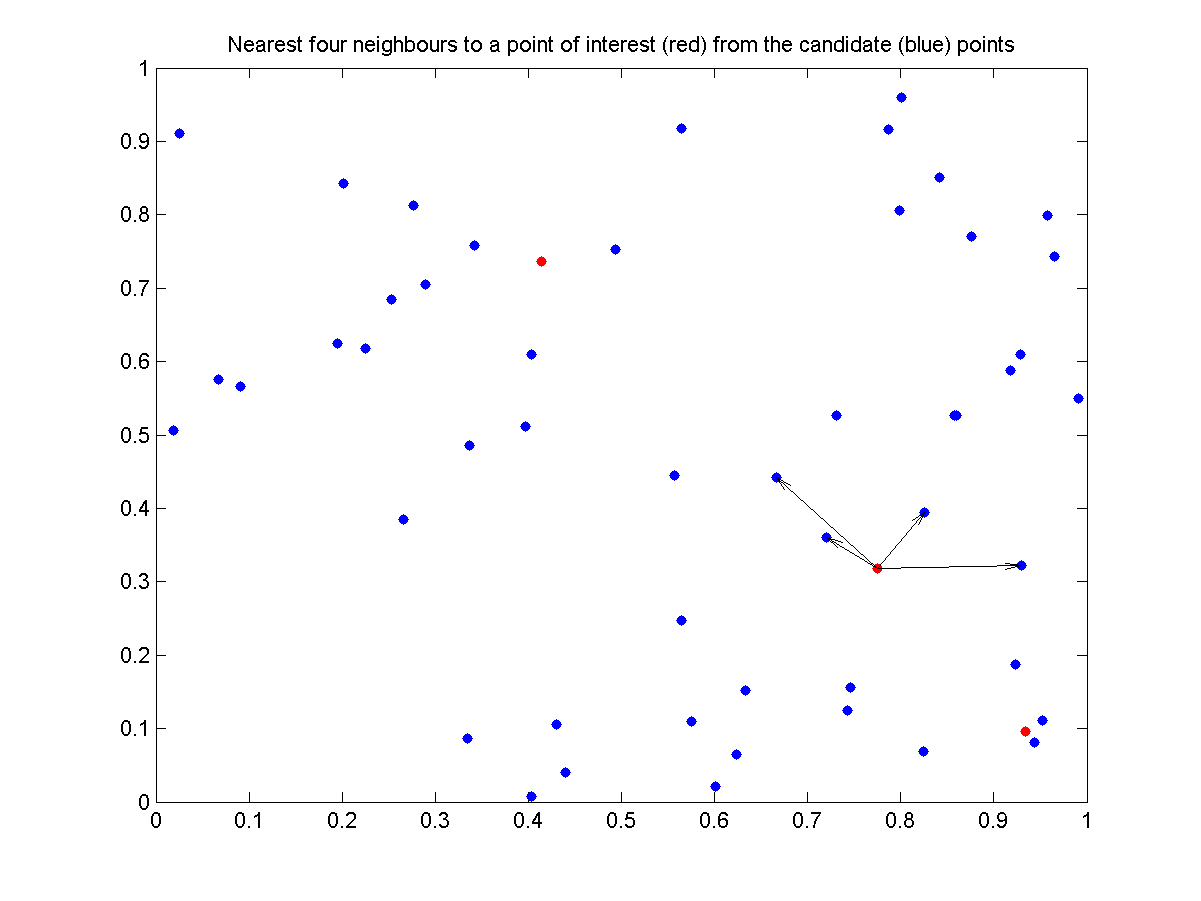
Compute nearest neighbours (by Euclidean distance) to a set of points of interest from a set of candidate points.
The points of interest can be specified as either a matrix of points (as columns) or indices into the matrix of candidate points.
Points can be of any (within reason) dimension.
nearestneighbour can be used to search for k nearest neighbours, or neighbours within some distance (or both)
If only 1 neighbour is required for each point of interest, nearestneighbour tests to see whether it would be faster to construct the Delaunay Triangulation (delaunayn) and use dsearchn to lookup the neighbours, and if so, automatically computes the neighbours this way. This means the fastest neighbour lookup method is always used.
A couple of examples:
% Candidate points
X = rand(2, 100);
% Points of interest
P = rand(2, 3);
% Find the nearest neighbour to each column of P
% where X(:, I(i)) is the neighbour to P(:,i)
I = nearestneighbour(P, X)
% Find the nearest 10 neighbours to each column of P
I = nearestneighbour(P, X, 'NumberOfNeighbours', 10)
% Find the nearest neighbours to the 2nd and 20th points in X
I = nearestneighbour([2 20], X)
% Find the neighbours in X which are within a radius of 0.2 from P
I = nearestneighbour(P, X, 'Radius', 0.2)
% Find the nearest neighbours to all columns of X
I = nearestneighbour(X)
Cite As
Richard Brown (2026). nearestneighbour.m (https://www.mathworks.com/matlabcentral/fileexchange/12574-nearestneighbour-m), MATLAB Central File Exchange. Retrieved .
General Information
- Version 1.0.0.0 (96.1 KB)
MATLAB Release Compatibility
- Compatible with any release
Platform Compatibility
- Windows
- macOS
- Linux
| Version | Published | Release Notes | Action |
|---|---|---|---|
| 1.0.0.0 | Latest version contained a braindead while loop which made it very slow. Replaced this with fast vectorised code
|
