
MATLAB Support for MinGW-w64 C/C++/Fortran Compiler
Install the MinGW-w64 C/C++/Fortran compiler for Windows
double-click on the file or drag it into the MATLAB Command Window to install."Download" button instructions: Save the file to the desired folder then double-click on the file or drag it into the MATLAB Command
- 1.2M (All time)
- 6.5K (Last 30 days)
- 2.9 / 5
- MathWorks
-
23 Sep 2026
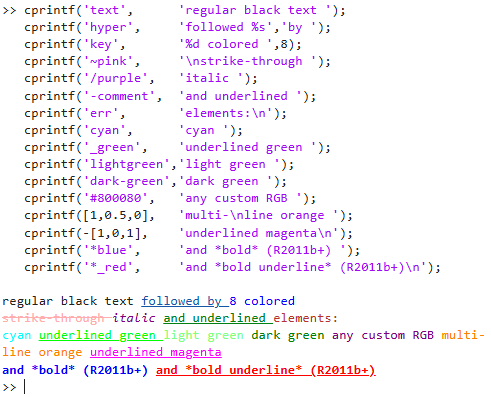
cprintf - display formatted colored text in Command Window
Displays sprintf-formatted strings in the Command Window using the specified color/underline/bold style
SPRINTF and FPRINTF functions.CPRINTF then displays the text in the Command Window using the specified STYLE argument. The accepted styles are those used for Matlab's syntax highlighting (see: File /
- 30K (All time)
- 86 (Last 30 days)
- 4.9 / 5
- Community
-
12 Oct 2026

Set desktop environment font size from command line
Handy function to set the desktop environment font size from the command line.
Call as setFontSize( fontSize) where fontSize is an integer font size value. The command window and editor font sizes are changed to be fontSize. Very useful when connecting a laptop to external
- 10 (All time)
- 1 (Last 30 days)
- 5.0 / 5
- Community
-
21 Oct 2020

setPrompt - Set the Command Window prompt
Sets the Command Window prompt to the specified string
setPrompt(newPrompt) sets the Command Window prompt to the specified NEWPROMPT.NEWPROMPT can be one of the following: - a static string: setPrompt('>> ') => this
- 2.3K (All time)
- 18 (Last 30 days)
- 4.9 / 5
- Community
-
20 Oct 2014

Programmatic control of the command window
property font: Set and get font name and size background, foreground: Set and get font and background color isBusy: TRUE if a program is runningThe commands marked with (*) run under Windows only and need
- 1.8K (All time)
- 20 (Last 30 days)
- 5.0 / 5
- Community
-
20 Dec 2015
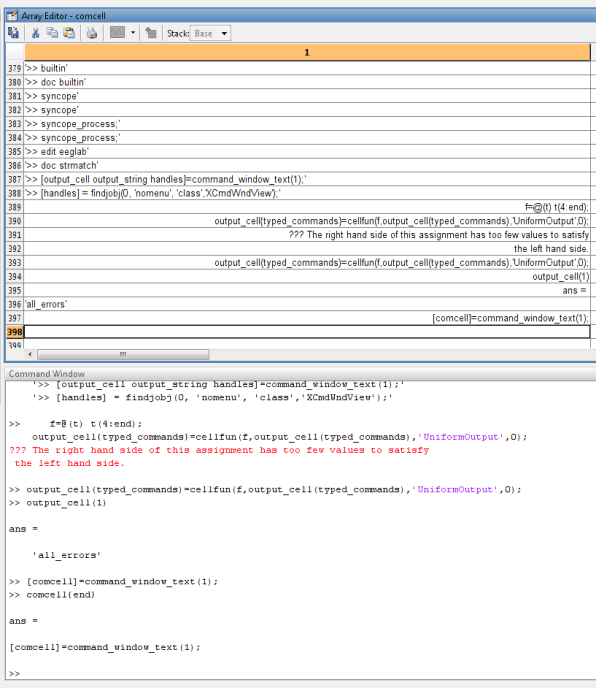
Copies all text in the command window into a cell array of strings.
This m-file allows you to export all text in the Command Window to a cell array of strings, each entry being a line of text from the window. The unparsed raw string is also available, if
- 698 (All time)
- 17 (Last 30 days)
- 5.0 / 5
- Community
-
19 May 2011

Data Acquisition Toolbox Support Package for Windows Sound Cards
Acquire and analyze data from Windows sound cards.
Data Acquisition Toolbox™ Support Package for Windows® Sound Cards enables you to communicate with your audio hardware from a computer running MATLAB®. Using the command line interface you can
- 8.8K (All time)
- 148 (Last 30 days)
- 4.0 / 5
- MathWorks
-
23 Sep 2026
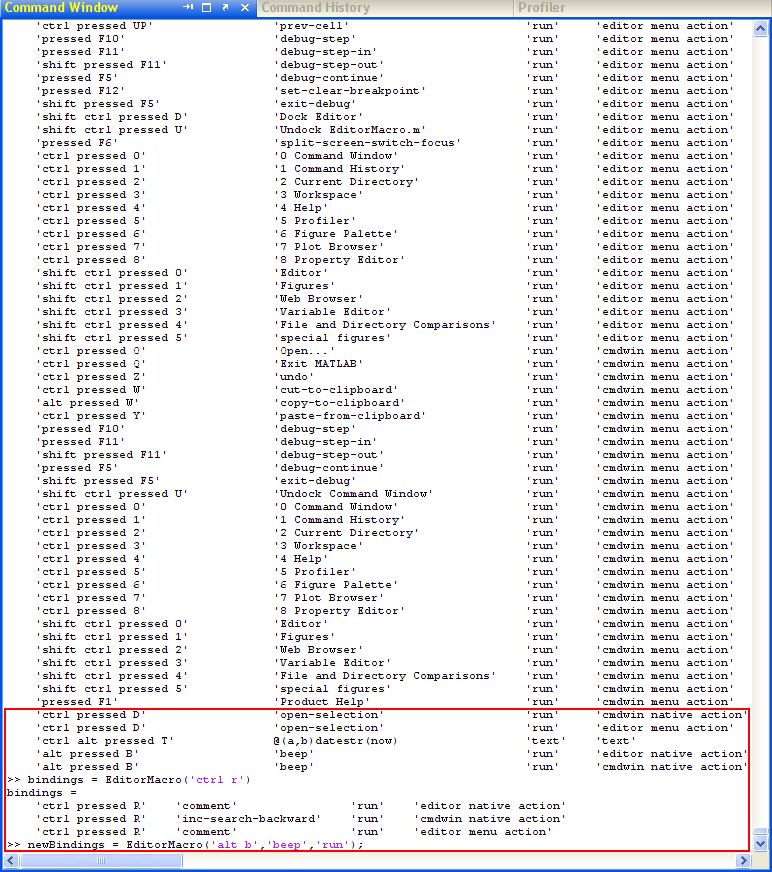
EditorMacro - assign a macro to a keyboard key-stroke in the Matlab Editor and Command Window
EditorMacro assigns a macro or action to requested key-binding in the Matlab Editor & Command Window
to the requested keyboard KEYSTROKE, within the context of the Matlab Editor and Command Window. KEYSTROKE is a string representation of the keyboard combination. Special modifiers (Alt, Ctrl or
- 4.1K (All time)
- 18 (Last 30 days)
- 4.9 / 5
- Community
-
31 Jan 2011

Image Acquisition Toolbox Support Package for Kinect For Windows Sensor
Acquire video and images from Kinect for Windows Sensor.
Image Acquisition Toolbox™ Support Package for Kinect® For Windows® Sensor enables you to acquire image sensor data directly into MATLAB® and Simulink®.This support package is functional for R2013a
- 23.7K (All time)
- 65 (Last 30 days)
- 4.0 / 5
- MathWorks
-
23 Sep 2026
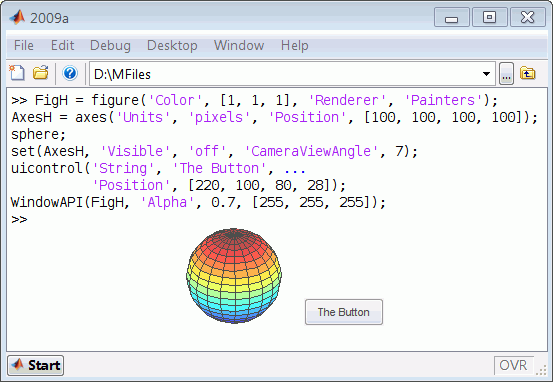
Set figure size, top-most, transparency and pixel mask, multi-monitor etc by Windows API
useful to keep the mouse cursor in a specified rectangle. WindowAPI(FigH, Command) INPUT: FigH: Matlab's figure handle or Windows HWND Command: TopMost: Window is topmost even if the focus is
- 6.2K (All time)
- 19 (Last 30 days)
- 5.0 / 5
- Community
-
23 Feb 2022
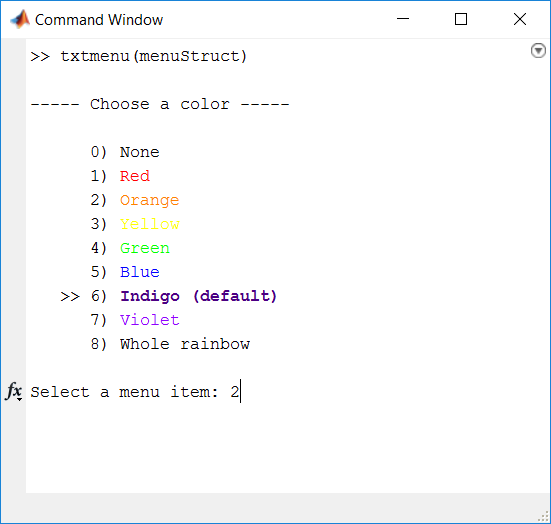
TXTMENU - Text-Based Menu for the Command Window
Like the built-in MENU function, but all in the command prompt so fingers never leave the keyboard.
TXTMENU is similar to the built-in MATLAB function MENU but has the following features to make using menus faster and more useful:1. The menu is text-based in the command window so time isn't wasted
- 1.2K (All time)
- 17 (Last 30 days)
- 5.0 / 5
- Community
-
15 Feb 2017
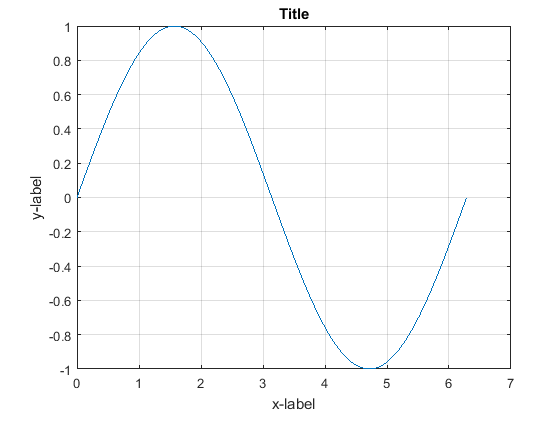
ActiveX Word control base commands
Base commands to control Word in Matlab
This is an example to learn how to control Microsoft Word in Matlab.(tested on Microsoft Office 2007) This example contains:-define Font-define Font Size-define Page setup-write Text-color
- 2.3K (All time)
- 19 (Last 30 days)
- 4.6 / 5
- Community
-
21 Jul 2016

An advanced log4j port for MATLAB supporting autocast, filters, and source code links in the output.
Powerful Log4J port for MATLAB.The logger is inspired by the popular log4j framework. The main implemented features are:Logging to command window, files and memoryPopular log level designMessage
- 82 (All time)
- 19 (Last 30 days)
- 5.0 / 5
- Community
-
2 Jun 2023
wdisp: a pedestrian command window waitbar
Creates a waitbar-like display in the command window.
Creates the equivalent of WAITBAR in the command window.See:help wdispfor a self-explanatory example - or type: t='-\|/'; fori=1:40 tl=wdisp( 0,sprintf('time %c %s',t(rem(i,4)+1),datestr(now
- 9.9K (All time)
- 1 (Last 30 days)
- 3.8 / 5
- Community
-
19 May 2003
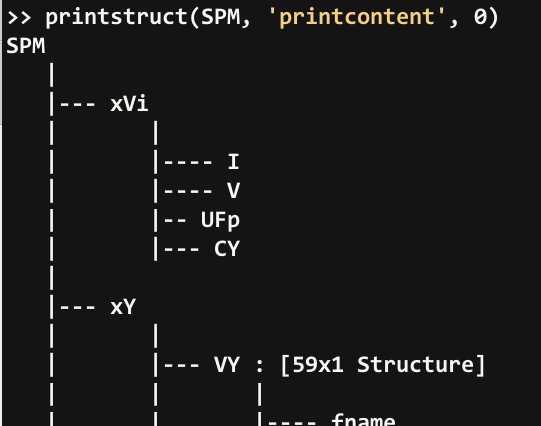
PRINTSTRUCT | Recursively print structures to the command window or a cell char array
Recursively print/display hierarchical outline of structure contents
determination of input structure variable name, which is used to title each struct - included output argument that, when defined, returns the printed struct as char cell array and suppresses output to command
- 1.2K (All time)
- 17 (Last 30 days)
- 5.0 / 5
- Community
-
28 Dec 2022
Windows command line MATLAB process priority
Set the priority of your MATLAB session in Windows.
I've seen many questions on how to run MATLAB in Windows with a process priority other than "normal."During long calculations on single-processor machines, it would be nice to reduce the priority of
- 5K (All time)
- 1 (Last 30 days)
- 3.8 / 5
- Community
-
9 Jun 2005
Save entire command history - Updated, Fast
Saves a complete record of all commands.
Inspired by http://www.mathworks.com/matlabcentral/fileexchange/9291-save-entire-command-history.`preserve_history.m` maintains a complete record of the command history (MATLAB only maintains the
- 460 (All time)
- 17 (Last 30 days)
- 5.0 / 5
- Community
-
28 Nov 2014
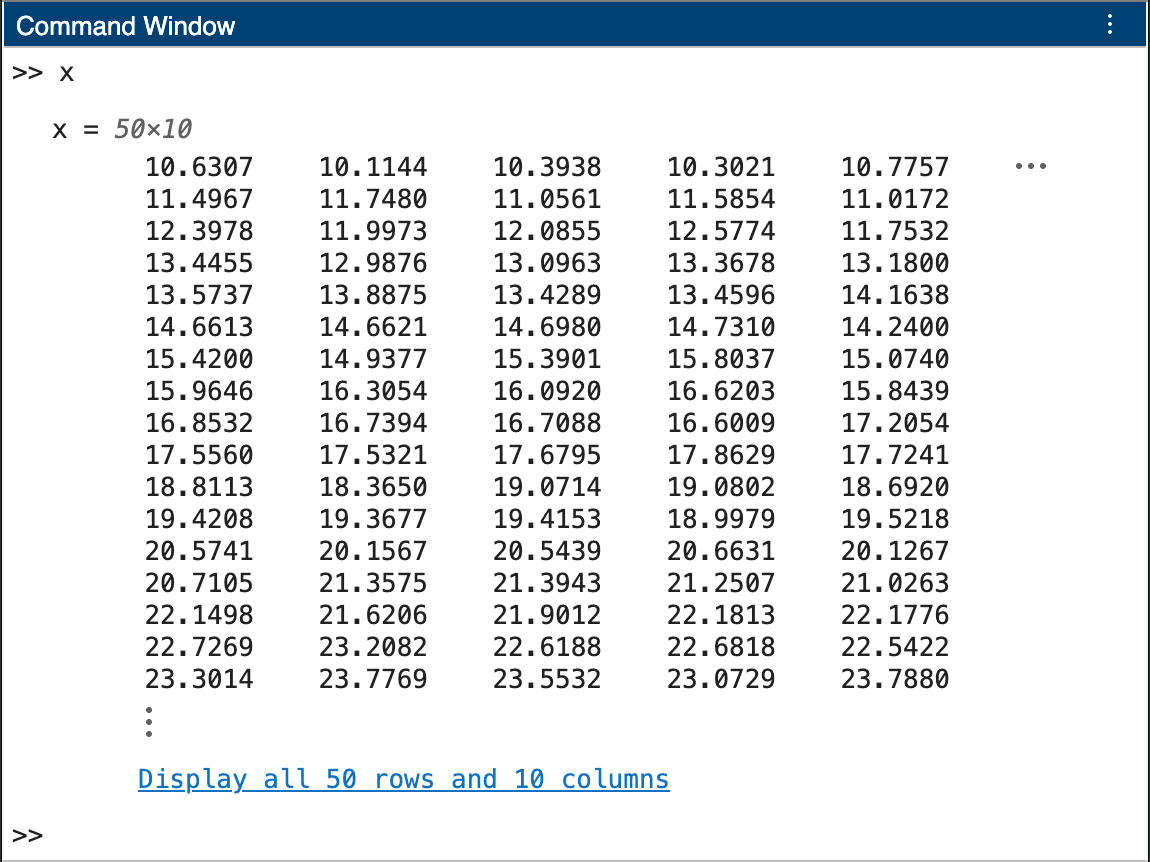
Truncated Matrix Outputs in Command Window (Beta)
Try the truncated output display for matrices in the Command Window.
below the matrix.Known IssuesChanging the font size, name, and style in the Command Window is not supported and can cause unexpected behaviors when the Truncated Matrix Outputs in Command Window (Beta
- 32 (All time)
- 16 (Last 30 days)
- -- / 5
- Community
-
23 Dec 2025
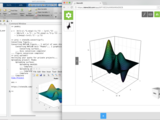
MATLAB client library for Steno3D
plots you have already created in MATLAB, or build new figures using custom Steno3D commands. These figures may include any combination of 3D objects and data, including volumes. Once uploaded, you can
- 111 (All time)
- 1 (Last 30 days)
- 5.0 / 5
- Community
-
17 Apr 2017
Maintains a complete record of the command history (Matlab only maintains the last 20k worth ...
'preserve_history.m' maintains a complete record of the command history (MATLAB only maintains the last 20k worth of commands, so old commands are lost). To get it to run you need to create a copy of
- 3.1K (All time)
- 18 (Last 30 days)
- 4.7 / 5
- Community
-
7 Dec 2005
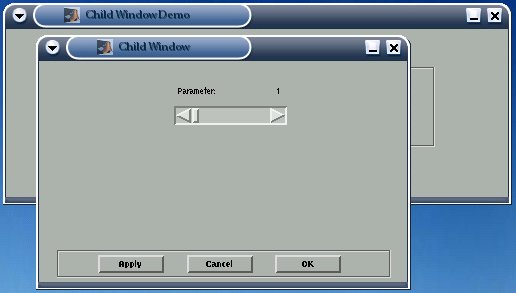
Child window with parameter passing.
Many people in the MATLAB newsgroups have requested help on this topic. Here is a classic solution which shows how to construct child windows and pass parameters between them.
- 6.4K (All time)
- 1 (Last 30 days)
- 5.0 / 5
- Community
-
25 Apr 2016
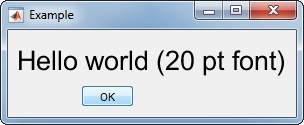
Change the fontsize and other text properties in a msgbox(), errordlg(), warndlg() etc.
h = msgbox('Hello world (20 pt font)', 'Example');msgboxFontSize(h, fontsize)msgboxFontSize(h, fontsize, 'FontName', 'Consolas', 'Color', 'b')msgboxFontSize(h, fontsize, 'ignorebuttons', true) % does
- 481 (All time)
- 18 (Last 30 days)
- 5.0 / 5
- Community
-
24 Jul 2019
Play video in VLC by filename in Windows (dos)
Accepts a video filename string and sends it to Video Lan Client VLC using a dos command in Windows.
Accepts a video filename string and send it to Video Lan Client VLC using a dos command. Does not prevent Matlab from performing other actions while the video plays (program is non-blocking).Does not
- 448 (All time)
- 1 (Last 30 days)
- 5.0 / 5
- Community
-
13 Jul 2011

MATLAB Command Line Chat
MATLAB command line window when chat is running5) close chat with 'closechat'Have fun!
- 562 (All time)
- 2 (Last 30 days)
- 5.0 / 5
- Community
-
16 May 2014
Clear WorkSpace, Command Window and History simultaneously
Clear all simultaneously.
This m-script can be used to clear the workspace, command window and command history simultaneously from the command input.
- 5.3K (All time)
- 18 (Last 30 days)
- 3.6 / 5
- Community
-
4 Feb 2004

Matlab matrix to LaTeX conversion example
Script showing a simple way to convert a MATLAB numeric matrix to LaTeX.
command window after running the script. The resulting LaTeX matrix requires amsmath package. Here is a LaTeX example of how to use the output of the
- 839 (All time)
- 2 (Last 30 days)
- 5.0 / 5
- Community
-
1 Oct 2020
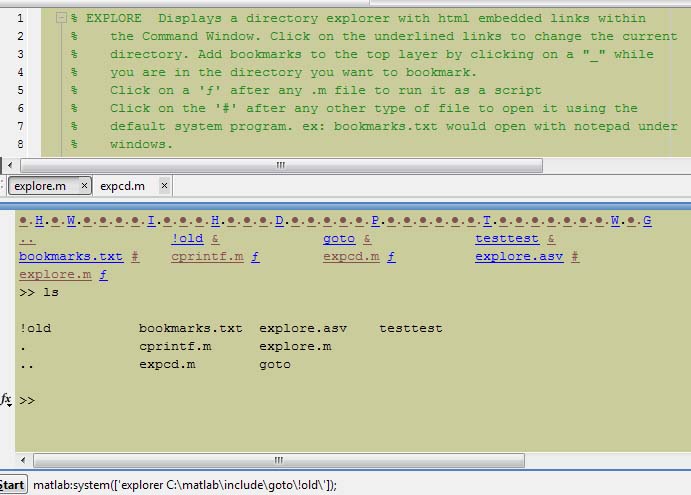
Embedded html links to open, run, or edit files from the command window. With bookmarks!
here:http://undocumentedmatlab.com/blog/changing-matlab-command-window-colors-part2/
- 348 (All time)
- 1 (Last 30 days)
- -- / 5
- Community
-
12 Feb 2011
- 9 (All time)
- 1 (Last 30 days)
- 5.0 / 5
- Community
-
25 Jul 2019
fprintf_r - Carriage Return without Linefeed
For the MATLAB Command Window as replacement of fprintf('\r') which does not work on Windows ...10.
), because the \r format is not working properly on windows systems.Input is a string s and a variable x which are forwarded to the fprintf command as fprintf(s,x). Use a vector for x in case you want to
- 1.9K (All time)
- 17 (Last 30 days)
- 5.0 / 5
- Community
-
14 Sep 2018
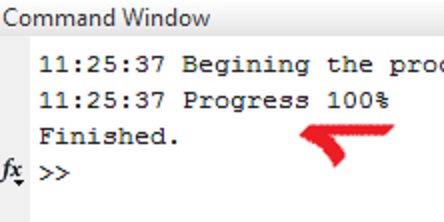
Overwritable message outputs to commandline window
Alternative for 'display' function which can overwrite the previous message if required.
When you use 'display' function it does not overwrite the previous message. With this file, you can overwrite or keep previous message on commandline window. Or you can choose current message to be
- 3.1K (All time)
- 17 (Last 30 days)
- 4.9 / 5
- Community
-
12 Dec 2013

extend Matlab Editors callback
Extends the editor features. Closing brackets, Operator. Templates, Keyboard Shortcuts
- 689 (All time)
- 14 (Last 30 days)
- 5.0 / 5
- Community
-
26 Sep 2016
A set of functions to generate publisher-happy EPS images
RGB color definitionsType 'help epsutil' to get the command window help. Indivisual m-files also include full command-window help text.Some files requires Ghostscript (www.ghostscript.com) to be
- 4.9K (All time)
- 14 (Last 30 days)
- 4.8 / 5
- Community
-
10 Oct 2014
Close all figures, clean workspace, clean command window
MATLAB directory and from now on, whenever you want to clean up a dirty MATLAB desktop/workspace/command window, let ccc do it for you!
- 119 (All time)
- 2 (Last 30 days)
- 5.0 / 5
- Community
-
12 Oct 2016
Returns the short name of a file or folder under Windows
Under Windows, returns the short name (8.3) of a file or folder. Example :WindowsShortName('C:\Documents and Settings\lulu\Bureau\Inno Setup Compiler.lnk')returns
- 786 (All time)
- 1 (Last 30 days)
- 5.0 / 5
- Community
-
5 Sep 2008

This MATLAB class provides a smart progress bar like tqdm in the command window and is built for progress info in ordinary and parfor loops.
command window to a differentmonospaced font, preferably with proper Unicode support.If you do not want to or cannot change the font in the setting, you can set the class's`OverrideDefaultFont` to `true
- 1.4K (All time)
- 7 (Last 30 days)
- 5.0 / 5
- Community
-
26 Dec 2024
Clears command window, workspace and closes figures.
This is simple function which I use to clear workspace while writing code. It clears command window, workspace from all variables and closes all figures. Just a simple code, but usefull.
- 65 (All time)
- 1 (Last 30 days)
- 4.8 / 5
- Community
-
1 Oct 2016
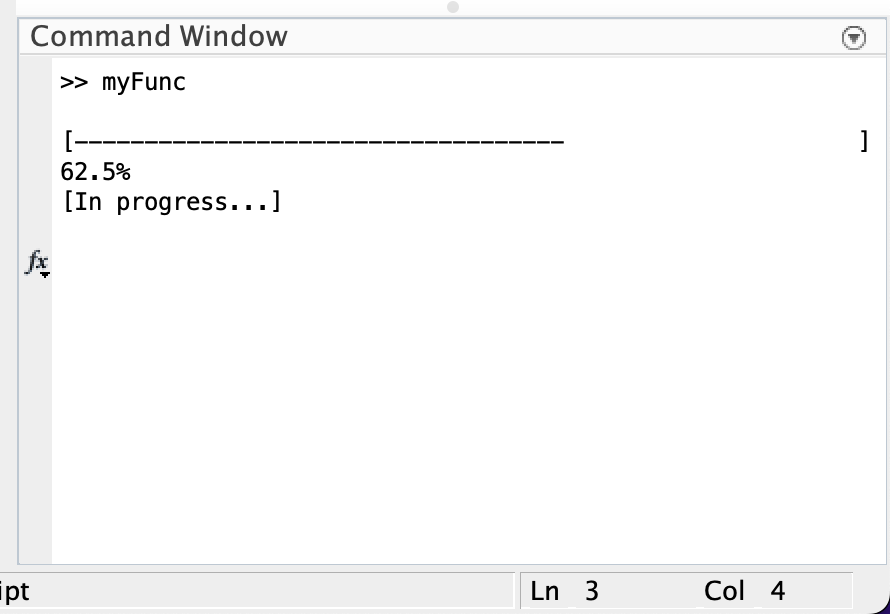
Matlab function that displays a progression bar in the command window.
cmdWaitBarMatlab function that displays a progression bar in the command window.This Matlab function will generate an updating progress bar (waitbar) in the command window.This is a useful tool
- 49 (All time)
- 18 (Last 30 days)
- 5.0 / 5
- Community
-
23 Jan 2023
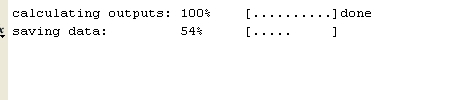
This function creates a TEXT progress bar in your command window.
This function creates a text progress bar to show progress of your script in the command window. It should be called with a STRING argument to initialize and terminate. Otherwise the number
- 7.3K (All time)
- 18 (Last 30 days)
- 5.0 / 5
- Community
-
29 Jun 2010
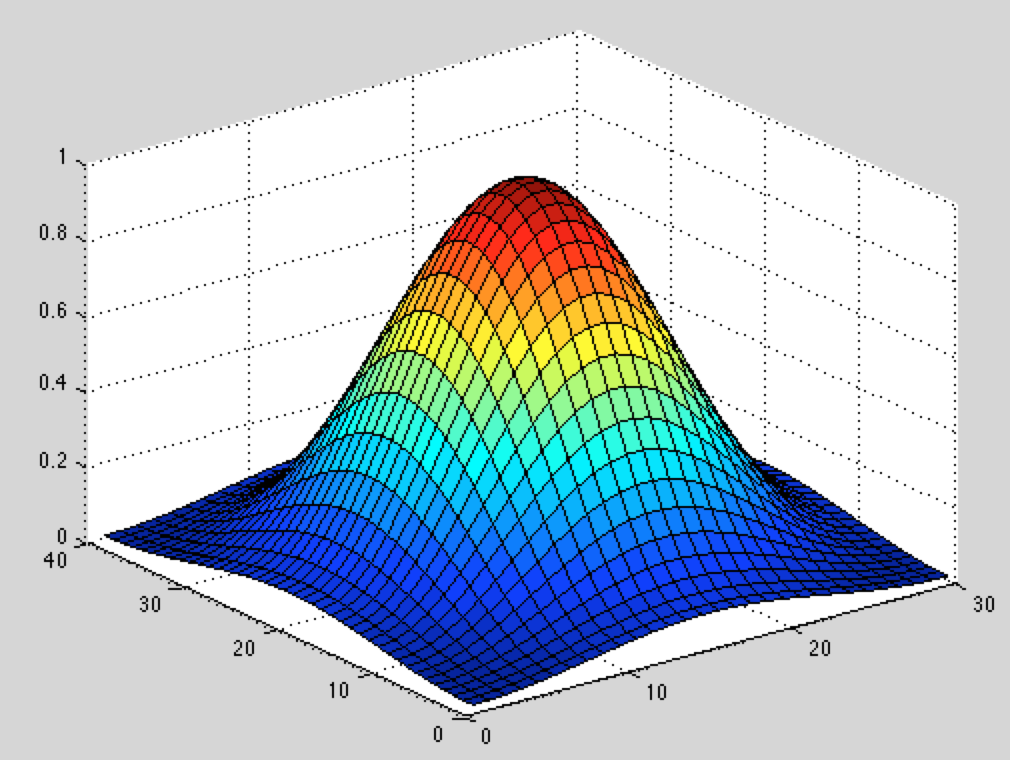
Two dimensional window generator (2D window)
This function creates a two-dimentional window that can be used for a matrix or image.
This function creates a two-dimentional window that can be used for a matrix or image using MATLAB built-in 1D window function.Usage: w = window2(r, c, w_type);r: number of rows of the window you
- 3.8K (All time)
- 1 (Last 30 days)
- 4.5 / 5
- Community
-
8 Oct 2013

HTML button that can be customized in several additional ways compared to the built-in "uibutton" in MATLAB.
- 113 (All time)
- 17 (Last 30 days)
- 5.0 / 5
- Community
-
30 May 2023
A variety of window and apodization utilities
This zip file contains functions related to apodization and symmetric window generation:1) atomwin - Window based on atomic functions2) babicwin - Babic-Temes window3) barthewin - Barcilon-Temes
- 1.7K (All time)
- 8 (Last 30 days)
- 4.8 / 5
- Community
-
23 Nov 2025
Change the state of a window, like minimize and maximize.
SHOWWINDOW(NAME,STATE) changes the state of the window with a certain NAME to the specified STATE. STATE must be one of the following:'hide', 'shownormal', 'normal', 'showminimized', 'showmaximized
- 5.9K (All time)
- 20 (Last 30 days)
- 4.3 / 5
- Community
-
1 Sep 2016
Identify Serial COM devices by friendly name in Windows
Uses Windows registry information to ID Serial COM devices
This function scans the Windows registry in two places and associates active COM ports with their registered "Friendly Name". The function returns an N x 2 cell array where N is the number of active
- 1K (All time)
- 1 (Last 30 days)
- 4.4 / 5
- Community
-
8 Apr 2014
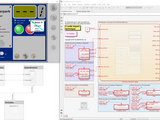
C Code Integration in MATLAB and Simulink to Control an External Interface.
in Windows. The low level C drivers are used in MATLAB and Simulink via respectively MEX and C-Caller or S-Function import mechanisms. The algorithms in MATLAB and Simulink control the C# App that is
- 920 (All time)
- 16 (Last 30 days)
- 5.0 / 5
- Community
-
20 Feb 2024
Patches Dillon's work to allow native semaphore usage within Matlab on Windows and POSIX systems
Augment of Mr. Dillon's work: http://www.mathworks.com/matlabcentral/fileexchange/32489-semaphoreThis provides an interface with POSIX semaphore functionality on the native platform. Windows doesn't
- 1.1K (All time)
- 17 (Last 30 days)
- 4.7 / 5
- Community
-
19 Mar 2014
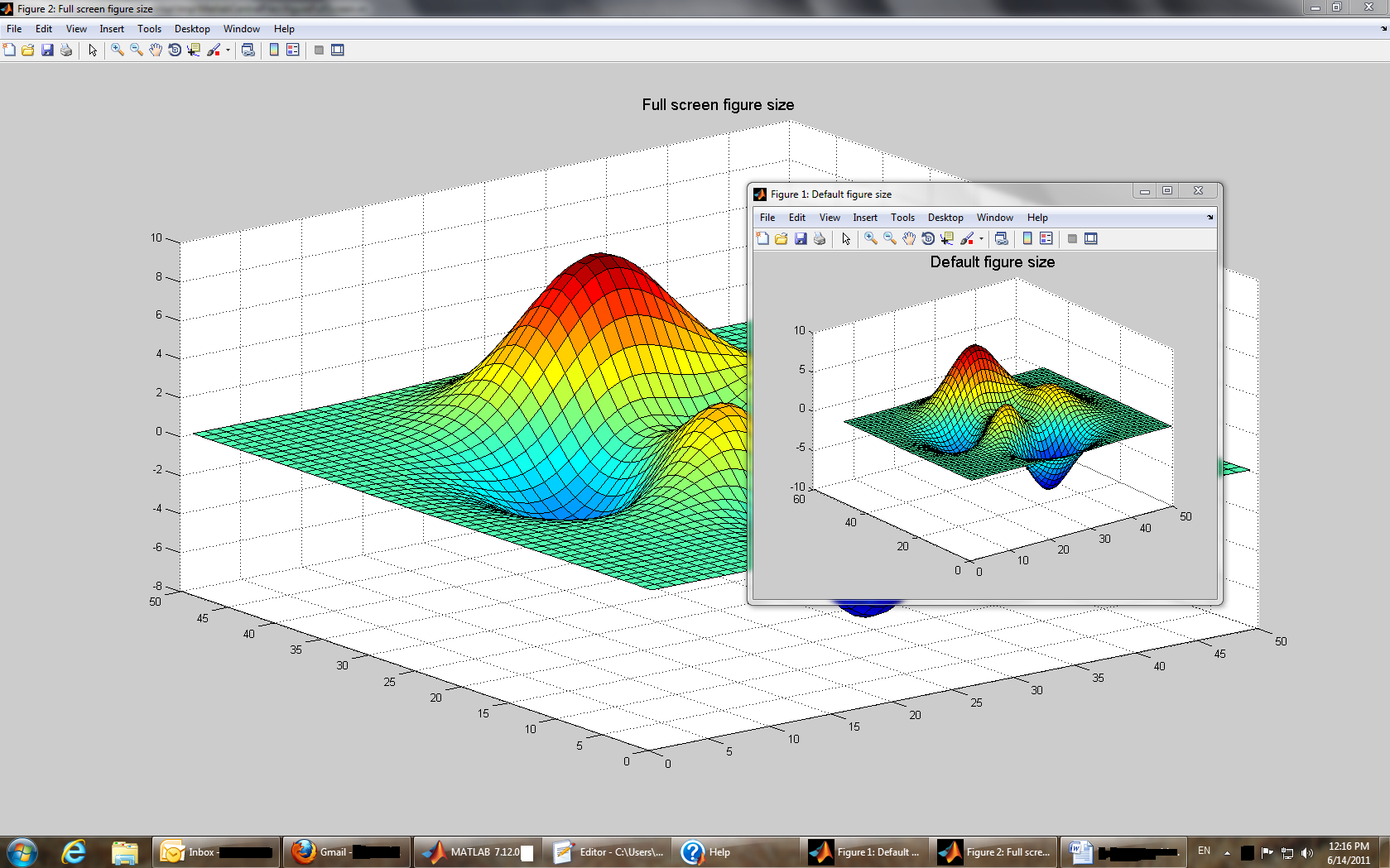
Minimize/maximize figure window
Similar to figure function. Resizes figure window to full screen/default dims.
: http://undocumentedmatlab.com/blog/minimize-maximize-figure-window/
- 3K (All time)
- 19 (Last 30 days)
- 4.8 / 5
- Community
-
14 Jun 2011
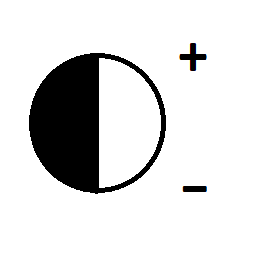
Enable setting the window level (contrast and brightness) by dragging
Enable setting the window level (contrast and brightness) by draggingThis function allows you to adjust the window and level (contrast and brightness) of images by dragging. This is especially useful
- 227 (All time)
- 17 (Last 30 days)
- 5.0 / 5
- Community
-
6 Jul 2020
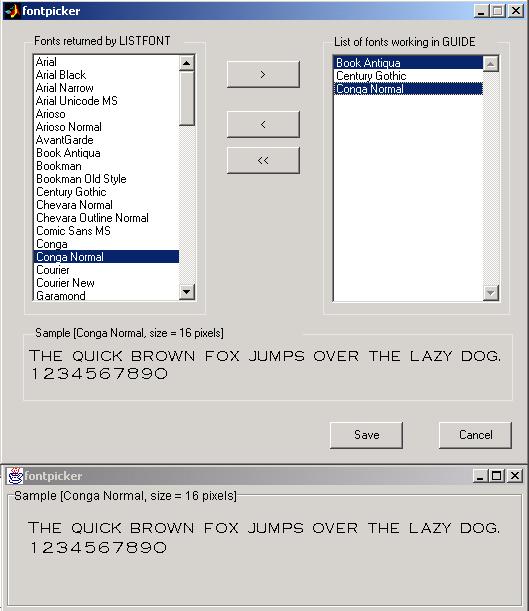
GUI for picking a font that works well both in HG and in Java (GUIDE).
This tool can be used to visually see all the fonts available on a computer system. It helps you to select a font for your GUI. More important, if you are programming GUI in MATLAB 6.0 and 6.5 using
- 3.1K (All time)
- 18 (Last 30 days)
- 4.0 / 5
- Community
-
1 Sep 2016
enable/disable entire figure window
enable/disable entire figure window, including toolbar, menubar, frame and all contents
but not figures. Using this function, the entire figure window, including all internal menus, toolbars and components, is enabled/disabled in a single call. Valid values for newState are true, false
- 5.2K (All time)
- 19 (Last 30 days)
- 4.8 / 5
- Community
-
11 Dec 2016

- 999 (All time)
- 2 (Last 30 days)
- 5.0 / 5
- Community
-
30 Sep 2020
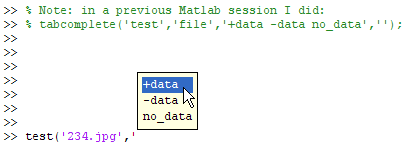
Sets Command-Window tab completion for specified functions & arguments: types and custom strings
Argument tab-completion occur when the user presses the key following the function name in the Command Window. The list of available/possible arguments is then presented in a popup window
- 1.6K (All time)
- 13 (Last 30 days)
- 5.0 / 5
- Community
-
4 Feb 2012
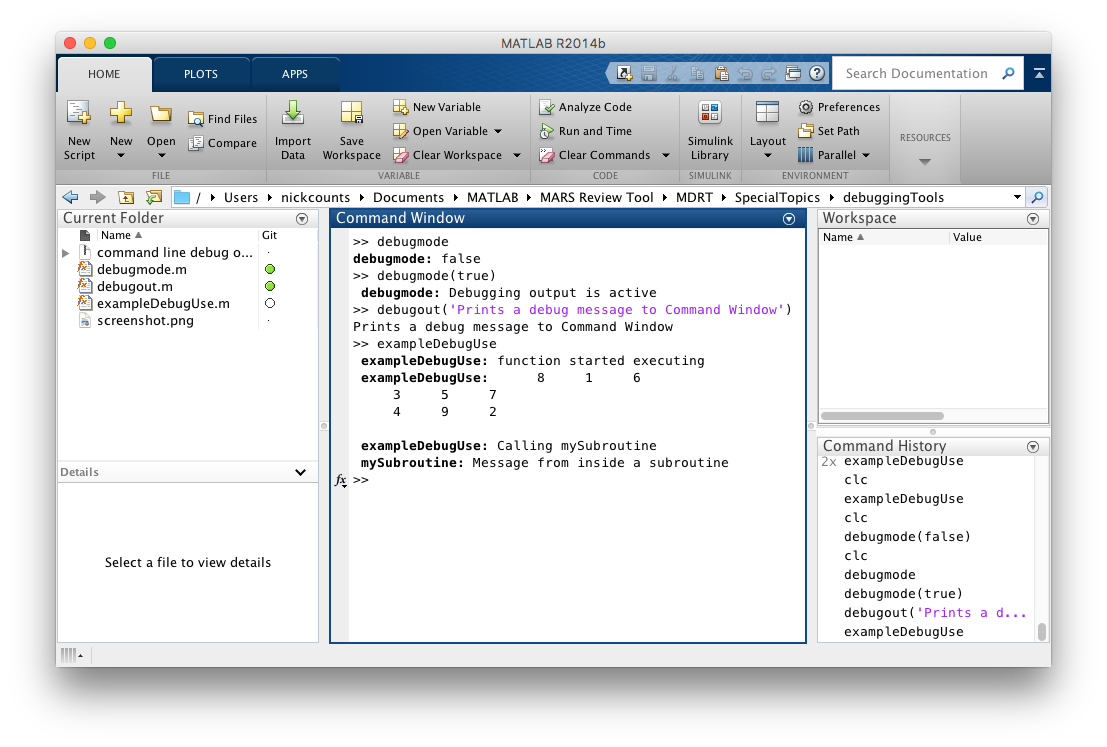
Suppressible Command Window Debug Output
debugout() provides debugging messages that can be suppressed with debugmode(false)
This set of debug commands allows you to add debugging messages and output to your code that can be enabled or suppressed easily. debugout() writes to the Command Window and, if called from inside a
- 33 (All time)
- 1 (Last 30 days)
- -- / 5
- Community
-
1 Nov 2016
Run m-script from outside a Matlab window
Calls a m-script from a "dos box" without starting the Matlab GUI. Use Matlab's C-compiler.
Ever needed to call an m-script from the command prompt ("dos box")? This C-code allows you to do just that in a simple way. Just call the exe-file you get from compiling it, and it will run the
- 1.8K (All time)
- 1 (Last 30 days)
- 5.0 / 5
- Community
-
24 Apr 2009

Data Analysis Workshop for pre-university students (JP 日本語)
Data analysis workshop using MATLAB for pre-university students (in Japanese)
- 144 (All time)
- 17 (Last 30 days)
- -- / 5
- Community
-
23 Jun 2023

Evaluates the directional derivative of an image along an arbitrary axis.
- 9.1K (All time)
- 1 (Last 30 days)
- 4.4 / 5
- Community
-
18 Jan 2006
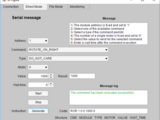
MATLAB App to Command and Control a Trinamic Stepper Motor
MATLAB App that allows to control and monitor data to and from a Trinamic motor TMCM-1160
The App interface includes tabs for:- Serial communication setup- Direct mode to send single commands to the TMCM-1160- File mode to send a set of commands to the TMCM-1160- Monitoring to visualize
- 623 (All time)
- 15 (Last 30 days)
- 5.0 / 5
- Community
-
22 May 2018
- 538 (All time)
- 1 (Last 30 days)
- 5.0 / 5
- Community
-
2 May 2016
Maximize a figure window from the command line.
Uses an undocumented figure property to maximize a figure window in a hardware independent way.
- 8.9K (All time)
- 18 (Last 30 days)
- 4.5 / 5
- Community
-
21 Apr 2003
Simple tool for changing the font size of the editor without having to manually open up MATLAB preferences.
Just add set_editor_zoom.mlapp to your MATLAB Path, call the function in the command window (set_editor_zoom) and zoom away.
- 44 (All time)
- 1 (Last 30 days)
- 5.0 / 5
- Community
-
13 Jan 2021

