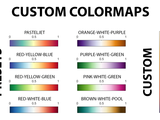
This function is able to define a customized colormap given the positions and the colors that are required to make the gradients.
The function defines a customized colobar given the positions and the colors that are going to generate the gradients. A Live Script example is also provided to understand the following parameters
- 8.5K (All time)
- 26 (Last 30 days)
- 5.0 / 5
- Community
-
11 Sep 2019
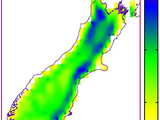
Buillds any sequence of colormaps based on wrgbcmyk colors
This function can be used to build your own custom colormaps. Imagine if you want to display rainfall distribution map. You want a colormap which ideally brings rainfall in mind, which is not
- 3.5K (All time)
- 4 (Last 30 days)
- 4.9 / 5
- Community
-
14 Feb 2013
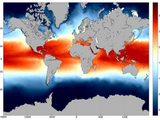
Create custom colormaps from single or multiple RGB values.
CMAP creates a custom colormap based on RGB values in the MATLAB format(values between 0-1). By specifying a base color, for example green: [0 1 0], CMAP creates a colormap with a specified number of
- 2.9K (All time)
- 2 (Last 30 days)
- 4.0 / 5
- Community
-
1 Jul 2013
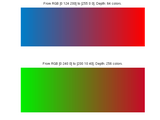
colorGradient: generate custom linear colormaps
COLORGRADIENT allows you to generate a linear color gradient from color A to color B.
User can generate a custom linear colormap giving 2 colors and colormap depth.Colors are given as vectors with RGB values. The suggested input method is using intensity values for each channel (0,1
- 3.5K (All time)
- 3 (Last 30 days)
- 4.9 / 5
- Community
-
22 May 2011
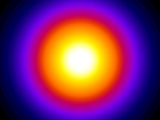
Fire and/or Custom Colormap Function
Use the 'fire' colormap in Matlab, or create your own.
, FLAG, PINK, COLORMAP, RGBPLOT.To create any custom colormap, see the directions on line 23 of this m-file.
- 1.5K (All time)
- 2 (Last 30 days)
- 5.0 / 5
- Community
-
19 Mar 2012
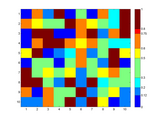
sets the colormap according to monotonically increasing user defined ranges
This function is useful if you don't want to use the linear scaled colormap that are the default in Matlab. USAGE: CUSTOMCMAP(cbar_labels,user_cmap,minMaxValues
- 881 (All time)
- 1 (Last 30 days)
- 4.3 / 5
- Community
-
19 Jun 2012

Positive-zero-negative colorbar
Create positive-zero-negative colormaps and colorbars. Customized colormap/colorbar options are available.
COLORBARPZN creates positive-zero-negative colormap and colorbar.Zero is in white if while color location is not specified.Customized colormap/colorbar options are available for: - automatic/manual
- 678 (All time)
- 3 (Last 30 days)
- 5.0 / 5
- Community
-
30 Apr 2024
- 415 (All time)
- 2 (Last 30 days)
- 5.0 / 5
- Community
-
30 Jun 2017

Build Custom Colormaps with Variable Resolutions
Build custom colormaps
This function can be used to build your own custom colormaps.the first input argument colors is a n X 3 matrix with each row specifying the color.the second argument is the resolution of the colormap
- 146 (All time)
- 1 (Last 30 days)
- -- / 5
- Community
-
2 Sep 2014

Creates a custom color map given the RGB triplet array.
# Introduction[
color_shades: Create custom colormaps using any colors!
color_shades allows you to easily create custom colormaps using different colors from the rgb function (link in the description).
Create your custom colormap using the listed colors within the rgb function (required; download from
- 212 (All time)
- 1 (Last 30 days)
- -- / 5
- Community
-
5 Apr 2019
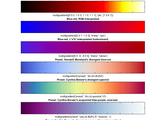
multigradient: custom gradient colormap
An adjustable multiple-colour gradient colour map generator / editor for MATLAB, with presets.
This script allows you to generate a colour scale (as for colormap, colorbar) using any number of custom colours, and allows you to arrange these colours by adjusting their relative positions with
- 804 (All time)
- 4 (Last 30 days)
- -- / 5
- Community
-
12 Jan 2021

CIAtah (i.e. calciumImagingAnalysis)
CIAtah is a software package for calcium imaging analysis of one- and two-photon imaging datasets. https://github.com/bahanonu/ciatah
- 592 (All time)
- 4 (Last 30 days)
- -- / 5
- Community
-
24 Jul 2024

build custom colormap
colormap=rgbmap(c_1,c_2,...,c_n,N,opt,graph); input: c_1,c_2,...,c_n - color variables: vectors, matrix(nx3) or strings (if 'rgb' function is available)N - colormap length (default N=64)opt='natural
- 368 (All time)
- 2 (Last 30 days)
- -- / 5
- Community
-
18 Nov 2015

Mix color and black and white in the same picture -custom colormaps
This GUI will allow you to take a color image and set regions of it to be black and white.
regions will retain the original color while the rest of the image will appear black and white. This demo illustrates how to get around the limitation of MATLAB® figures of not allowing two colormaps for
- 1.4K (All time)
- 1 (Last 30 days)
- -- / 5
- Community
-
7 Aug 2013
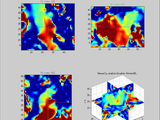
4D (3D+1) volume visualization with windowing, custom colormaps, and component selection
with a built-in 'slice' visualization. The user may also supply a cell array of colormaps, which populate a menu within the gui.
- 2.4K (All time)
- 2 (Last 30 days)
- 3.5 / 5
- Community
-
23 Apr 2013

Create a custom RGB colormap by interpolating between two pre-defined extremes.
MAPCOLORS Create a custom RGB colormap by interpolating between two pre-defined extremes. MAPCOLORS(START,FINISH) returns a 64 x 3 matrix containing RGB intensities linearly interpolated
- 484 (All time)
- 1 (Last 30 days)
- -- / 5
- Community
-
17 Oct 2010

Lets you easily zoom into Mandelbrot set (2D/3D)
of the Mandelbrot set. The Mandelbrot set contains 3 custom colormaps that will generallysuit Mandelbrot set more than the existing standard repertoire ofcolormaps. Changes since the last version
- 1.2K (All time)
- 1 (Last 30 days)
- 5.0 / 5
- Community
-
30 Oct 2008
Create custom color maps for charts from the colors found in photographs and paintings.
ArtToColormap was written to improve visual communication of scientific data. ArtToColormap.m - build a color map or manage existing ones.getCMap.m - apply colors to a chart."What palette of colors
- 470 (All time)
- 2 (Last 30 days)
- -- / 5
- Community
-
24 Feb 2011

Extension of jet colormap to include more colors. It can also be used to build virtually any custom colormaps.
Superjet is a general function for colormap building. I originally wrote it back in the days when jet was the default colormap and it was designed as an extension of jet to include black and white
- 148 (All time)
- 1 (Last 30 days)
- 5.0 / 5
- Community
-
21 Jul 2020

VELAS is a user-friendly open-source toolbox for the visualization and analysis of elastic anisotropy written in GNU Octave that can be used
', 'PRGn','PuOr', 'RdBu', 'RdGy', 'RdYlBu', 'RdYlGn'Note: If the colormap above is not in the drop-down list box, check the custom colormap checkbox and enter the name of one of the above colormaps.Setting your own
- 67 (All time)
- 1 (Last 30 days)
- -- / 5
- Community
-
16 Jul 2024

Easily make custom colormaps with any input type.
Make Color Map - Easily define custom colormap. Accepts any type of input, and has options for light-dark maps and unique inbuilt colormaps.
mcm - Make Color MapEasily make colormaps with an input array of color values, designed to be simple to use and is ideal for beginners. mcm() accepts numeric/rgb and hexidecimal as arrays where the
- 36 (All time)
- 1 (Last 30 days)
- -- / 5
- Community
-
1 Aug 2023
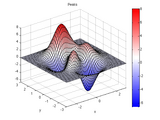
A colormap from bright blue, through white, and then to bright red.
REDBLUE(M), is an M-by-3 matrix that defines a colormap.The colors begin with bright blue, range through shades of blue to white, and then through shades of red to bright red. REDBLUE, by itself, is
- 23.4K (All time)
- 53 (Last 30 days)
- 5.0 / 5
- Community
-
9 Oct 2009

200 commonly used colormaps from matplotlab, scicomap, cmasher.
: Scientific colormaps for Python. https://github.com/ThomasBury/scicomapvan der Velden, E. (2020). CMasher: Scientific colormaps for Python. https://cmasher.readthedocs.io/Crameri, F. (2018). Scientific colour
- 15K (All time)
- 213 (Last 30 days)
- 4.8 / 5
- Community
-
18 Jun 2026
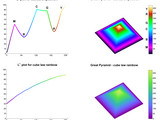
Perceptually improved colormaps
7 perceptual colormaps with rainbow-like colors and 1 with heat colors
PMKMP Returns perceptually balanced colormaps PMKMP(N,SCHEME) returns an Nx3 colormap. usage: map=pmkmp(n,scheme);%% Example1: 128-color rainbow with cubic-law luminance (default) load mandrill
- 8.7K (All time)
- 2 (Last 30 days)
- 5.0 / 5
- Community
-
14 Nov 2014
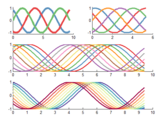
Beautiful and distinguishable line colors + colormap
Plot lots of lines with very distinguishable and aesthetically pleasing colors. Works for 'N' colors
The default Matlab default line spec and colormaps are astoundingly crude. This function creates distinguishable colors by spacing them out ~equally in *perceptive* space, not in RGB space. It is
- 28.4K (All time)
- 31 (Last 30 days)
- 4.9 / 5
- Community
-
16 Sep 2015
ColormapsNc lets you create your own colormaps (up to 256 colors).
ColormapsNc lets you create your own colormaps (up to 256 colors).ColormapsNc is able to create a custom colormap by specifying up to 256 different colors. The colors will be shown in the order you
- 3.8K (All time)
- 1 (Last 30 days)
- 5.0 / 5
- Community
-
3 Jun 2004

ColorBrewer: Attractive and Distinctive Colormaps
The complete palette of ColorBrewer colormaps. Simple selection by scheme name and map length.
ColorBrewer 2.0 colorschemes for MATLAB, with simple selection by colormap length and scheme name. Alternatively the scheme name can be preselected, after which only the colormap length is required to define an
- 31K (All time)
- 91 (Last 30 days)
- 4.9 / 5
- Community
-
30 Mar 2026
COLORMAPS3C lets you create your own colormaps.
COLORMAPS3C is able to create a custom colormap by specifying the 3 colors that you want to use in your colormap. The first will be at the bottom of the scale, the second will be the intermediate and
- 1.5K (All time)
- 1 (Last 30 days)
- 5.0 / 5
- Community
-
19 May 2004
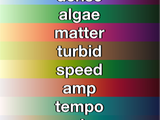
cmocean perceptually-uniform colormaps
Perceptually-uniform colormaps inspired by oceanography
These colormaps were developed by Kristen Thyng using viscm. They are perceptually uniform, as color should be when it serves as a numeric axis. If these colormaps are useful for you, please consider
- 16.3K (All time)
- 115 (Last 30 days)
- 5.0 / 5
- Community
-
7 Sep 2021
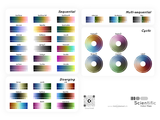
crameri perceptually uniform scientific colormaps
Perceptually uniform scientific colormaps from Fabio Crameri.
AboutA simple Matlab function for Fabio Crameri's perceptually uniform scientific colormaps.Usagecrameri without any inputs displays the options for colormaps.crameri ColormapName sets the colormap
- 6.2K (All time)
- 100 (Last 30 days)
- 5.0 / 5
- Community
-
12 Nov 2022

Colormap in blue, white and red.
- 2.6K (All time)
- 1 (Last 30 days)
- 5.0 / 5
- Community
-
16 Mar 2006
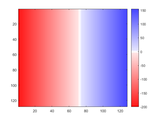
RedBlue Colormap Generator with Zero as White or Black
A colormap generator to display positive values as blue and negative values as red. Zero is displayed as either white or black.
white or black. The clim values, from the image or can be entered, are used to customize the colormap.Syntax: y = redblue(n,clim,'black')Typical usage: colormap(redblue(64))Arguments:All arguments are
- 1.7K (All time)
- 6 (Last 30 days)
- 5.0 / 5
- Community
-
4 May 2020

Use the cubehelix algorithm to generate colormaps suitable for grayscale conversion
Exchange](https://www.mathworks.com/matlabcentral/images/matlab-file-exchange.svg)](https://www.mathworks.com/matlabcentral/fileexchange/43700)[](https://matlab.mathworks.com/open/github/v1?repo=DrosteEffect/CubeHelix)CUBEHELIX generates colormaps
- 4.5K (All time)
- 6 (Last 30 days)
- 4.9 / 5
- Community
-
31 Mar 2026
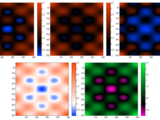
Adaptive Colormap Function Creates a Colormap Specific to Data
Easily design and fit a colormap to the values in your data!
Tristan Ursell Nov 2013 Adaptive colormap rgbslide(mat_in,...) slide_map = rgbslide(...); This function creates, on the fly, an active / adaptive colormap for the data given by the matrix
- 989 (All time)
- 1 (Last 30 days)
- 5.0 / 5
- Community
-
29 Oct 2013
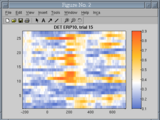
Blue-orange Colormap (esa colormap)
A colormap with colors orange-white-light blue.
A colormap with colors orange-white-light blue. The length of the colormap can be defined with additional parameters (e.g. colormap(esa(256)).
- 2.7K (All time)
- 3 (Last 30 days)
- 4.0 / 5
- Community
-
17 Mar 2006
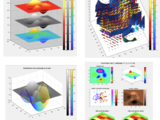
Use multiple colormaps per figure or axis! Works for many types of objects, not only images.
freezeColors/unfreezeColorsfreezeColors allows multiple colormaps to be used per figure and even within a single axis.HistoryIn 2005 freezeColors was written to enable multiple colormaps in a single
- 51.6K (All time)
- 10 (Last 30 days)
- 4.7 / 5
- Community
-
25 Jul 2022
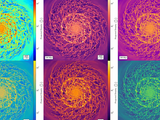
Perceptually uniform colormaps
New Improved colormaps taken from python.
Perceptually uniform colormaps adds 4 new colormaps that are:1) Perceptually uniform (delta color is equal in all delta data)2) Colorblind friendly3) Good at grayscale conversion4) Pretty!Colormaps
- 15.6K (All time)
- 50 (Last 30 days)
- 4.9 / 5
- Community
-
2 Oct 2019
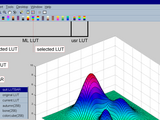
lutbar: a pedestrian colormap toolbar/contextmenu creator
LUTBAR creates a colormap toolbar and context menu
if you are tired of trying colormap(xxx) at the command prompt to find the appropriate colormap for your figure - try LUTBARLUTBAR creates a colormap toolbar with colormap icons and context menu from
- 4K (All time)
- 1 (Last 30 days)
- 4.8 / 5
- Community
-
21 Jan 2008
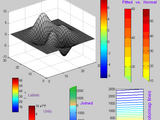
COLORMAP and COLORBAR utilities (Jul 2014)
MATLAB color utilities including COLORMAP join and interpolation; freeze and fit COLORBAR, etc.
These are some utilities that improve the COLORMAP and COLORBAR functions. They are as follows, and each one includes help and examples: COLORMAP utilites:cmapping - Colormap linear
- 24.3K (All time)
- 2 (Last 30 days)
- 4.5 / 5
- Community
-
3 Jul 2014

This simple code enables you to plot using custom markers.
This simple code enables you to plot using custom markers. It uses custom patches instead of Matlab built-in markers.As the input, you need to provide x and y for the data points, like you do in
- 2.4K (All time)
- 2 (Last 30 days)
- 4.9 / 5
- Community
-
17 Dec 2012
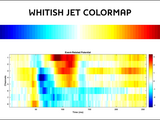
Jet-based colormap that contains white in its middle point.
This function defines a new colormap with the same colors that "jet", but it also replaces the green tones with white ones. This is specially useful when a signed metric is depicted, and its null
- 1.2K (All time)
- 2 (Last 30 days)
- 5.0 / 5
- Community
-
21 May 2018
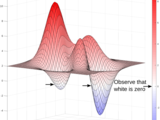
Colormap that linearly varies between red (+) white (=0) and blue(-)
This is a diverging colormap that linearly varies between red (+) white (=0) and blue(-).Just observe the figure
- 1.3K (All time)
- 11 (Last 30 days)
- 5.0 / 5
- Community
-
4 Feb 2021

MatPlotLib "Perceptually Uniform" Colormaps
MatPlotLib's default linear lightness colormap VIRIDIS and distinctive line colororder TAB10
From MatPlotLib 2 and 3:the default sequential colormap VIRIDIS (as well as INFERNO, MAGMA, and PLASMA),the default line colororder TAB10 (as well as TAB20, TAB20B, and TAB20C),the cyclic colormaps
- 8.5K (All time)
- 123 (Last 30 days)
- 4.9 / 5
- Community
-
12 Mar 2026

Simple scatter function with heatmap. Allows for custom colormaps.
- 139 (All time)
- 1 (Last 30 days)
- 3.0 / 5
- Community
-
31 Mar 2021

A simple tool for creating attractive and perceptually smooth colormaps
This tool simplifies the creation of perceptually linear and/or smooth colormaps for data visualization. The tool works by using palette colors selected by the user and performing all interpolations
- 19 (All time)
- 3 (Last 30 days)
- 5.0 / 5
- Community
-
23 Jun 2023

Blue, white, and red colormap for images with positive and negative values.
BLUEWHITERED(M) returns an M-by-3 matrix containing a blue to white to red colormap, with white corresponding to the CAXIS value closest to zero. This colormap is most useful for images and surface
- 12.5K (All time)
- 25 (Last 30 days)
- 4.6 / 5
- Community
-
14 Oct 2003

ROS Toolbox interface for ROS Custom Messages
Use custom ROS message and service types in MATLAB and Simulink.
Note: This support package is functional for R2017a to R2020a. Starting in R2020b, ROS custom message generation is directly supported from ROS Toolbox without this support package. Using the ROS
- 5.2K (All time)
- 3 (Last 30 days)
- 2.6 / 5
- MathWorks
-
16 Sep 2020
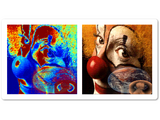
Superimpose multiple semitransparent images with individual colormaps on the current axis.
Remaps CData for multiple images, plotted in the current axis, to their respective individual colormaps. Multiple examples provided. The examples also demonstrate how semitransparent effects can be
- 1.2K (All time)
- 1 (Last 30 days)
- 5.0 / 5
- Community
-
3 Mar 2012
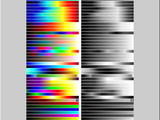
Performs advaced colormap operations
Length Length of generated colormap ColorPositions Vector of color positions If colors from the ColorMapString should be placed at custom data values, provide their
- 2.8K (All time)
- 1 (Last 30 days)
- 5.0 / 5
- Community
-
1 May 2013
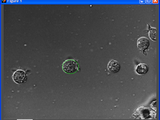
Figure to play and analyze videos with custom plots on top
A figure ready to scroll through and play videos. You can also draw any custom graphics on it.
redraw at scroll position F (for example, REDRAW_FUNC can show the frame F of a video).This can be used not only to play and analyze standard videos, but it also lets you place any custom Matlab plots and
- 3.4K (All time)
- 2 (Last 30 days)
- 5.0 / 5
- Community
-
12 Dec 2010
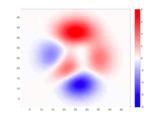
Colormap with zero-center white shading.
When representing "polarized" data for which zero and sign are meaningful (like for instance, a gravity anomalies map), it is useful to have a colormap where white stands for zero value, and greater
- 3K (All time)
- 4 (Last 30 days)
- 5.0 / 5
- Community
-
13 Jun 2012
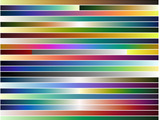
A collection of colormaps from https://matplotlib.org/cmocean/
A collection of perceptually uniform colormaps copied from https://matplotlib.org/cmocean/To set the colormap, use "colormap(Colormap.[mapname])"The [mapname] matches the names given in the original
- 1.2K (All time)
- 9 (Last 30 days)
- 5.0 / 5
- Community
-
24 Jul 2019
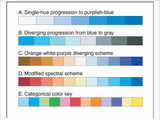
Makes colormaps that smoothly blend from one color to another to optionally a third.
Many colormaps like Jet cause your eye to misunderstand important characteristics of your data. It is often best to simply blend from one color to another, or possibly through three. This file will
- 8.3K (All time)
- 4 (Last 30 days)
- 5.0 / 5
- Community
-
1 Sep 2016
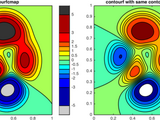
contourfcmap: filled contour plot with precise colormap
Creates a filled contour plot, with more precise control over colors than contourf.
# contourfcmap.m: filled contour plot with precise colormap[
A colormap that attempts to be color blind friendly
- 2.5K (All time)
- 9 (Last 30 days)
- 5.0 / 5
- Community
-
30 May 2014

Transform an image to have any histogram you want.
- 8.7K (All time)
- 1 (Last 30 days)
- 4.8 / 5
- Community
-
11 Oct 2010
Symmetric/diverging/bipolar cold-neutral-hot colormap
colormap with a linear intensity/luminance variation when results are converted to grayscale. This requires the neutral gray-level to be 0.5.
- 3.6K (All time)
- 2 (Last 30 days)
- 5.0 / 5
- Community
-
11 Dec 2009

Colormaps from NCAR Command Language (NCL).
Acknowledgement & Source: All colormap data in this file are sourced from NCAR Command Language (NCL) Website: https://www.ncl.ucar.edu/Document/Graphics/color_tables.shtmlList for
- 1.1K (All time)
- 12 (Last 30 days)
- 5.0 / 5
- Community
-
21 Jun 2026
GINPUT with customizable cursor.
This function behaves similarly to MATLAB's GINPUT, with an added ability to customize the cursor color, line width, and line style. From the function HELP:[X,Y] = ginputc(N) gets N points from the
- 5.1K (All time)
- 7 (Last 30 days)
- 4.8 / 5
- Community
-
1 Sep 2016

