| Products & Services | Solutions | Academia | Support | User Community | Company |
| Download Product Updates | | | Get Pricing | | | Trial Software |
| Documentation → MATLAB |
| Contents | Index |
| Learn more about MATLAB |
![]()
ezplot(fun)
ezplot(fun,[min,max])
ezplot(fun2)
ezplot(fun2,[xmin,xmax,ymin,ymax])
ezplot(fun2,[min,max])
ezplot(funx,funy)
ezplot(funx,funy,[tmin,tmax])
ezplot(...,figure_handle)
ezplot(axes_handle,...)
h = ezplot(...)
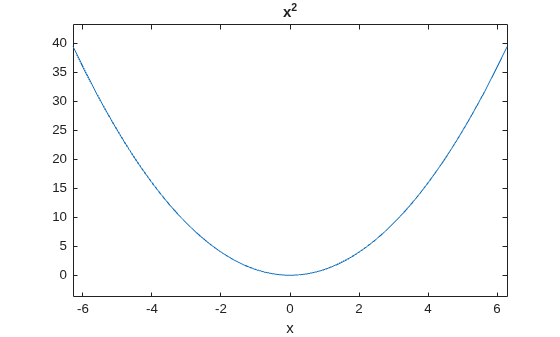
ezplot(fun) plots the expression fun(x) over the default domain -2π < x < 2π, where fun(x) is not an implicit function of only one variable.
fun can be a function handle for an M-file function or an anonymous function (see Function Handles and Anonymous Functions) or a string (see the Remarks section).
ezplot(fun,[min,max]) plots fun(x) over the domain: min < x < max.
For implicitly defined functions, fun2(x,y):
ezplot(fun2) plots fun2(x,y) = 0 over the default domain -2π < x < 2π, -2π < y < 2π.
ezplot(fun2,[xmin,xmax,ymin,ymax]) plots fun2(x,y) = 0 over xmin < x < xmax and ymin < y < ymax.
ezplot(fun2,[min,max]) plots fun2(x,y) = 0 over min < x < max and min < y < max.
ezplot(funx,funy) plots the parametrically defined planar curve funx(t) and funy(t) over the default domain 0 < t < 2π.
ezplot(funx,funy,[tmin,tmax]) plots funx(t) and funy(t) over tmin < t < tmax.
ezplot(...,figure_handle) plots the given function over the specified domain in the figure window identified by the handle figure.
ezplot(axes_handle,...) plots into the axes with handle axes_handle instead of the current axes (gca).
h = ezplot(...) returns the handle to a line objects in h.
Array multiplication, division, and exponentiation are always implied in the expression you pass to ezplot. For example, the MATLAB syntax for a plot of the expression
x.^2 - y.^2
which represents an implicitly defined function, is written as
ezplot('x^2 - y^2')That is, x^2 is interpreted as x.^2 in the string you pass to ezplot.
Function handle arguments must point to functions that use MATLAB syntax. For example, the following statements define an anonymous function and pass the function handle fh to ezplot,
fh = @(x,y) sqrt(x.^2 + y.^2 - 1); ezplot(fh) axis equal
which plots a circle. Note that when using function handles, you must use the array power, array multiplication, and array division operators (.^, .*, ./) since ezplot does not alter the syntax, as in the case with string inputs.
If your function has additional parameters, for example k in myfun:
function z = myfun(x,y,k) z = x.^k - y.^k - 1;
then you can use an anonymous function to specify that parameter:
ezplot(@(x,y)myfun(x,y,2))
This example plots the implicitly defined function
x2 - y4 = 0
over the domain [-2π, 2π]:
ezplot('x^2-y^4')

ezplot3, ezpolar, function_handle, plot
Function Plots for related functions
![]() | ezmeshc | ezplot3 | ![]() |

Includes the most popular MATLAB recorded presentations with Q&A sessions led by MATLAB experts.
| © 1984-2009- The MathWorks, Inc. - Site Help - Patents - Trademarks - Privacy Policy - Preventing Piracy - RSS |