ylabel
R2026bLabel y-axis
Description
ylabel(___, modifies the
label appearance using one or more name-value arguments. For example,
Name=Value)FontSize=12 sets the font size to 12 points. Specify
name-value arguments after all other input arguments. Modifying the label
appearance is not supported for all types of charts.
t = ylabel(___)t to make future modifications to the label
after it is created.
Examples
plot((1:10).^2)
ylabel('Population')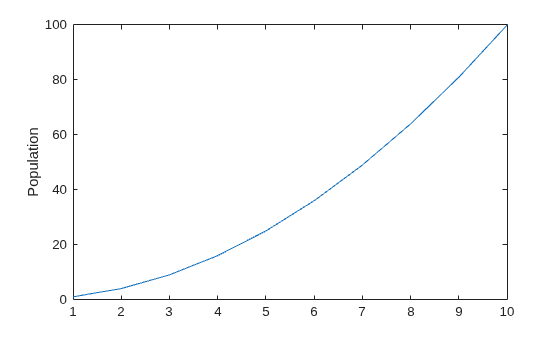
figure
plot((1:10).^2)
ylabel(123)
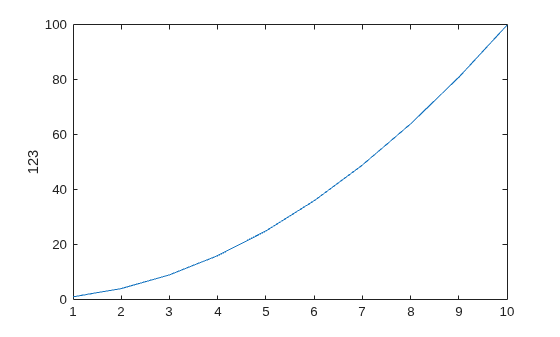
MATLAB® displays 123 beside the y-axis.
Create a multiline label using a multiline cell array.
figure
plot((1:10).^2)
ylabel({2010;'Population';'in Years'})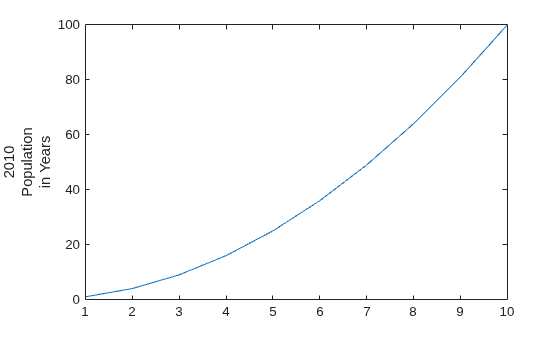
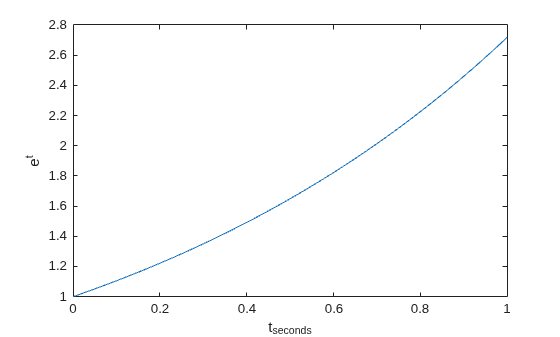
Use the '^' and '_' characters to include superscripts and subscripts in the axis labels. Use curly braces {} to modify more than one character.
t = linspace(0,1);
y = exp(t);
plot(t,y)
xlabel('t_{seconds}')
ylabel('e^t')
Use name-value arguments to set the font size, font weight, and text color properties of the y-axis label.
figure
plot((1:10).^2)
ylabel('Population',FontSize=12, ...
       FontWeight='bold',Color="r")
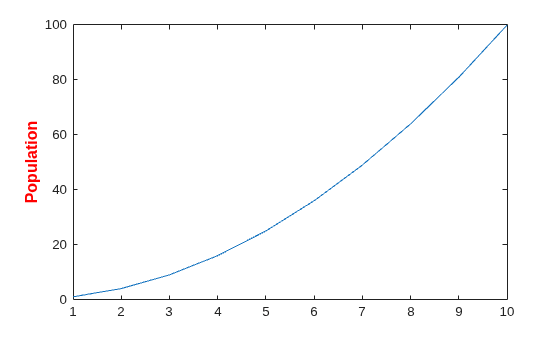
FontSize=12 displays the label text in 12-point font. FontWeight='bold' makes the text bold. Color="r" sets the text color to red.
Starting in R2019b, you can display a tiling of plots using the tiledlayout and nexttile functions. Call the tiledlayout function to create a 2-by-1 tiled chart layout. Call the nexttile function to create the axes objects ax1 and ax2. Plot data into each axes, and create an y-axis label for the top plot.
tiledlayout(2,1)
ax1 = nexttile;
plot((1:10).^2)
ylabel(ax1,'Population')

ax2 = nexttile;
plot((1:10).^3)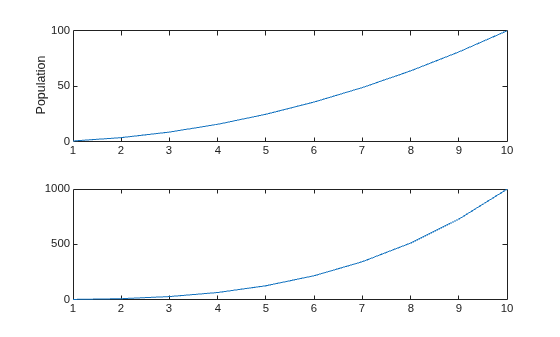
Label the y-axis and return the handle to the text object used as the label.
plot((1:10).^2)
t = ylabel('Population');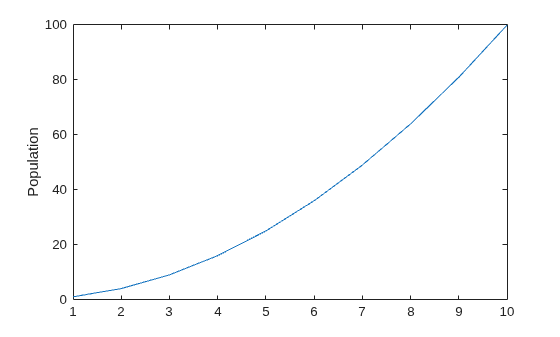
Set the color of the label to red. Use dot notation to set properties.
t.Color = "red";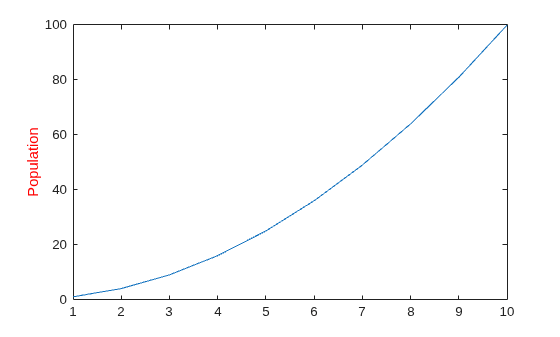
Since R2023a
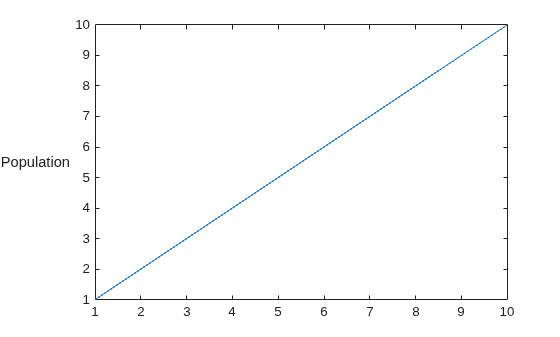
You can rotate a y-axis label so that it reads from left-to-right by setting the Rotation property of the label to 0 degrees. By default, y-axis labels have a Rotation value of 90 degrees. When you rotate a label, its HorizontalAlignment and VerticalAlignment properties automatically change to prevent overlap with the axes.
Create a plot. Then add a y-axis label with a rotation angle of 0 degrees.
plot((1:10))
mylabel = ylabel("Population","Rotation",0);
Input Arguments
Name-Value Arguments
Specify optional pairs of arguments as
Name1=Value1,...,NameN=ValueN, where Name is
the argument name and Value is the corresponding value.
Name-value arguments must appear after other arguments, but the order of the
pairs does not matter.
Example: Color="red",FontSize=12 specifies red, 12-point
font.
In addition to the following, you can specify other text object properties using name-value arguments. See Text Properties.
Font size, specified as a scalar value greater than 0 in
point units. One point equals 1/72 inch. To change the font units,
use the FontUnits property.
Setting the font size properties for the associated axes also affects the label font size. The
label font size updates to equal the axes font size times the label
scale factor. The FontSize property of the axes contains the axes font
size. The LabelFontSizeMultiplier property of the axes contains
the label scale factor. By default, the axes font size is 10 points and
the scale factor is 1.1, so the y-axis label font
size is 11 points.
Data Types: single | double | int8 | int16 | int32 | int64 | uint8 | uint16 | uint32 | uint64
Text color, specified as an RGB triplet, a hexadecimal color code, a color name, or a short name.
For a custom color, specify an RGB triplet or a hexadecimal color code.
An RGB triplet is a three-element row vector whose elements specify the intensities of the red, green, and blue components of the color. The intensities must be in the range
[0,1], for example,[0.4 0.6 0.7].A hexadecimal color code is a string scalar or character vector that starts with a hash symbol (
#) followed by three or six hexadecimal digits, which can range from0toF. The values are not case sensitive. Therefore, the color codes"#FF8800","#ff8800","#F80", and"#f80"are equivalent.
Alternatively, you can specify some common colors by name. This table lists the named color options, the equivalent RGB triplets, and the hexadecimal color codes.
| Color Name | Short Name | RGB Triplet | Hexadecimal Color Code | Appearance |
|---|---|---|---|---|
"red" | "r" | [1 0 0] | "#FF0000" |
|
"green" | "g" | [0 1 0] | "#00FF00" |
|
"blue" | "b" | [0 0 1] | "#0000FF" |
|
"cyan"
| "c" | [0 1 1] | "#00FFFF" |
|
"magenta" | "m" | [1 0 1] | "#FF00FF" |
|
"yellow" | "y" | [1 1 0] | "#FFFF00" |
|
"black" | "k" | [0 0 0] | "#000000" |
|
"white" | "w" | [1 1 1] | "#FFFFFF" |
|
"none" | Not applicable | Not applicable | Not applicable | No color |


This table lists the default color palettes for plots in the light and dark themes.
| Palette | Palette Colors |
|---|---|
Before R2025a: Most plots use these colors by default. |
|
|
|


You can get the RGB triplets and hexadecimal color codes for these palettes using the orderedcolors and rgb2hex functions. For example, get the RGB triplets for the "gem" palette and convert them to hexadecimal color codes.
RGB = orderedcolors("gem");
H = rgb2hex(RGB);
Before R2024a: Get the hexadecimal color codes using
H = compose("#%02X%02X%02X",round(RGB*255)).
Before R2023b: Get the RGB triplets using RGB =
get(groot,"FactoryAxesColorOrder").
Example: "blue"
Example: [0 0 1]
Example: "#0000FF"
Text orientation, specified as a scalar value in degrees. A rotation value of 0 degrees makes the text horizontal. For vertical text, set this property to 90 or -90. Positive values rotate the text counterclockwise. Negative values rotate the text clockwise.
Data Types: single | double | int8 | int16 | int32 | int64 | uint8 | uint16 | uint32 | uint64
LaTeX Markup
To use LaTeX markup, set the interpreter to "latex". For inline
mode, surround the markup with single dollar signs ($). For
display mode, surround the markup with double dollar signs
($$).
| LaTeX Mode | Example | Result |
|---|---|---|
| Inline |
"$\int_1^{20} x^2 dx$" |
|
| Display |
"$$\int_1^{20} x^2 dx$$" |
|


The displayed text uses the default LaTeX font style. The
FontName, FontWeight, and
FontAngle properties do not have an effect. To change the
font style, use LaTeX markup.
The maximum size of the text that you can use with the LaTeX interpreter is 1200 characters. For multiline text, this reduces by about 10 characters per line.
MATLAB supports most standard LaTeX math mode commands. For more information, see Supported LaTeX Commands. For examples that use TeX and LaTeX, see Greek Letters and Special Characters in Chart Text.
Output Arguments
Tips
By default, the
Interactionsproperty containseditInteractionso the text can be edited by clicking on the text. To disable this interaction, set theInteractionsproperty of the text object to[].

