zlim
R2026bSet or query z-axis limits
Syntax
Description
Specify Limits
zlim( sets
the z-axis limits for the current axes. Specify limits)limits as
a two-element vector of the form [zmin zmax], where zmax is
greater than zmin.
zlim( specifies the
limit method MATLAB® uses for automatic limit selection. Specify the limit method as
limitmethod)"tickaligned", "tight", or
"padded". MATLAB sets the ZLimitMethod property of the axes to
the value you specify.
You can specify the limitmethod argument without
parentheses. For example, zlim tight enables tight
z-axis limits.
zlim( specifies automatic
or manual limit selection. The limitmode)limitmode can have either of
two values:
"auto"— Enable automatic limit selection. MATLAB selects the limits based on the range of your data and the value of theZLimitMethodproperty of the axes. If you plot into the axes multiple times, the limits update to encompass all the data."manual"— Freeze the z-axis limits at their current value.
You can specify the limitmode argument without
parentheses. For example, zlim auto enables automatic limit
selection.
Query Limits
limmethod = zlim("method")'tickaligned', 'tight', or
'padded'.
limmode = zlim("mode")'auto' or 'manual'. By default, the
mode is automatic unless you specify limits or set the mode to manual.
Specify Target Axes or Chart
___ = zlim(
uses the axes specified by ax,___)ax instead of the current axes.
Specify ax as the first input argument for any of the
previous syntaxes. You can include an output argument if the original syntax
supports an output argument. Use quotes around the mode inputs, for example,
zlim(ax,"auto").
Examples
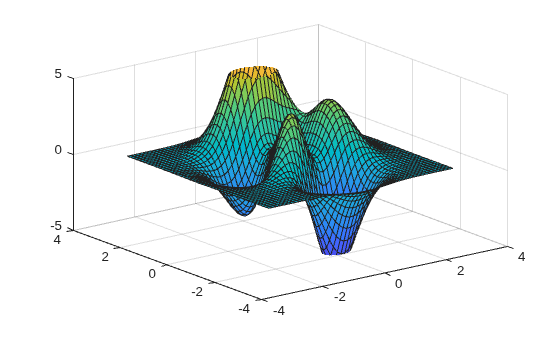
Plot a surface and set the z-axis limits to range from -5 to 5.
[X,Y,Z] = peaks;
surf(X,Y,Z);
zlim([-5 5])
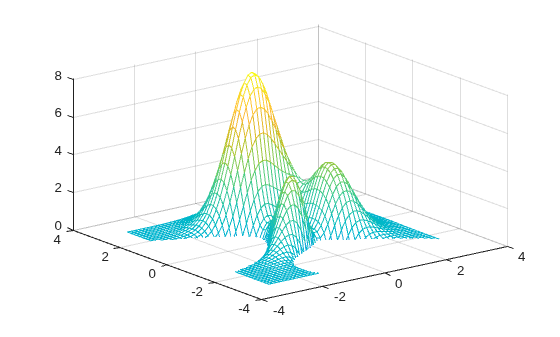
Create a mesh surface plot and show only z values greater than 0. Specify the minimum z-axis limit as 0 and let MATLAB choose the maximum limit.
[X,Y,Z] = peaks;
mesh(X,Y,Z)
zlim([0 inf])
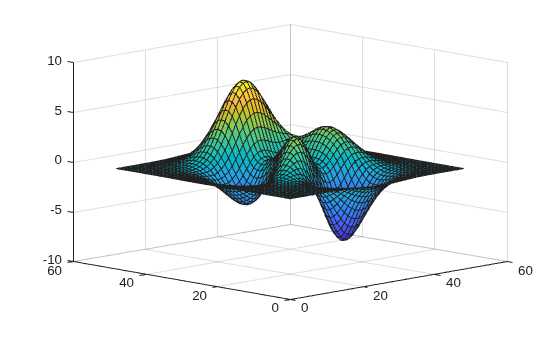
Create a surface plot of the peaks data set. Adjust the view of the plot box so that you can see the surface from the side.
surf(peaks)
view([-45 15])
Adjust the z-axis limits to so that there is less space above and below the surface. Change the limit method to 'tight'.
zlim tight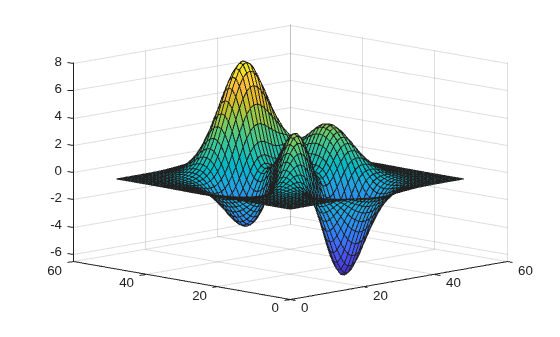
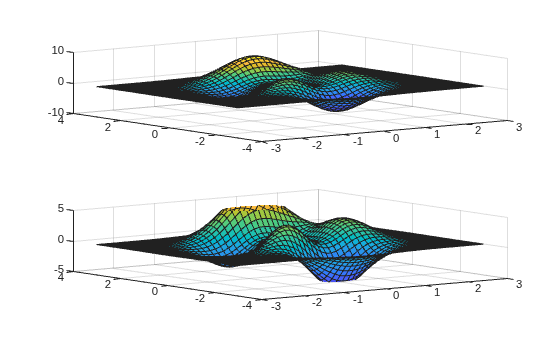
Starting in R2019b, you can display a tiling of plots using the tiledlayout and nexttile functions. Call the tiledlayout function to create a 2-by-1 tiled chart layout. Call the nexttile function to create the axes objects ax1 and ax2. Plot data into each of the axes. Then set the z-axis limits for the bottom plot by specifying ax2 as the first input argument to zlim.
[X,Y,Z] = peaks;
tiledlayout(2,1)
ax1 = nexttile;
surf(X,Y,Z)

ax2 = nexttile;
surf(X,Y,Z)
zlim(ax2,[-5 5])
Use manual mode to maintain the current z-axis limits when you add more plots to the axes.
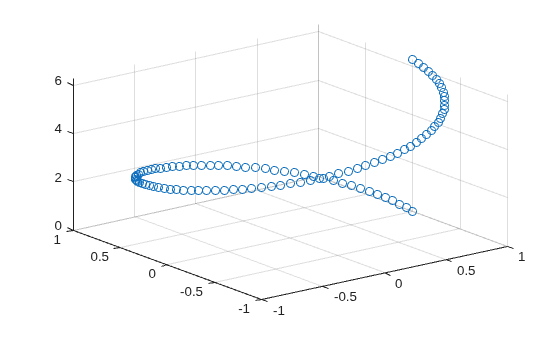
First, create a 3-D scatter plot.
theta = linspace(0,2*pi);
X = cos(theta);
Y = sin(theta);
Z = theta;
scatter3(X,Y,Z)
Set the z-axis limits mode to manual so that the limits to not change. Use hold on to add a second plot to the axes.
zlim manual
hold on
Znew = 5*theta;
scatter3(X,Y,Znew)
hold off
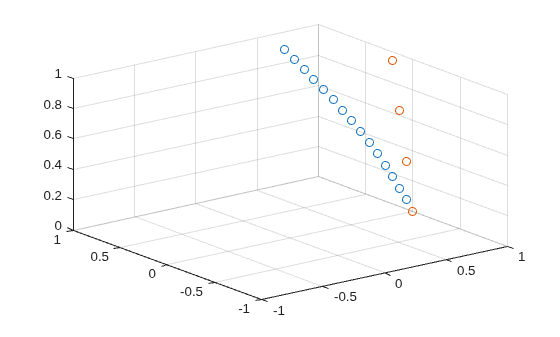
The z-axis limits do not update to incorporate the new plot.
Switch back to automatically updated limits by setting the mode to automatic.
zlim auto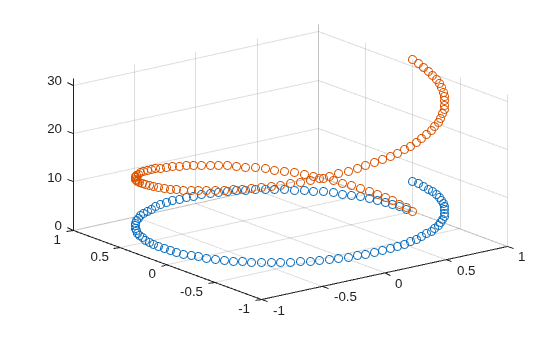
Create a 3-D scatter plot of random data. Return the values of the z-axis limits.
x = randn(50,1);
y = randn(50,1);
z = randn(50,1);
scatter3(x,y,z)
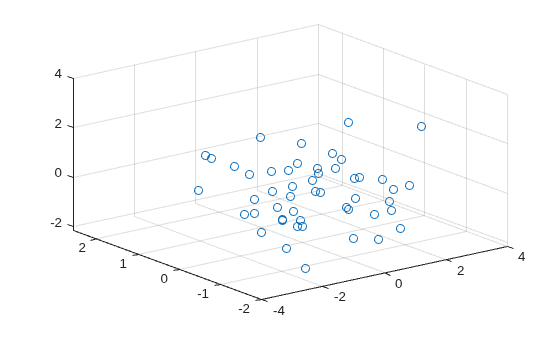
zl = zlim
zl = 1×2

   -2.1384    4.0000
Input Arguments
Minimum and maximum limits, specified as a two-element vector
of the form [zmin zmax], where zmax is
greater than zmin. You can specify the limits as
numeric, categorical, datetime, or duration values. However, the type
of values that you specify must match the type of values along the z-axis.
You can specify both limits, or specify one limit and let MATLAB automatically calculate the other. For an automatically
calculated minimum or maximum limit, use -inf or
inf, respectively. MATLAB uses the 'tight' limit method to calculate
the corresponding limit.
Example: zlim([0 1])
Example: zlim([-inf 1])
Example: zlim([0 inf])
Data Types: single | double | int8 | int16 | int32 | int64 | uint8 | uint16 | uint32 | uint64 | categorical | datetime | duration
Limit selection method, specified as a value from the table.
The examples in the table show the approximate appearance for each method. Your results might differ depending on your data, the size of the axes, the viewing angle of the plot box, and the type of plot you create.
| Value | Description | Example |
|---|---|---|
"tickaligned" | In general, align the edges of the axes box with the tick marks that are closest to your data without excluding any data. The appearance might vary depending on the type of data you plot and the type of chart you create. |
|
"tight" | Fit the axes box tightly around the data by setting the axis limits to the data range. |
|
"padded" | Fit the axes box around the data with a thin margin of padding on each side. The width of the margin is approximately 7% of the data range. |
|


Note
The limit method has no effect when the
ZLimMode property of the axes is set to
"manual".
Limit mode, specified as one of the following values:
"auto"— Enable automatic limit selection, which is based on the total span of the data and the value of theZLimitMethodproperty of the axes. If you plot into the axes multiple times, the limits update to encompass all the data. You can use this option if you change the limits and want to set them back to the default values."manual"— Freeze the limits at the current values. Use this option if you want to retain the current limits when adding new data to the axes using thehold oncommand.
When you specify this argument, MATLAB sets the ZLimMode property of the axes to
the value you specify. However, the ZLimMode property
changes to "manual" whenever you set the
z-axis limits explicitly, either by calling
zlim(limits), or by setting the value of the
ZLim property on the axes.
Target axes, specified as an Axes object or an array of
Axes objects.
If you do not specify this argument, then zlim sets the
limits on the current axes.
Output Arguments
Algorithms
The zlim function sets and queries several
axes properties related to the z-axis limits.
ZLim— Property that stores the z-axis limits.ZLimMode— Property that stores the z-axis limits mode. When you set the z-axis limits, this property changes to"manual".ZLimitMethod— Property that controls how the z-axis limits are calculated when theZLimModeproperty is set to"auto".

