Measure Impulse Response of an Audio System
The impulse response (IR) is an important tool for characterizing or representing a linear time-invariant (LTI) system. The Impulse Response Measurer enables you to measure and capture the impulse response of audio systems, including:
Audio I/O hardware
Rooms and halls
Enclosed spaces like inside of a car or a recording studio
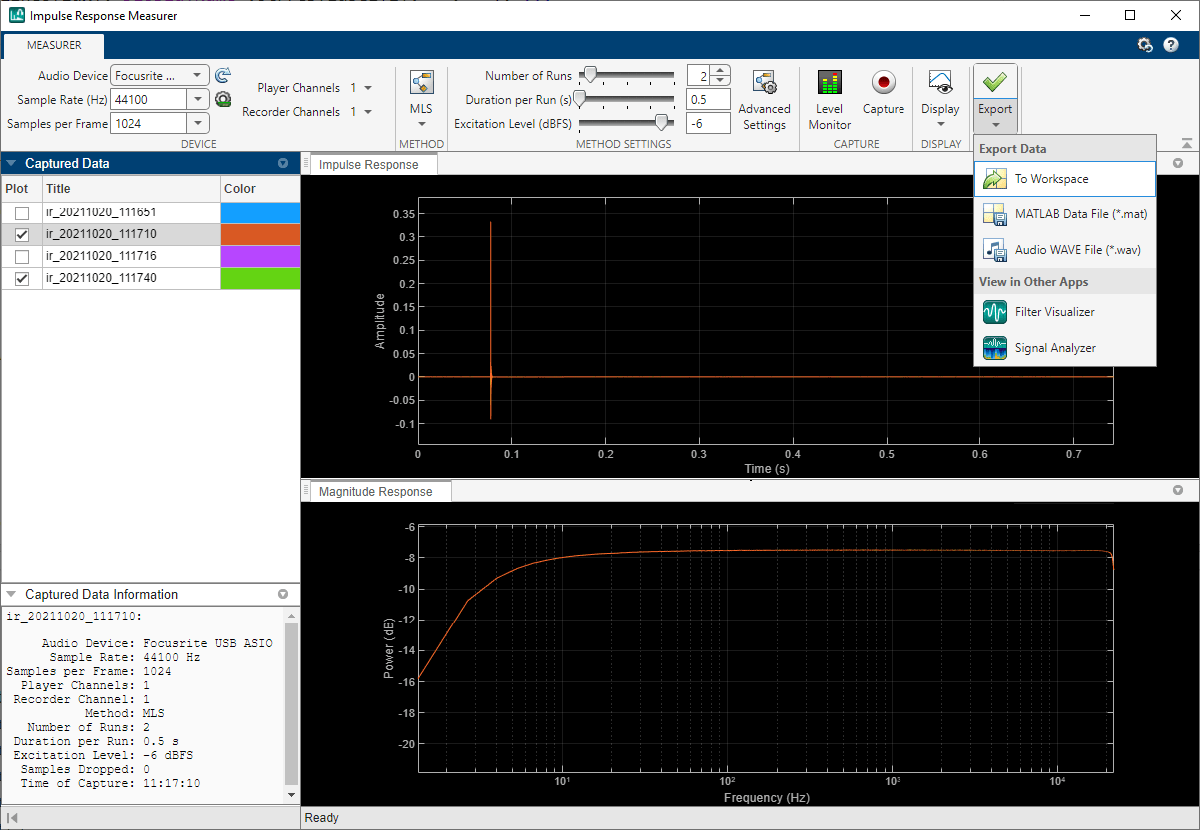
In this example, you use the Impulse Response Measurer to measure the impulse response of your room. You then use the acquired impulse response with audiopluginexample.FastConvolver to add reverberation to an audio signal.
This example requires that your machine has a full-duplex device or a pair of compatible devices.
Description of IR Measurement Techniques
The Swept Sine measurement technique uses an exponential time-growing frequency sweep as an output signal. The output signal is recorded and deconvolution is used to recover the impulse-response from the swept sine tone. For more details, see [1].
The Maximum-Length-Sequence (MLS) technique is based upon the excitation of the acoustical space by a periodic pseudo-random signal. The impulse response is obtained by circular cross-correlation between the measured output and the test tone (MLS sequence). For more details, see [2].
In this example, you use the Swept Sine measurement technique.
Acquire Impulse Response of Room
1. To open the app, at the MATLAB® command prompt, enter:
impulseResponseMeasurer

Alternatively, you can use the measurement included with this example and skip to next section.
2. Select an appropriate Driver (Windows only), Player device and Recorder device, and the channels for playing and recording. Sample Rate (Hz) is generally best set to the default value selected in your operating system.
3. Click Capture to start the measurement.
4. Once you capture the impulse response, click the bottom part of the Export button and select the option MATLAB Data File (*.mat). Save the file as measuredImpulseResponse.mat.
Use Impulse Response to Add Reverb to an Audio Signal
Time-domain convolution of an input frame with a long impulse response adds latency equal to the length of the impulse response. The algorithm used by the audiopluginexample.FastConvolver plugin uses frequency-domain partitioned convolution to reduce the latency to twice the partition size [3]. audiopluginexample.FastConvolver is well-suited to impulse responses acquired using impulseResponseMeasurer.
1. To create an audiopluginexample.FastConvolver object, at the MATLAB® command prompt, enter:
fastConvolver = audiopluginexample.FastConvolver
fastConvolver =
  audiopluginexample.FastConvolver with properties:

    ImpulseResponse: [0 0 -3.0518e-05 3.0518e-05 0 0 0 3.0518e-05 0 0 0 3.0518e-05 0 0 0 0 0 0 0 0 0 0 0 0 3.0518e-05 0 0 0 -3.0518e-05 -3.0518e-05 0 0 -3.0518e-05 0 0 3.0518e-05 0 -3.0518e-05 0 0 0 3.0518e-05 0 0 0 -3.0518e-05 0 0 0 … ] (1×227497 double)
      PartitionSize: 1024
2. Set the impulse response property to your acquired impulse response measurement. You can clear the impulse response for your workspace once it is saved to the fast convolver.
load measuredImpulseResponse
irEstimate = measurementData.ImpulseResponse.Amplitude(:,1);
fastConvolver.ImpulseResponse = irEstimate;
3. Open the audio test bench and specify your fast convolver object.
audioTestBench(fastConvolver)
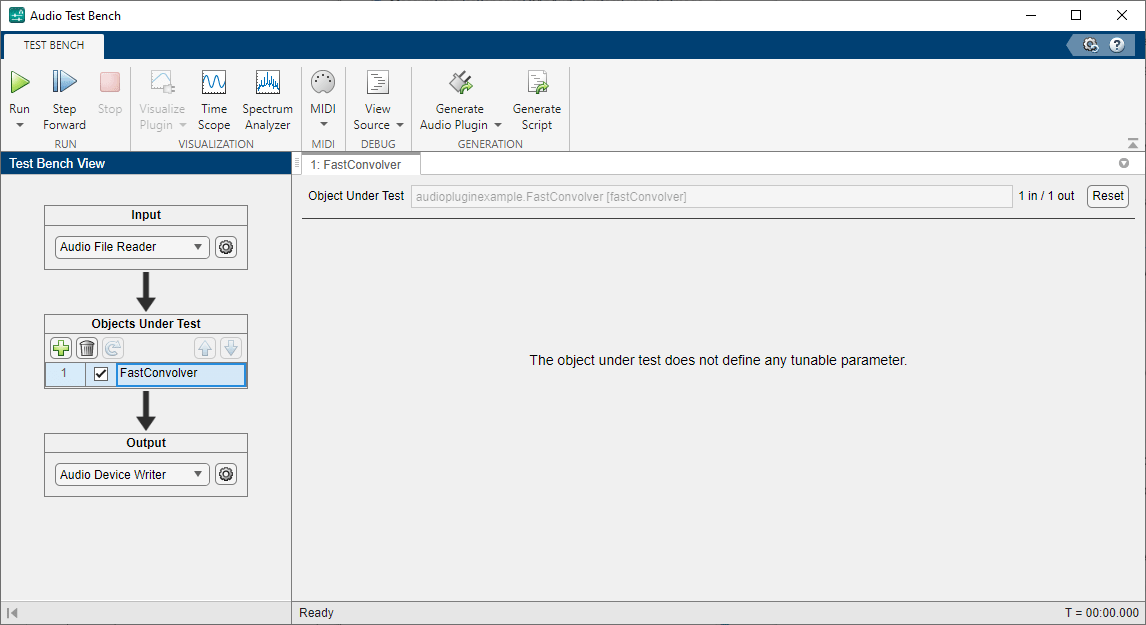
4. By default, the Audio Test Bench reads from an audio file and writes to your audio device. Click Run to listen to an audio file convolved with your acquired impulse response.
Tips and Tricks
The excitation level slider on the impulseResponseMeasurer applies gain to the output test tone. A higher output level is generally recommended to maximize signal-to-noise ratio (SNR). However, if the output level is too high, undesired distortion may occur.
Export to filter visualizer through the Export button to look at other useful plots like phase response, group delay, etc.
References
[1] Farina, Angelo. "Advancements in impulse response measurements by sine sweeps." Presented at the Audio Engineering Society 122nd Convention, Vienna, Austria, 2007.
[2] Guy-Bart, Stan, Jean-Jacques Embrechts, and Dominique Archambeau. "Comparison of different impulse response measurement techniques." Journal of Audio Engineering Society. Vol. 50, Issue 4, pp. 249-262.
[3] Armelloni, Enrico, Christian Giottoli, and Angelo Farina. "Implementation of real-time partitioned convolution on a DSP board." Applications of Signal Processing to Audio and Acoustics, 2003 IEEE Workshop on., pp. 71-74. IEEE, 2003.

