Set Up AMD SoC Devices and Software
R2026bInstall AMD® SoC device software and set up the hardware:
Install the SoC Blockset™ Support Package for AMD FPGA and SoC Devices. For instructions on how to install the support package, see Install Support for AMD FPGA and SoC Devices.
Set up the physical connections to your AMD SoC device.
ZedBoard™ connections

AMD Zynq® ZC702 Evaluation Board connections

In Windows®, open Devices and Printers.
Locate the USB device that connects to the AMD SoC device, such as Silicon Labs CP210x USB to UART Bridge.
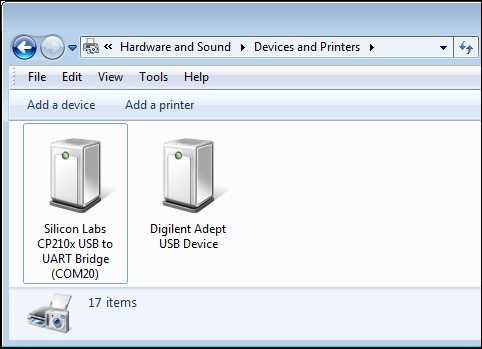
Verify that the USB devices have drivers and are working. If not, search for the drivers online and install them.
See Also
Install Support for AMD FPGA and SoC Devices

