Guard Bits
R2026bYou can eliminate the possibility of overflow by appending the appropriate number of guard bits to a binary word.
For a two's complement signed value, the guard bits are filled with either 0's or 1's depending on the value of the most significant bit (MSB). This is called sign extension. For example, consider a 4-bit two's complement number with value 1011. If this number is extended in range to 7 bits with sign extension, then the number becomes 1111011 and the value remains the same.
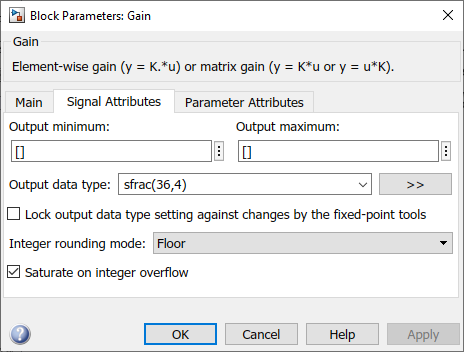
The Simulink® software supports guard bits only for fractional data types. For both
signed and unsigned fractionals, the guard bits lie to the left of the default binary
point. To specify a fixed-point object with guard bits, use the
fixdt function with
fixdt(1,WordLength,(WordLength-1-GuardBits)). For example, by
setting Output data type to fixdt(1,36,31), you
specify a 36–bit signed fractional data type with 4 guard bits.
In MATLAB® you cannot explicitly specify guard bits when defining fixed-point types. Instead, to mimic the effect of guard bits and protect against overflow, you can manually increase the word length of your fi object beyond what is strictly required for your data

