tagm-ui
GUI to set Tag property of objects on axesm-based
map
Activation
Command Line |
|---|
|
Description
tagm brings up a Select Object dialog box
for selecting mapped objects and changing their Tag property.
Upon selecting the objects, the Edit Tag dialog box is activated,
in which the new tag is entered.
tagm(h) activates the Edit Tag dialog box
for the objects specified by the handle h.
Controls
Select Object Dialog Box
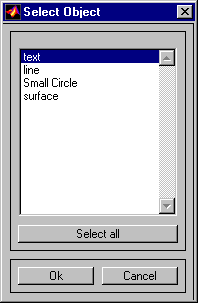
The scroll box is used to select the desired objects from the list of mapped objects. Pushing the Select all button highlights all objects in the scroll box for selection. Pushing the OK button activates the Edit Tag dialog box. Pushing the Cancel button aborts the operation without changing any properties of the selected objects.
Edit Tag Dialog Box
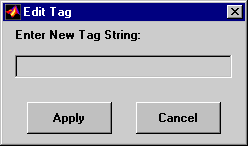
Enter the new tag character vector in the edit box. Pressing
the Apply button changes the Tag property
of all selected objected to the new tag character vector. Pressing
the Cancel button closes the Edit Tag dialog
box without changing the Tag property of the
selected objects.
Version History
Introduced in R2007a

