zdatam-ui
GUI to adjust z-plane of mapped objects on
axesm-based map
Activation
Command Line |
|---|
|
Description
zdatam brings up a Select Object dialog
box for selecting mapped objects and adjusting their ZData property.
Upon selecting the objects, the Specify Zdata dialog box is activated,
in which the new ZData variable is entered. Note
that not all mapped objects have the ZData property
(for example text objects).
zdatam(h) activates the Specify Zdata dialog
box for the objects specified by the handle h.
zdatam( activates
the Specify Zdata dialog box for the objects identified by str)str,
where str is any of the character vectors
recognized by handlem.
Controls
Select Object Dialog Box
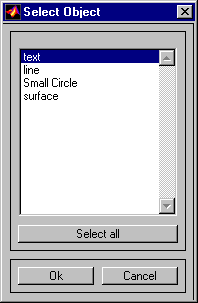
The scroll box is used to select the desired objects from the list of mapped objects. Pushing the Select all button highlights all objects in the scroll box for selection. Pushing the OK button activates another Specify Zdata dialog box. Pushing the Cancel button aborts the operation without changing any properties of the selected objects.
Specify ZData Dialog Box
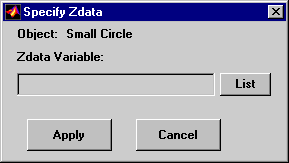
The Zdata Variable edit box
is used to specify the name of the ZData variable.
Pressing the List button produces a list of
all current workspace variables, from which the ZData variable
can be selected. A scalar value or a valid MATLAB® expression
can also be entered. Pressing the Apply button
changes the ZData property of all selected objected
to the new values. Pressing the Cancel button
closes the Specify ZData dialog box without changing the ZData property
of the selected objects.
Version History
Introduced in R2007a

