Block Parameters
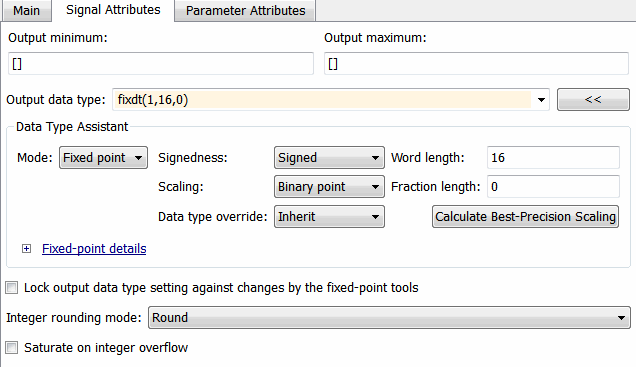
If the block in the subsystem has a Signal Attributes tab, navigate to that tab.
For the Integer rounding mode parameter, select
Round.Clear the Saturate on integer overflow check box.
For the Output data type parameter, select a fixed-point data type.
Click the Data Type Assistant button.
For the Word length parameter, enter
8,16, or32.For the Mode parameter, select
Fixed point.For the Scaling parameter, select
Binary
          point
.
Click OK.

