Specify Operating Conditions
Agilent® P2D and S2D files contain simulation results at one or more operating conditions. Operating conditions define the independent parameter settings that are used when creating the file data. The specified conditions differ from file to file.
When you import component data from a .p2d or .s2d file
into a General Amplifier or General Mixer block, the block contains
parameter values for several operating conditions. The available conditions
depend on the data in the file. By default, the blockset defines the
object behavior using the property values that correspond to the operating
conditions that appear first in the file. To use other property values,
you must select a different operating condition in the block dialog
box.
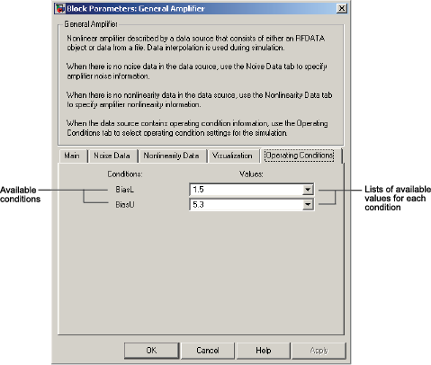
If the block contains data at multiple operating conditions, the Operating Conditions tab contains two columns. The Conditions column shows the available conditions, and the Values column contains a drop-down list of the available values for the corresponding condition.
Block Dialog Box Showing Operating Conditions
To specify the operating condition values for a simulation:
Double-click the block to open the block dialog box.
Select the Operating Conditions tab.
In the Conditions column, find the condition to specify. Select the corresponding pull-down list in the Values column, and choose the desired operating condition value.
Repeat the preceding step as needed to specify the desired operating condition values.

