Metric Details - Tests linked to requirements
Description
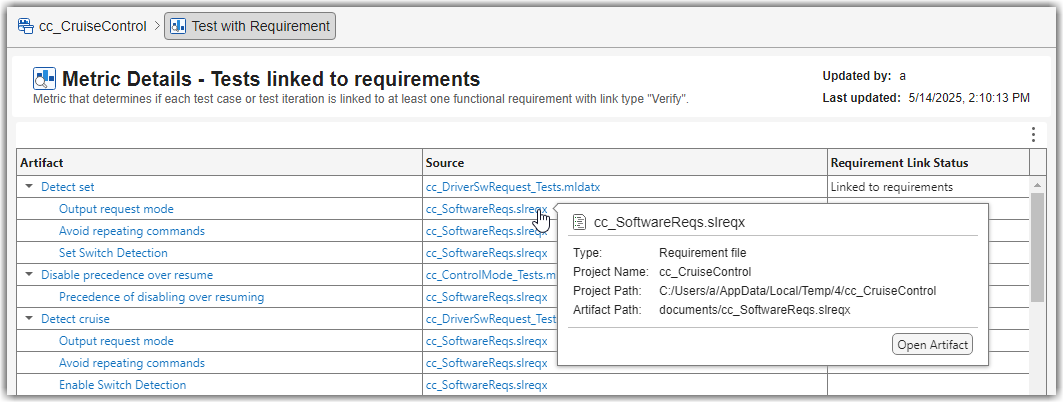
The Metric Details table provides a detailed breakdown of the tests and linked functional requirements. The table contains these columns:
Artifact — The individual tests that contribute to the metric results. If a test is linked to a functional requirement with the link type
Verify, the test appears as a collapsible row, with its linked requirements shown as indented child rows underneath.Source — The associated Simulink® Test™ file (
.mldatx) for tests or requirement file (.slreqx) for requirement items.Requirement Link Status — Indicates whether each test is linked to at least one functional requirement with the link type
Verify. The possible statuses are Linked to requirements and Missing linked requirements. This status is only shown for test rows. Rows for requirements leave this column blank.
You can open artifacts by using the hyperlinks. To view detailed artifact information, such as the file type and path, point to the hyperlinks to display the tooltip. Additionally, you can sort or filter the metric details by using the controls in the column header.
Supported Artifacts
This widget collects metric results by analyzing the tests in the project folder.
Collecting this metric requires a Simulink Test license.

