Multiscale Principal Components Analysis Using the Wavelet Analyzer App
This section explores multiscale PCA using the Wavelet Analyzer app.
Open the Wavelet Analyzer app by typing
waveletAnalyzerat the command line.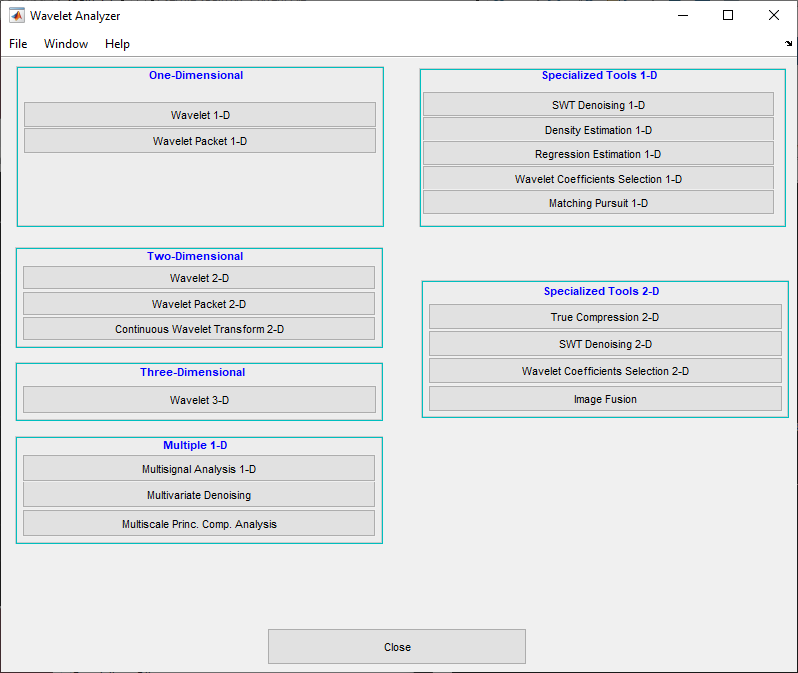
Click Multiscale Princ. Comp. Analysis to open the Multiscale Principal Components Analysis tool in the app.
Load data.
At the MATLAB command prompt, type
In the Multiscale Princ. Comp. Analysis tool, select File > Import from Workspace. When the Import from Workspace dialog box appears, select theload ex4mwden
xvariable. Click OK to import the multivariate signal. The signal is a matrix containing four columns, where each column is a signal to be simplified.These signals are noisy versions from simple combinations of the two original signals, Blocks and HeavySine and their sum and difference, each with added multivariate Gaussian white noise.
Perform a wavelet decomposition and diagonalize each coefficients matrix.
Use the default values for the Wavelet, the DWT Extension Mode, and the decomposition Level, and then click Decompose and Diagonalize. The tool displays the wavelet approximation and detail coefficients of the decomposition of each signal in the original basis.
To get more information about the new bases allowed for performing a PCA for each scale, click More on Adapted Basis. A new figure displays the corresponding eigenvectors and eigenvalues for the matrix of the detail coefficients at level 1.
You can change the level or select the coarser approximations or the reconstructed matrix to investigate the different bases. When you finish, click Close.
Perform a simple multiscale PCA.
The initial values for PCA lead to retaining all the components. Select
Kaiserfrom the Provide default using drop-down list, and click Apply.The results are good from a compression perspective.
Improve the obtained result by retaining fewer principal components.
The results can be improved by suppressing the noise, because the details at levels 1 to 3 are composed essentially of noise with small contributions from the signal, as you can see by careful inspection of the detail coefficients. Removing the noise leads to a crude, but large, denoising effect.
For D1, D2 and D3, select
0as the Nb. of non-centered PC and click Apply.The results are better than those previously obtained. The first signal, which is irregular, is still correctly recovered, while the second signal, which is more regular, is denoised better after this second stage of PCA. You can get more information by clicking Residuals.

