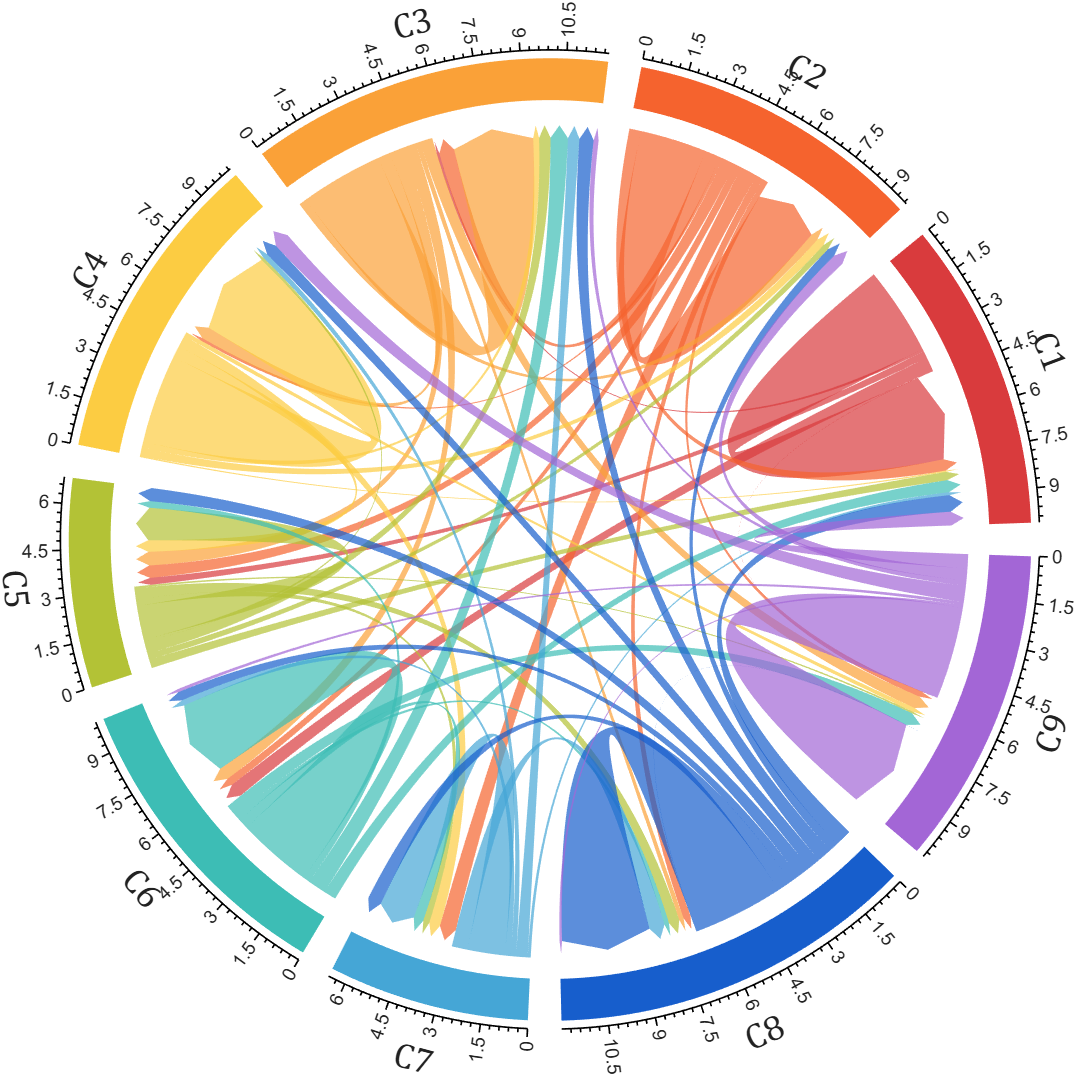
biChordChart (bidirectional chord diagram | 有向弦图)

Plot bidirectional/directed/self-loop/self-links chord diagram (绘制 有向/双向 弦图/和弦图)

https://github.com/slandarer/MATLAB-chord-diagram

You are now following this Submission

Plot bidirectional/directed/self-loop/self-links chord diagram (绘制 有向/双向 弦图/和弦图)
Basic usage
dataMat=randi([0,8],[5,5]);
% 创建弦图对象(Create bichord diagram object and draw)
BCC=biChordChart(dataMat,'Arrow','on');
BCC=BCC.draw();
% 添加刻度(Show ticks and tick labels)
BCC.tickState('on')
BCC.tickLabelState('on')
% 修改字体,字号及颜色(Set font properties)
BCC.setFont('FontName','Cambria','FontSize',17)
The automatic adjustment of scale density
rng(1)
dataMat=randi([0,5],[8,8]);
CList=[ 75,146,241; 252,180, 65; 224, 64, 10; 5,100,146; 191,191,191;
26, 59,105; 255,227,130; 18,156,221; 202,107, 75; 0, 92,219;
243,210,136; 80, 99,129; 241,185,168; 224,131, 10; 120,147,190]./255;
figure('Units','normalized','Position',[.02,.05,.6,.85])
% TickMode 'value'(default)/'linear'/auto
BCC = biChordChart(dataMat, 'Arrow','on', 'CData',CList,...
'TickMode','auto', 'SSqRatio',-30/100, 'OSqRatio',80/100);
BCC=BCC.draw();
% 添加刻度
BCC.tickState('on')
BCC.tickLabelState('on')
Square, tick, label radius | square ratio
Add highlight arrow
rng(1)
dataMat=randi([1,8], [4,4]);
% 创建弦图对象(Create bichord diagram object)
BCC=biChordChart(dataMat,'Arrow','on','Sep',1/12);
% 开始绘图(Start drawing)
BCC=BCC.draw();
% 添加刻度(Show ticks and tick labels)
BCC.tickState('on')
BCC.tickLabelState('on')
% 修改字体,字号及颜色(Set font properties)
BCC.setFont('FontName','Cambria','FontSize',17)
BCC.addHighlightArrow(2, 3)
BCC.addHighlightArrow(2, 1)
BCC.addHighlightArrow(4, 4)
Reproduction of a Nature figure example
% Reproduced from:
% Merchant, A.T., King, S.H., Nguyen, E. et al.
% Semantic design of functional de novo genes from a genomic language model.
% Nature 649, 749–758 (2026). https://doi.org/10.1038/s41586-025-09749-7
rng(7)
labels = {'AAA lid','E-set','Calycin','Ubiquitin','RNase H','PDDEXK','Cupin', ...
'Phage barrel','Dim A-B barrel','Peptidase CA','RING','Peptidase MA', ...
'\beta-Propeller','HTH','Thioredoxin','GHD','OB','PKinase','An \beta-ribbon', ...
'KH','SH3','TPR','GT-B','GT-A',{'ATP-';'grasp'},{'AB';'hydrolase'},{'TIM';'barrel'}, ...
'Hybrid','Acetyltrans',{'Actin';'ATPase'},{'NADP';'Rossmann'},{'P-loop';'NTPase'}};
colors = [ 27, 16, 27; 107,200,173; 70,104,120; 4, 86, 92; 100,185,180; 96,100,172;
51,128,130; 118,184,184; 85,173,170; 146,138,171; 161,204,203; 86,175,133;
12, 3, 6; 185,183,204; 105,184,174; 105,201,173; 44, 88, 92; 102,183,184;
0,122,124; 64, 72,132; 129,207,174; 67,132,122; 113,169,172; 101,184,167;
165,204,218; 6, 73, 87; 102,185,178; 60, 49, 99; 78,127,140; 178,211,216;
109,195,168; 196,241,223]./255;
data = (rand(32) > .96).*rand(32);
data(sub2ind([32,32], randi(32,1,32), 1:32)) = rand([32, 1])*5;
data([1,25,26,27,28,30,31,32],:) = data([1,25,26,27,28,30,31,32],:).*[15;3;18;15;3;3;5;5];
data(:,27) = data(:,27).*3;
figure()
tt = linspace(0, 2*pi, 100); R1 = 1.08; R2 = 1.2;
fill([cos(tt).*R1, cos(tt(end:-1:1)).*R2], [sin(tt).*R1, sin(tt(end:-1:1)).*R2], ...
[229,229,229]./255, 'EdgeColor','none')
BCC = biChordChart(data, 'Sep',0);
BCC.LRadius = 1.07;
BCC.SRadius = [1, 1.05];
BCC.Label = labels;
BCC.CData = colors;
BCC.draw()
BCC.labelRotate('on')
BCC.setSquareProp('EdgeColor','k', 'LineWidth',1)
BCC.setChordProp('FaceAlpha', .5)
Reproduction of another Nature figure example
% Data source :
% Lake, B.B., Menon, R., Winfree, S. et al.
% An atlas of healthy and injured cell states and niches in the human kidney.
% Nature 619, 585–594 (2023). https://doi.org/10.1038/s41586-023-05769-3
% https://www.nature.com/articles/s41586-023-05769-3
% 41586_2023_5769_MOESM9_ESM.xlsx | sheet : panel_d_chordplot
see demo11.m for detail:

Cite As

Zhaoxu Liu / slandarer (2026). biChordChart (bidirectional chord diagram | 有向弦图) (https://www.mathworks.com/matlabcentral/fileexchange/121043-bichordchart-bidirectional-chord-diagram), MATLAB Central File Exchange. Retrieved .

General Information

MATLAB Release Compatibility

  • Compatible with any release

Platform Compatibility

  • Windows
  • macOS
  • Linux
Version Published Release Notes Action
6.0.0

+ Optimized variable and graphics object name display
+ Significantly improved plotting speed for large-scale matrices

5.0.1

Debug.

5.0.0

More convenient radius control, new property name shorthands.

4.1.4

Improved the documentation comments.

4.1.3

Improved the documentation comments.

4.1.2

A bug causing certain components not to render in specific axes has been resolved. Additionally, several examples have been simplified.

4.1.1

change Project Website.

4.1.0

# version 4.1.0
+ 使用 addHighlightArrow 添加提示箭头
Use function addHighlightArrow to add arrow(demo13)
+ 节点可分组
Nodes are groupable(demo14)

4.0.1

More English support

4.0.0

+ 左键添加数据提示框,右键隐藏高亮
Left-click to add data tooltip, right-click to hide highlight

3.0.0

`SSqRatio` `OSqRatio` `Rotation`

2.0.1

support R2018b

2.0.0

+ 新增两种标志刻度的方法
Added 2 methods to adjust ticks
try : CC = chordChart(..., 'TickMode','auto', ...)

+ 'value' : default

+ 'auto' : 当有刻度离得很近的时候,绘制斜线将其距离拉远
When there are scales that are very close, draw a diagonal line

1.1.4

Fixed a bug with incorrect rotation of some labels in older versions

1.1.3

Fixed nan issue and text overlap issue when all elements of matrix rows or columns are 0

1.1.2

add Copyright

1.1.1

Adjust numeric string format

1.1.0

Added attribute 'LRadius' with adjustable Label radius
Added attribute 'LRotate' and function `labelRatato` with adjustable Label rotate(demo3)
Use function `tickLabelState` to display tick labels(demo4)

1.0.0