Contour edition
Version 1.0.0.0 (3.75 KB) by
Vincent Garcia
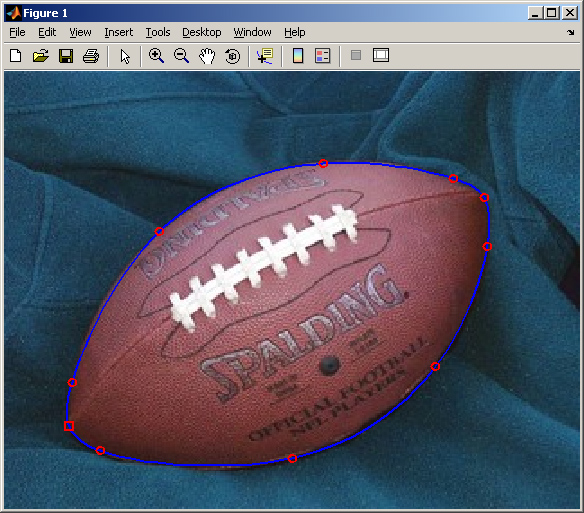
Edit an object contour using mouse interactions
The function ctr_editContour allows to edit
- a point
- a square
- a rectangle
- a circle
- an ellipse
- a polygon
- a spline curve
on a given image using mouse interactions. This function is usefull
to edit an object contour. The output is a matrix Nx2 where N is
the number of sample points of the associated polygon. Moreover, the function
allows to modify an existing point (square, etc.) if the associated
polygon is an input parameter. Run script test.m to have an example.
Cite As
Vincent Garcia (2026). Contour edition (https://www.mathworks.com/matlabcentral/fileexchange/17490-contour-edition), MATLAB Central File Exchange. Retrieved .
MATLAB Release Compatibility
Created with
R2007b
Compatible with any release
Platform Compatibility
Windows macOS LinuxCategories
- Image Processing and Computer Vision > Image Processing Toolbox > Image Filtering and Enhancement > ROI-Based Processing >
Find more on ROI-Based Processing in Help Center and MATLAB Answers
Tags
Discover Live Editor
Create scripts with code, output, and formatted text in a single executable document.
editContour/
| Version | Published | Release Notes | |
|---|---|---|---|
| 1.0.0.0 |
