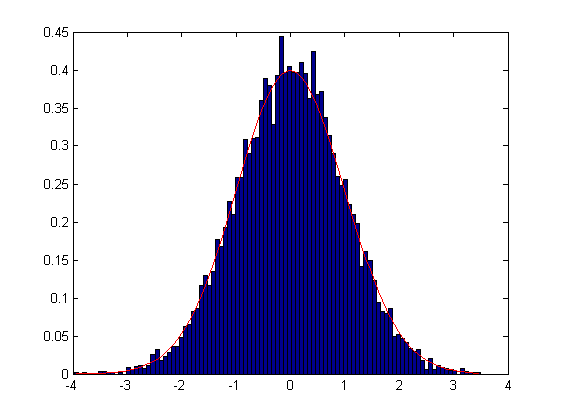
Normalized histogram

Same as histogram, but the area sum is 1.
14.3K Downloads
Updated 22 Mar 2013

View License

HISTNORM Histogram normalized
[...] = HISTNORM(...) works like HIST, but the frequency is normalized so that area sum is 1.

Bonus usage!
[...] = HISTNORM(..., 'plot') plots and returns the output arguments. Be sure 'plot' is the last argument.

Example:
data = randn(1)+randn(1)*randn (10000, 1);
[xo,no] = histnorm(data, 101, 'plot');
hold on
plot (no, normpdf(no, mean(data), std(data)), 'r');
hold off

See also: HIST.

Copyright 2009 DWTFYW.

Cite As

Arturo Serrano (2026). Normalized histogram (https://www.mathworks.com/matlabcentral/fileexchange/22802-normalized-histogram), MATLAB Central File Exchange. Retrieved .

MATLAB Release Compatibility
Created with R2008b
Compatible with any release
Platform Compatibility
Windows macOS Linux
Categories
Find more on Histograms in Help Center and MATLAB Answers
Version Published Release Notes
1.1.0.0

Updated the example.

1.0.0.0