
CAD2MATDEMO.M

3D CAD data to MATLAB Converter, CAD STL to MATLAB Patch.

You are now following this Submission

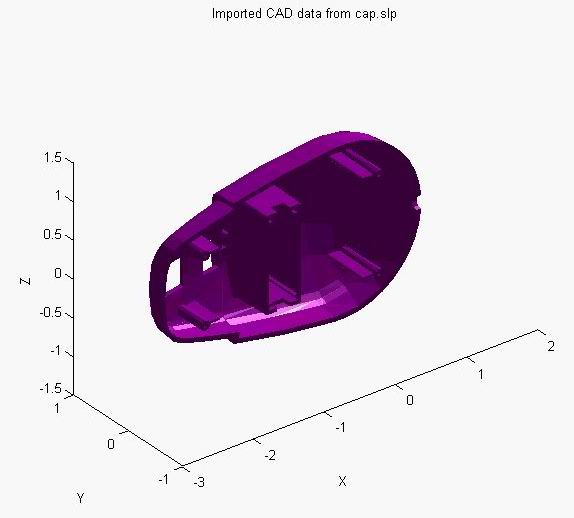
CAD2MATDEMO is a demonstration of importing 3D CAD data into MATLAB.

The demo includes:

1) the general program,
2) 4 CAD data file samples, and
3) a simple script that executes the program to show the 4 samples.

To get CAD data into MATLAB, the process is:

1) Export the 3D CAD data as an ASCII STL (or Pro/E render SLP) file.
2) This MATLAB routine reads the CAD data, and
3) Once read, the CAD data is rotated around a bit for viewing.

The program has been tested with: AutoCAD, Cadkey, and Pro/Engineer.
It should work with most any CAD programs that can export STL files.

Format Details: STL is supported, and the color version of STL that Pro/E exports, called 'render' is also supported. The render (SLP) is just like STL but includes color.

Only that data associated with STL or SLP files are translated, e.g., geometry and the geometry color. No textures, transparencies, or other such things are exported with the STL (or SLP) file.

Note: This routine has both the import function and some basic manipulation for testing. The actual reading mechanism is located at the end of the demo file.

Cite As

Don Riley (2026). CAD2MATDEMO.M (https://www.mathworks.com/matlabcentral/fileexchange/3642-cad2matdemo-m), MATLAB Central File Exchange. Retrieved .

General Information

MATLAB Release Compatibility

  • Compatible with any release

Platform Compatibility

  • Windows
  • macOS
  • Linux
Version Published Release Notes Action
1.0.0.0

I have just updated the file (R2), due to a capitalization issue on some internal functions that kept the rotations from working. The demo should be working correctly now.