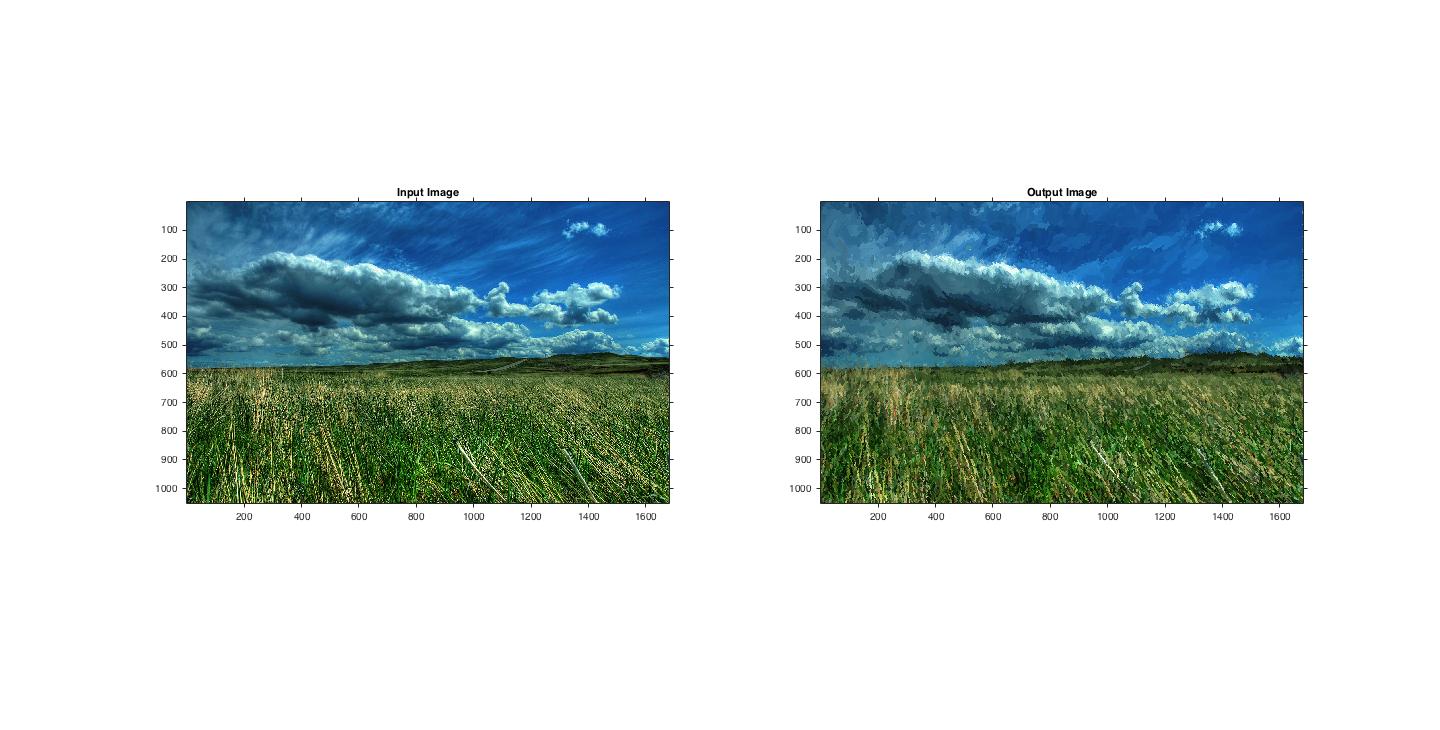
impressionism

impressionism takes an RGB image and "paints" it as though it were an impressionist painting.
315 Downloads
Updated 27 Mar 2017

View License

Editor's Note: This file was selected as MATLAB Central Pick of the Week

This function "paints" an impressionist like painting of an RGB image.
USAGE
imgOut = impressionism(filename, 'threshold', 50, 'brush sizes', ...
[8 4 2], 'blur factor', 0.5, 'grid spacing', 1, 'brush curvature', ...
1, 'min length', 4, 'max length',16 );

imgOut = impressionism(filename, 'threshold', 50, 'brush sizes', ...
[8 4 2], 'blur factor', 0.5, 'grid spacing', 1, 'brush curvature', ...
1, 'pointillism', 1);

PARAMETERS

'threshold' - determines how closely the painting must approximate
the source image. Higher values of this threshold produce "rougher"
paintings.
default thresh is 50

'brush sizes' - determines the brush sizes used in the painting. Brush
sizes dimensions are pixels and are specified as radii.
default brushSzs = [8 4 2] areas of little detail will be painted with
large brush strokes. Areas with lots of detail will be painted with
little brush strokes

'blur factor'- A smaller blur factor allows more noise in the image,
producing a more "impressionistic" image standard deviation will
be blurFactor * brushSz(k)
default blurFactor = 0.5

'grid spacing' - (grid spacing = gridSpacing*brush radius)
default gridSpacing = 1

'brush curvature' - brushstroke curvature filter constant. Used to limit
or exagerate curvature
default brushCurve = 1

'min length' - minimum stroke length used in painting
default minStrokeLength = 4

'max length' - maximum stroke length used in painting
default maxStrokeLength = 16

'pointillism' - givs a pointillist style painting (sets min and max
length to zero) Note: Do not use 'min length' or 'max length' while
using 'pointillism'

You can use the attached test images. Use the following combinations:
imgOut = impressionism('landscape_test.jpg');

This code was originally inspired by the paper "Painterly Rendering with
Curved Brush Strokes of Multiple Sizes" by Aaron Hertzmann.

Author: David Mills
email: dmills10@jhu.edu

Cite As

David Mills (2026). impressionism (https://www.mathworks.com/matlabcentral/fileexchange/62298-impressionism), MATLAB Central File Exchange. Retrieved .

MATLAB Release Compatibility
Created with R2015a
Compatible with any release
Platform Compatibility
Windows macOS Linux
Version Published Release Notes
1.0.0.0