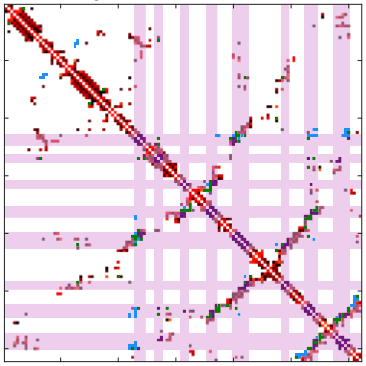
Image Overlays
These functions override image and imagesc to allow images with multiple colormaps

You are now following this Submission
- You will see updates in your followed content feed
- You may receive emails, depending on your communication preferences
Cite As
Mark Chonofsky (2026). Image Overlays (https://www.mathworks.com/matlabcentral/fileexchange/63183-image-overlays), MATLAB Central File Exchange. Retrieved .
General Information
- Version 2.1.1 (4.45 KB)
MATLAB Release Compatibility
- Compatible with any release
Platform Compatibility
- Windows
- macOS
- Linux
| Version | Published | Release Notes | Action |
|---|---|---|---|
| 2.1.1 | Added missing scaleTo function |
||
| 2.1.1-0 | Editing to note that the release note for 2.1 should have read 'colorbars' not 'colormaps'. The FP routine is necessary for the other functions but the result is not actively used. |
||
| 2.1.0 | v2.1 fixes a bug and updates a floating point routine. The floating-point routine is related only to my ambition to implement colormaps at some future time. |
||
| 2.0.0 | v1.0 implements overlay() and remove_overlay()
|
||
| 1.0.0 |

