You are now following this Submission
- You will see updates in your followed content feed
- You may receive emails, depending on your communication preferences
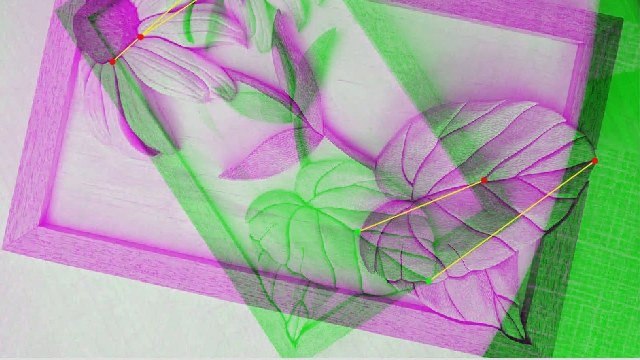
This app performs co-registration among four separate camera images as well as remove object movement from the images during the experiment. First, in order to perform co-registration, we utilized the control point registration software in MATLAB Image Processing Toolbox™. This software allowed us to select geometrical features (landmarks) in an image from the reference camera and apply them to the images from the other cameras. A 2-dimensional transformation matrix for each camera was generated to co-register all camera images based on the selected landmarks. To remove tissue movement, a similar method was utilized to select fixed landmarks among all frames from one camera and co-register all frames based on the selected landmarks. This processing resulted in a transformation matrix for each frame that was applied to the corresponding frames from the other cameras. Finally, in order to show a single multispectral video for all cameras, synchronized frames from all cameras were overlaid using color-coding enabling visualization of the interactions between images.
Cite As
Parsa Omidi (2026). co-registration and overlay (https://www.mathworks.com/matlabcentral/fileexchange/73259-co-registration-and-overlay), MATLAB Central File Exchange. Retrieved .
Categories
Find more on Geometric Transformation and Image Registration in Help Center and MATLAB Answers
General Information
- Version 1.2 (1.54 MB)
MATLAB Release Compatibility
- Compatible with R2019a to R2019b
Platform Compatibility
- Windows
- macOS
- Linux
