
Waitbar object with estimated time remaining and estimated time of arrival
Timerwaitbar is an object based on MATLAB waitbar and including a timer providing the following informations :- Progression [%]- Estimated Time Remaining [d HH:MM:SS]- Estimated Time of Arrival [ddd
- 455 (All time)
- 2 (Last 30 days)
- 5.0 / 5
- Community
-
28 Mar 2016

Displays a tooltip-sized waitbar beneath uicontrols.
Displays a tooltip-sized waitbar beneath uicontrols, and is animated. Inspired by "About Face", similarly to my other tooltip submission.toolTipWaitBarHandle = tooltipwaitbar(hObject)Generates a
- 1.3K (All time)
- 1 (Last 30 days)
- 5.0 / 5
- Community
-
20 Jan 2010
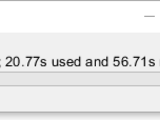
Waitbar or wait message for parfor or for loop.
This script generates a waitbar or a wait message including (1) the percentage finished; (2) the time used; and (3) the estimated remaining time for parfor or other types of loop. The script uses
- 1.9K (All time)
- 3 (Last 30 days)
- 4.6 / 5
- Community
-
31 Mar 2019

Allows user to see a progress bar for a simulink simulation when running the model from Matlab.
- 4.4K (All time)
- 1 (Last 30 days)
- 4.0 / 5
- Community
-
25 Jan 2006

waitbar2a(x, whichbar, varargin)
Progress bar (waitbar) that can be embedded into a GUI uipanel element and/or decremented.
The standard WAITBAR function (and the improved WAITBAR2 function, which this code is based on) must appear in their own figure windows, and cannot be embedded into a GUI.WAITBAR2A is a drop-in
- 2.5K (All time)
- 1 (Last 30 days)
- 4.7 / 5
- Community
-
19 Aug 2015
Command-line progress bar (waitbar)
Command-line equivalent of matlab's "waitbar"
Matlab's "waitbar" is useful for tracking the progress of for-loops. However, it is not available when no GUI is used, and in addition, from my experience, it can be a run-time bottleneck if called
- 537 (All time)
- 4 (Last 30 days)
- 5.0 / 5
- Community
-
2 May 2016
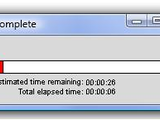
Estimated remaining, elapsed time, and percentage complete.
This version of waitbar is compatible with MATLAB's version. Thus, doesn't require any modification of existing functions using the waitbar. However, the property settings include with MATLAB
- 9.2K (All time)
- 2 (Last 30 days)
- 4.9 / 5
- Community
-
23 Jan 2010

A text progressbar, faster than the graphical Matlab waitbar
- 1.6K (All time)
- 1 (Last 30 days)
- 4.3 / 5
- Community
-
7 Sep 2007

- 21.6K (All time)
- 10 (Last 30 days)
- 4.5 / 5
- Community
-
25 Jul 2017
- 1.3K (All time)
- 1 (Last 30 days)
- 5.0 / 5
- Community
-
29 Sep 2021

- 491 (All time)
- 2 (Last 30 days)
- 5.0 / 5
- Community
-
23 Jul 2020
- 435 (All time)
- 1 (Last 30 days)
- 5.0 / 5
- Community
-
15 Aug 2017

Photo mosaic generator. Choose a tile image, and a directory with images, and see the magic.
- 5.8K (All time)
- 1 (Last 30 days)
- 4.6 / 5
- Community
-
28 Aug 2014

Simple demo for use of waitbar in GUI + additional fun for testing your speed of mouse click on movi
This simple demo shows how to attatch waitbar in GUI and displays other informaton like estimated time, elapsed time and percentage completed.Another demo within this GUI is a simple fun for testing
- 2.7K (All time)
- 1 (Last 30 days)
- 4.0 / 5
- Community
-
4 Apr 2016

Zeffiro Forward and Inverse Interface for Complex Geometries
Interface for using finite elements in inverse problems with complex domains
- 656 (All time)
- 4 (Last 30 days)
- 5.0 / 5
- Community
-
11 Aug 2024

Embedding Waitbar Inside A GUI
use rectangle to make a simple code to use waitbar in gui
use rectangle to make a simple code to use waitbar in gui
- 712 (All time)
- 2 (Last 30 days)
- 4.0 / 5
- Community
-
22 Sep 2014

A new "shiny" progress-bar with multiple bars in a single window, time-estimates and more.
This function provides a new progress-bar (waitbar in MATLAB-speak) with the following features: * Multiple bars in one window * Robust to the window being closed * Time-estimates for long-running
- 8.5K (All time)
- 2 (Last 30 days)
- 4.8 / 5
- Community
-
11 Jul 2025

WITio: A MATLAB data evaluation toolbox to script broader insights into big data from WITec microscopes
- 708 (All time)
- 4 (Last 30 days)
- 5.0 / 5
- Community
-
22 Aug 2024
Modification of waitbar.
This is a small modification of waitbar to display the time remaining for computation. Was useful for me for long computations.
- 2.6K (All time)
- 1 (Last 30 days)
- 5.0 / 5
- Community
-
31 Mar 2016

Simple, efficient, and user friendly replacement for waitbar.
- 27.5K (All time)
- 11 (Last 30 days)
- 4.9 / 5
- Community
-
8 Oct 2010
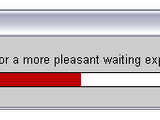
Modification of standard waitbar function; neater code, and a fancy color shift effect added
WAITBAR2 - Displays wait bar with fancy color shift effectAdaptation of the MatLab standard waitbar function:WAITBAR2 is typically used inside a FOR loop that performs alengthy computation. A sample
- 2.1K (All time)
- 1 (Last 30 days)
- 3.7 / 5
- Community
-
23 Nov 2005

An ImageJ like, Multi-functional, GUI-based Program for Image (Matrix) Processing and Analysis
- 2.3K (All time)
- 3 (Last 30 days)
- 5.0 / 5
- Community
-
2 Jul 2018
- 2.9K (All time)
- 2 (Last 30 days)
- 4.3 / 5
- Community
-
13 Feb 2014
wdisp: a pedestrian command window waitbar
Creates a waitbar-like display in the command window.
Creates the equivalent of WAITBAR in the command window.See:help wdispfor a self-explanatory example - or type: t='-\|/'; fori=1:40 tl=wdisp( 0,sprintf('time %c %s',t(rem(i,4)+1),datestr(now
- 9.9K (All time)
- 1 (Last 30 days)
- 3.8 / 5
- Community
-
19 May 2003
Create a parfor wait bar
Similar to waitbar MATLAB function. The ParForWaitBar can monitor progress in a parallel pool while a computation is carried out
- 143 (All time)
- 2 (Last 30 days)
- 4.3 / 5
- Community
-
13 Feb 2018

MULTIWAITBAR displays multiple waitbars.
% MULTIWAITBAR displays multiple waitbars.% H = MULTIWAITBAR(NumAxes,StepAxes,TitleAxes)% creates and displays a waitbars of fractional lengths StepAxes. The% handle to the multiwaitbar figure
- 374 (All time)
- 1 (Last 30 days)
- 5.0 / 5
- Community
-
29 Oct 2013
Opens a window similar to waitbar.
It creates a figure window similar to waitbar. It can be used where one process is going to take much time to indicate use to wait. It differs from waitbar in way that user does not have to set or
- 310 (All time)
- 1 (Last 30 days)
- 5.0 / 5
- Community
-
26 Jun 2013
Graphical waitbar printing ODE solver progress
function shows a simple waitbar with the progress of the integration every 0.2 seconds.
- 1.9K (All time)
- 1 (Last 30 days)
- 5.0 / 5
- Community
-
7 Jun 2007

- 5.5K (All time)
- 6 (Last 30 days)
- 4.7 / 5
- Community
-
25 Aug 2015
displays progressing waitbars until you press cancel
fakebar(value) displays progressing waitbars until you press cancel value: how many loops are to be done until a waitbar is full. Try values > 1000 (optional parameter). Example: fakebar(20000
- 1.3K (All time)
- 1 (Last 30 days)
- 5.0 / 5
- Community
-
13 Apr 2006
Wrapped waitbar to track progress of parallel loops
# `waitbar` for parallel loops in MATLAB[
EZW(Embedded Zerotree Wavelet)
EZW combined with Wavelet-based Image Coding , Huffman encoder & with Lempel-Ziv-Welch(LZW)
- 2K (All time)
- 7 (Last 30 days)
- 3.7 / 5
- Community
-
26 Dec 2012

Efficient and stylish alternative to WAITBAR.
WORKBAR Graphically monitors progress of calculations WORKBAR(X) creates and displays the workbar with the fractional length "X". It is an alternative to the built-in matlab function WAITBAR
- 6.7K (All time)
- 1 (Last 30 days)
- 4.7 / 5
- Community
-
22 Mar 2005

waitbar : when time of the end of process is unknown.
% WAITBAR1 creats waitbar which does not need to be updated. It runs % parallel with any process runing in MATLAB. % % Object = waitbar1 Creats a waitbar with figure name as "Waitbar1" %
- 288 (All time)
- 1 (Last 30 days)
- -- / 5
- Community
-
2 Nov 2014
AWAITBAR: alternative to waitbar
Waitbar with an abort button, estimated time, elapsed time display
AWAITBAR displays waitbar with abort buttonClicking on the ABORT or the CLOSE button of the waitbar figure will abort the loop and close the waitbar. USAGE: H = awaitbar(x,message) creates and
- 2.9K (All time)
- 1 (Last 30 days)
- -- / 5
- Community
-
4 Apr 2016

classWaitbardist allows you to update a MATLAB waitbar through the network via TCP/IP sockets.
This waitbar was first designed to be used for distributed computing with the Parallel Computing Toolbox™ but can be used independently.classWaitbardist uses 2 other MATLAB custom classes
- 1.4K (All time)
- 1 (Last 30 days)
- -- / 5
- Community
-
1 Sep 2016

Concatenate video files subplot style
Concatenates videos to a single file. Handy for testing videos for differences.
- 532 (All time)
- 1 (Last 30 days)
- -- / 5
- Community
-
27 Nov 2011

A progress bar in a single line of code with ETA
waitbar with ETA, Estimated Time of Arrival... Usage: h=timedwaitbar(fraction_complete[,infostring]) Fraction: is a number between 0 and 1. a value of 1 means completed and closes the window. h
- 306 (All time)
- 2 (Last 30 days)
- -- / 5
- Community
-
8 Apr 2016

- 4.6K (All time)
- 14 (Last 30 days)
- 4.0 / 5
- Community
-
2 Jul 2018

FanCMDWaitbar - Command Line Waitbar (nested loops, parfor)
A fancy command line waitbar supporting nested loops and parfor
# FanCmdWaitbarA lightweight, **tqdm-inspired command-line progress bar for MATLAB**. Especially convenient for projects with e.g. lots of figures that bury the usual graphic ```waitbar()```, nested
- 18 (All time)
- 2 (Last 30 days)
- -- / 5
- Community
-
4 May 2026

The COnstraint-Based Reconstruction and Analysis Toolbox
Creation and analysis of biochemical constraint-based models: the COBRA Toolbox v3.0
- 5.1K (All time)
- 14 (Last 30 days)
- 3.7 / 5
- Community
-
1 Feb 2024
This function allows embedding one video into a another Main video, with many options.
- 730 (All time)
- 1 (Last 30 days)
- -- / 5
- Community
-
7 Feb 2015
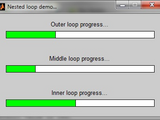
Display multiple waitbars in a single figure.
MultiWaitBar creates a one or two-dimensional grid of waitbars in a single figure window. Titles and bar colors can be individually modified. Each bar is an instance of the WaitBarAxes class. The
- 1K (All time)
- 1 (Last 30 days)
- 4.3 / 5
- Community
-
1 Jul 2013

A command line version of waitbar() that prints progress in percentage.
This is a command line version of waitbar(). Got inspired by Paul's version but tried to rewrite it in a simpler way, so that other people may find it easier to use or modify.Usage:Put it in your for
- 213 (All time)
- 2 (Last 30 days)
- 5.0 / 5
- Community
-
24 May 2019
Call a waitbar from within a DLL written in C
Example code for embedding a call to the Matlab waitbar() function from within a DLL written in C
When a DLL takes a long time to run, things go silent. It can look like the program has crashed even when it is running along just fine. The Matlab waitbar() function can be used in Matlab, but a
- 1.9K (All time)
- 1 (Last 30 days)
- 3.0 / 5
- Community
-
3 Feb 2006


- 997 (All time)
- 2 (Last 30 days)
- 5.0 / 5
- Community
-
30 Sep 2020
Simulink-Target-support-for-ED247
This custom toolbox contains a library to interface with ED247 communication protocol. ED247 is a communication standard defined by EUROCAE.
- 421 (All time)
- 3 (Last 30 days)
- -- / 5
- Community
-
20 Dec 2021

Similar to waitbar, but with estimated time remaining and progress percentage.
TIMEBAR is a progress window, similar to waitbar, that shows the progress of calculations using a sliding bar, a displayed percentage complete, and an estimated time remaining.The estimated time
- 10.1K (All time)
- 1 (Last 30 days)
- 4.6 / 5
- Community
-
12 Mar 2002

Maxwell solver using the boundary element method (BEM) approach for optical resonators and nanophotonic systems
- 194 (All time)
- 4 (Last 30 days)
- -- / 5
- Community
-
7 Mar 2022
- 18.6K (All time)
- 17 (Last 30 days)
- 4.9 / 5
- Community
-
14 Dec 2011

Collection of fixed-step IVP solvers. Includes support for matrix-valued IVPs, and provides functions for generating IVP solver equations.
- 379 (All time)
- 3 (Last 30 days)
- -- / 5
- Community
-
14 Aug 2023
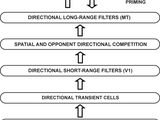
MOtion DEcision (MODE) model is a neural model of perceptual decision-making.
- 1.9K (All time)
- 1 (Last 30 days)
- -- / 5
- Community
-
22 Jul 2009

MATLAB R2013a - Teoria e Programacao - Guia Pratico
Companion Software for the book "MATLAB® R2013a - Teoria e Programação - Guia Prático"
- 882 (All time)
- 1 (Last 30 days)
- 3.0 / 5
- Community
-
29 Aug 2013

CIAtah (i.e. calciumImagingAnalysis)
CIAtah is a software package for calcium imaging analysis of one- and two-photon imaging datasets. https://github.com/bahanonu/ciatah
- 592 (All time)
- 4 (Last 30 days)
- -- / 5
- Community
-
24 Jul 2024

Higher degree of freedom to create a process bar.
WaitBar_Matlab create a waitbar that can be embedded to parent graphics object.
- 37 (All time)
- 1 (Last 30 days)
- -- / 5
- Community
-
17 May 2020

ColorProgressBar modifies an existing waitbar to change the progress bar's color based on the percent complete.
Make the color of a waitbar's progress bar dependent on the percent complete progress. Can define the interpolation method and customize the colors the progress bar cycles through. See the
- 83 (All time)
- 1 (Last 30 days)
- -- / 5
- Community
-
12 Oct 2018

- 832 (All time)
- 1 (Last 30 days)
- 4.7 / 5
- Community
-
16 Jul 2012

The function implements LBP (Local Binary Pattern analysis), in a shift based manner.
- 1.1K (All time)
- 1 (Last 30 days)
- 4.5 / 5
- Community
-
21 Feb 2015
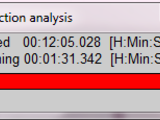
A customized progress bar
A customized version of Matlab "waitbar" presenting measured "time passed" and estimation of "time remaining". The implementation is very simple, and easy to use.
- 640 (All time)
- 1 (Last 30 days)
- -- / 5
- Community
-
1 Jul 2016

