axis
R2026bSet axis limits and aspect ratios
Description
Set Limits and Aspect Ratio
axis( specifies the limits
for the current axes. Specify the limits as vector of four, six, or eight
elements.limits)
axis sets whether MATLAB® automatically chooses the limits or not. Specify the mode as
modemanual, auto, or one of the
semiautomatic options, such as 'auto x'.
axis , where
ydirectionydirection is ij, places the origin at
the upper left corner of the axes. The y values increase
from top to bottom. The default for ydirection is
xy, which places the origin at the lower left corner. The
y values increase from bottom to top.
axis , where
visibilityvisibility is off, turns off the
display of the axes background. Plots in the axes still display. The default for
visibility is on, which displays the
axes background.
Examples
Plot the sine function.
x = linspace(0,2*pi);
y = sin(x);
plot(x,y,'-o')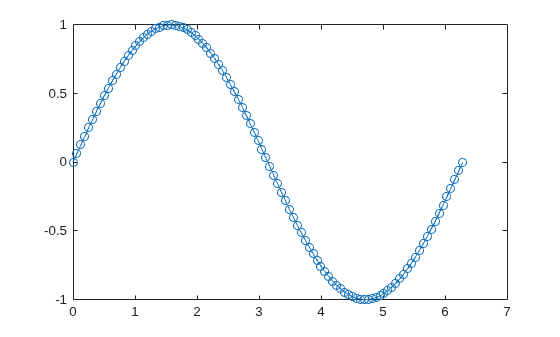
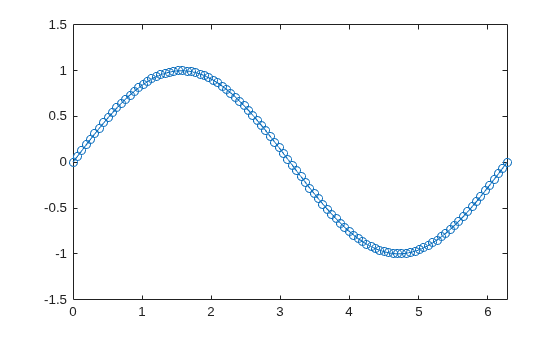
Change the axis limits so that the x-axis ranges from to and the y-axis ranges from -1.5 to 1.5.
axis([0 2*pi -1.5 1.5])
Create a stairstep plot, and use the axis padded command to add a margin of padding between the plot and the plot box.
x = 0:12;
y = sin(x);
stairs(x,y)
axis padded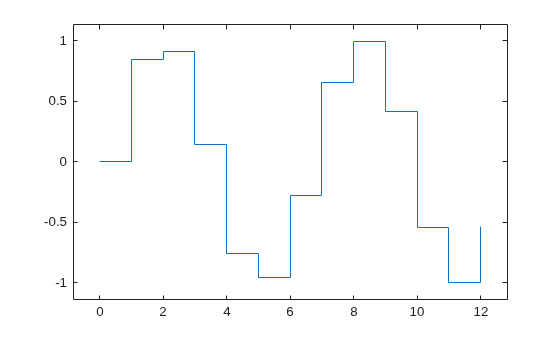
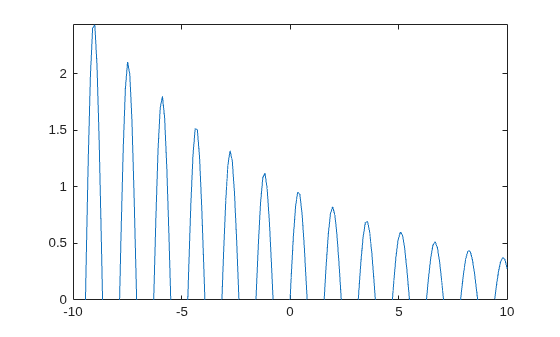
Create a plot. Set the limits for the x-axis and set the minimum y-axis limit. Use an automatically calculated value for the maximum y-axis limit.
x = linspace(-10,10,200);
y = sin(4*x)./exp(.1*x);
plot(x,y)
axis([-10 10 0 inf])
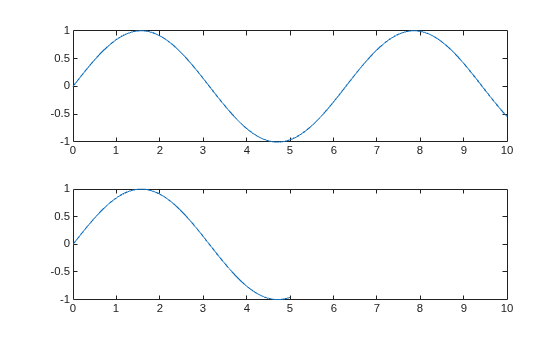
Call the tiledlayout function to create a 2-by-1 tiled chart layout. Call the nexttile function to create the axes objects ax1 and ax2. Plot data in each axes. Then set the axis limits for both axes to the same values.
tiledlayout(2,1)
x1 = linspace(0,10,100);
y1 = sin(x1);
ax1 = nexttile;
plot(ax1,x1,y1)

x2 = linspace(0,5,100);
y2 = sin(x2);
ax2 = nexttile;
plot(ax2,x2,y2)

axis([ax1 ax2],[0 10 -1 1])
Plot a surface without displaying the axes lines and background.
surf(peaks)
axis off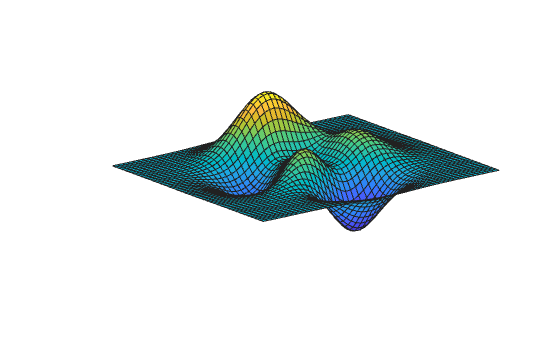
Plot a surface. Set the axis limits to equal the range of the data so that the plot extends to the edges of the axes.
surf(peaks)
axis tight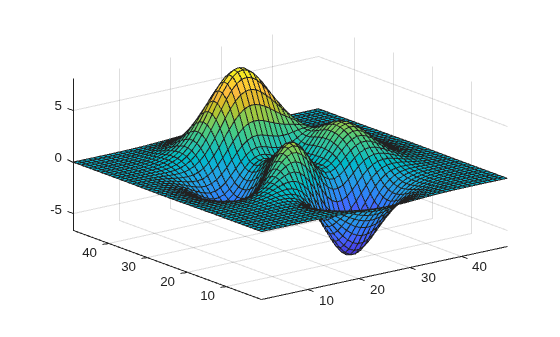
Return the values of the current axis limits.
l = axis
l = 1×6

    1.0000   49.0000    1.0000   49.0000   -6.5466    8.0752
Create a checkerboard plot and change the direction of the coordinate system.
First, create the plot using the summer colormap. By default, the x values increase from left to right and the y values increase from bottom to top.
C = eye(10);
pcolor(C)
colormap summer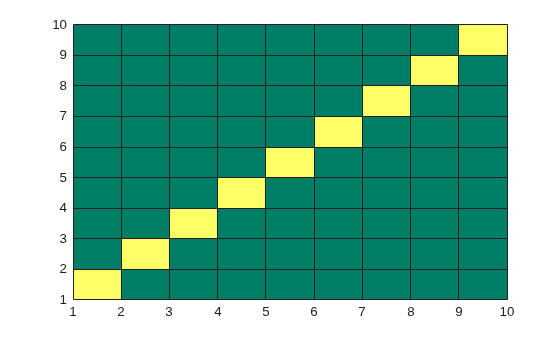
Reverse the coordinate system so that the y values increase from top to bottom.
axis ij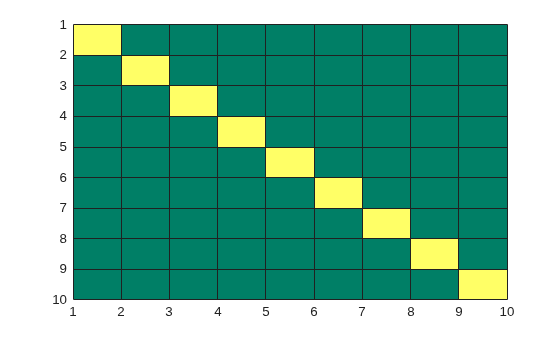
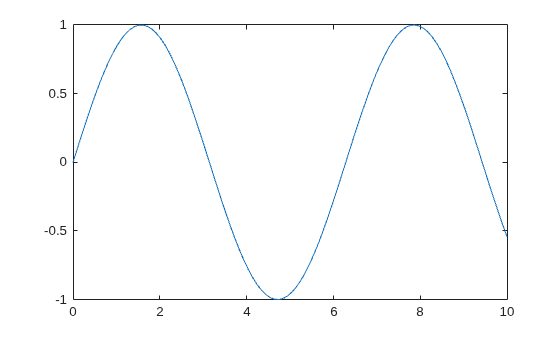
Plot a sine wave.
x = linspace(0,10);
y = sin(x);
plot(x,y)
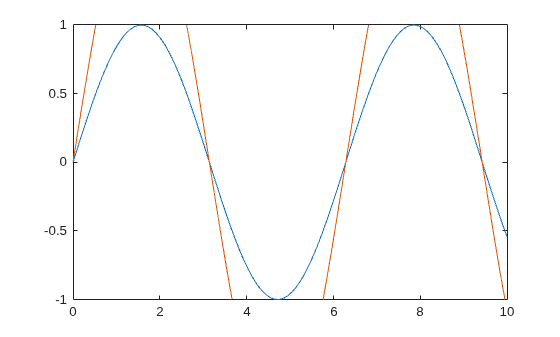
Add another sine wave to the axes using hold on. Keep the current axis limits by setting the limits mode to manual.
y2 = 2*sin(x);
hold on
axis manual
plot(x,y2)
hold off
If you want the axes to choose the appropriate limits, set the limits mode back to automatic.
axis auto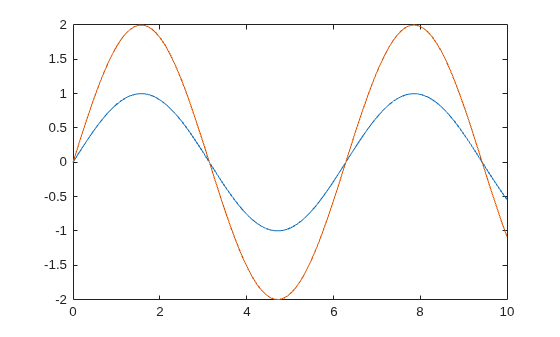
Input Arguments
Output Arguments
Tips
You can combine multiple input arguments together, for example,
axis image ij. The options are evaluated from left to right. Subsequent options can overwrite properties set by prior ones.If axes do not exist, the
axisfunction creates them.Use
hold onto keep plotting functions from overriding preset axis limits.

