findobj
R2026bFind graphics objects with specific properties
Syntax
Description
h = findobj returns the graphics root object and all of its
descendants.
h = findobj(
returns all objects in the hierarchy that have the specified properties set to the specified
values. You can replace prop1,value1,...,propN,valueN)prop,value pairs with other input argument
combinations from the previous syntaxes. For example, h =
findobj(prop1,value1,'-not',prop2,value2,'-property',prop3) returns all objects
that satisfy these three conditions:
The object has a property
prop1set tovalue1.The object has a property
prop2whose value is not set tovalue2.The object has a property
prop3.
h = findobj(
restricts the search to the objects listed in objhandles,___) objhandles and all of their
descendants. You can restrict the search for any of the previous syntaxes.
h = findobj(
restricts the search to the objects listed in objhandles,'-depth',d,___)objhandles and their
descendants that are up to d levels lower in the graphics object
hierarchy.
h = findobj(
restricts the search to the objects listed only in objhandles,'flat',___) objhandles. The
descendant objects are not searched. Using the 'flat' option is the same
as using the '-depth' option with d = 0.
Examples
Delete all existing figures, and then create a plot of random values.
close all
plot(rand(5))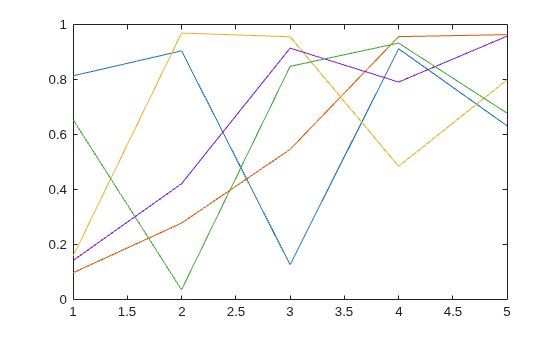
Return the graphics root object and all of its descendants.
h = findobj
h =
  8×1 graphics array:

  Root
  Figure    (1)
  Axes
  Line
  Line
  Line
  Line
  Line
Delete all existing figures, and then create a multiline plot.
close all
plot(magic(4))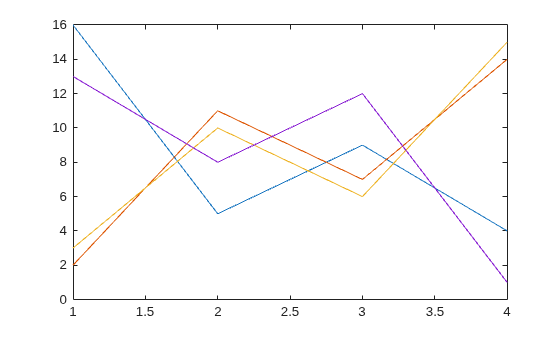
Return all line objects.
h = findobj('Type','line')
h =
  4×1 Line array:

  Line
  Line
  Line
  Line
Plot nine sine waves with custom colors and line styles.
x = linspace(0,7);
y = ones(length(x),9);
for i = 1:9
    y(:,i) = sin(x-i/5)';
end
plot(x,y)

colororder({'red','green','blue'})
ax = gca;
ax.LineStyleOrder = {'-','--',':'};
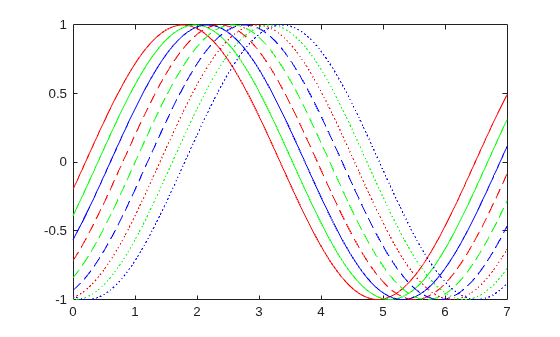
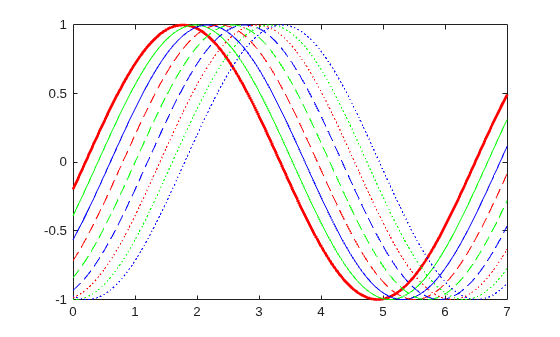
Return the solid red line. Then, change the thickness of the line.
h = findobj('Color','red','LineStyle','-')
h =
  Line with properties:

              Color: [1 0 0]
          LineStyle: '-'
          LineWidth: 0.5000
             Marker: 'none'
         MarkerSize: 6
    MarkerFaceColor: 'none'
              XData: [0 0.0707 0.1414 0.2121 0.2828 0.3535 0.4242 0.4949 0.5657 0.6364 0.7071 0.7778 0.8485 0.9192 0.9899 1.0606 1.1313 1.2020 1.2727 1.3434 1.4141 1.4848 1.5556 1.6263 1.6970 1.7677 1.8384 1.9091 1.9798 2.0505 2.1212 … ] (1×100 double)
              YData: [-0.1987 -0.1289 -0.0586 0.0121 0.0827 0.1529 0.2224 0.2907 0.3576 0.4226 0.4856 0.5462 0.6040 0.6588 0.7103 0.7582 0.8024 0.8426 0.8785 0.9101 0.9371 0.9594 0.9769 0.9896 0.9973 1.0000 0.9977 0.9905 0.9782 0.9611 … ] (1×100 double)

  Show all properties
h.LineWidth = 2;
Create a multiline plot. Specify an identifier for each plot.
x = linspace(-1,1);
y1 = x;
plot(x,y1,'Tag','linear')
hold on
y2 = x.^2;
plot(x,y2,'Tag','quadratic')
y3 = exp(x);
plot(x,y3,'Tag','exponential')
y4 = sin(x);
plot(x,y4,'Tag','sinusoidal')
hold off
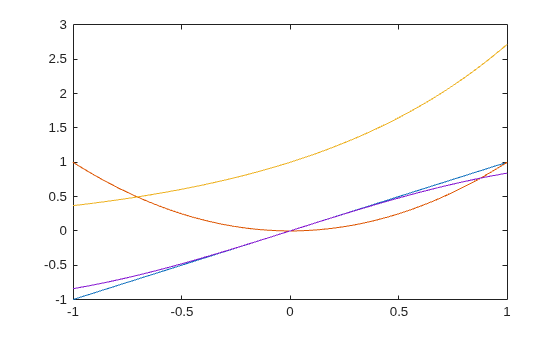
Find all objects whose Tag property is not set to 'linear'.
h1 = findobj('-not','Tag','linear')
h1 =
  6×1 graphics array:

  Root
  Figure    (1)
  Axes
  Line      (sinusoidal)
  Line      (exponential)
  Line      (quadratic)
Find all objects whose Tag property is not set to 'linear' or 'quadratic'.
h2 = findobj('-not',{'Tag','linear','-or','Tag','quadratic'})
h2 =
  5×1 graphics array:

  Root
  Figure    (1)
  Axes
  Line      (sinusoidal)
  Line      (exponential)
Find all line objects whose Tag property is not set to 'linear' or 'quadratic'.
h3 = findobj('Type','line','-not',{'Tag','linear','-or','Tag','quadratic'})
h3 =
  2×1 Line array:

  Line    (sinusoidal)
  Line    (exponential)
Improve the readability of the previous statement by using '-and' and curly brackets.
h4 = findobj({'Type','line'},'-and',{'-not',{'Tag','linear','-or','Tag','quadratic'}})h4 = 2×1 Line array: Line (sinusoidal) Line (exponential)
Create three line plots and assign an identifier to two of the plots.
x = linspace(-1,1);
y1 = x;
plot(x,y1)
hold on
y2 = x.^2;
plot(x,y2,'Tag','Quadratic')
y3 = exp(x);
plot(x,y3,'Tag','Exponential')
hold off
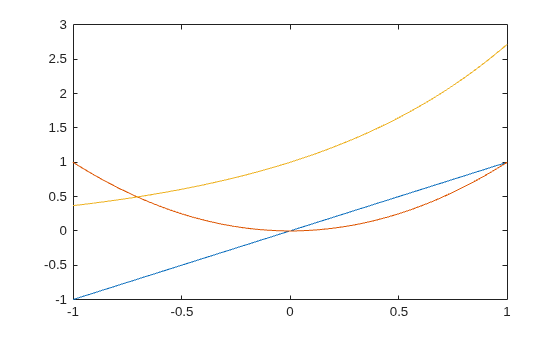
Find all objects that have a nonempty Tag property.
h = findobj('-regexp','Tag','[^'']')
h =
  2×1 Line array:

  Line    (Exponential)
  Line    (Quadratic)
Create a vector of four values. Display the values using a line plot, an area plot, and a bar graph.
y = [1 5 6 3];
subplot(3,1,1)
plot(y)
subplot(3,1,2)
area(y)
subplot(3,1,3)
bar(y)
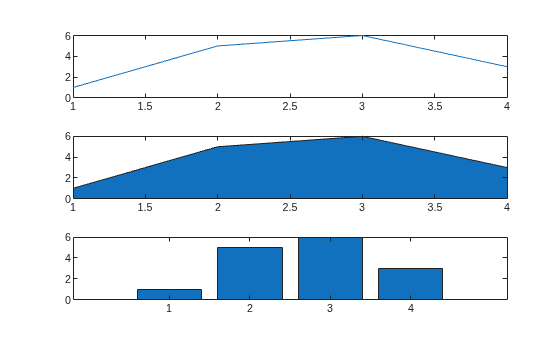
Return all objects that have a BaseValue property.
h = findobj('-property','BaseValue')
h =
  2×1 graphics array:

  Bar
  Area
Create a plot of random values, and then return all line objects in the current axes.
plot(rand(5))
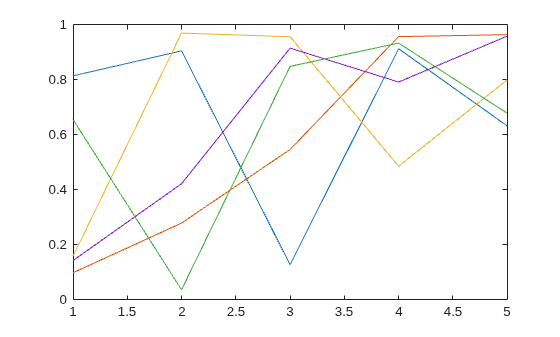
h = findobj(gca,'Type','line')
h =
  5×1 Line array:

  Line
  Line
  Line
  Line
  Line
Use h to query the y values of the first Line object.
values = h(1).YData
values = 1×5

    0.6557    0.0357    0.8491    0.9340    0.6787
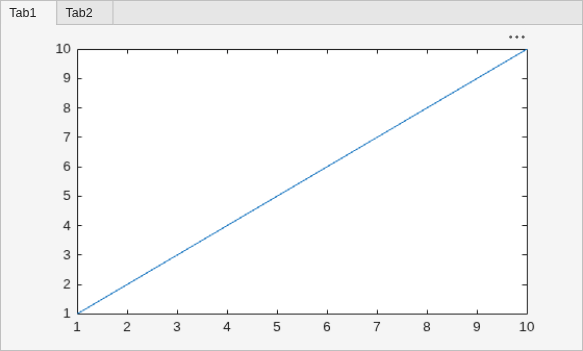
Create a figure with two tabs. Add axes to each tab by specifying the parent container for each one. Plot a line in the first tab and a surface in the second tab.
figure
tab1 = uitab('Title','Tab1');
ax1 = axes(tab1);
plot(ax1,1:10)

tab2 = uitab('Title','Tab2');
ax2 = axes(tab2);
surf(ax2,peaks)
Return all objects in the current figure and its descendants.
h = findobj(gcf)
h =
  8×1 graphics array:

  Figure      (1)
  TabGroup
  Tab         (Tab1)
  Tab         (Tab2)
  Axes
  Axes
  Line
  Surface
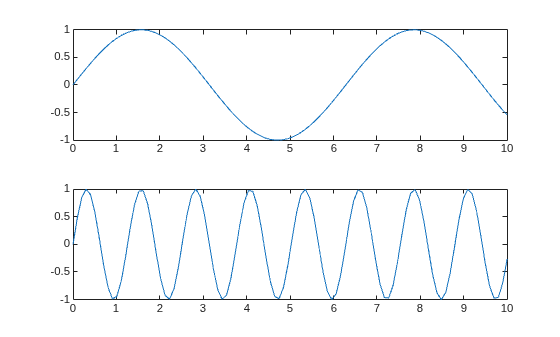
Create a figure with two stacked subplots.
subplot(2,1,1)
x = linspace(0,10);
y1 = sin(x);
plot(x,y1)

subplot(2,1,2)
y2 = sin(5*x);
plot(x,y2)
Find all objects in the current figure and its children.
h1 = findobj(gcf,'-depth',1)h1 = 3×1 graphics array: Figure (1) Axes Axes
Find all objects in the current figure and any descendants that are up to two levels lower in the graphics object hierarchy.
h2 = findobj(gcf,'-depth',2)h2 = 5×1 graphics array: Figure (1) Axes Axes Line Line
Restrict the search to the current figure and the current axes using the 'flat' option.
h3 = findobj([gcf,gca],'flat')h3 = 2×1 graphics array: Figure (1) Axes
Input Arguments
Tips
If the
HandleVisibilityproperty of an object is set to'off',findobjdoes not return that graphics object or any of its descendants. To return all objects in the hierarchy, including hidden objects, use thefindallfunction.findobjcorrectly matches any legal property value. For example, this code finds all objects having aColorproperty set tored,r, or[1 0 0]:findobj('Color','r')
When a graphics object is a descendant of more than one object identified in
objhandles, MATLAB searches the object each timefindobjencounters its handle. Therefore, implicit references to a graphics object can result in multiple returns of the object.
Version History
Introduced before R2006a

