set
R2026bSet graphics object properties
Syntax
Description
set( sets
properties for the specified graphics object h,Name=Value)h using one or more
name-value arguments. If h is a vector of objects, then
set sets the properties for all the objects in
h. If h is empty ([ ]), set
does nothing and does not return an error or warning.
For more information about properties that you can set, see the property pages for each
object, for example, Figure, Axes Properties, Line Properties, and Text Properties.
set(
changes the default value of the specified property and object type for the specified
graphics object h,defaultTypeProperty,defaultValue)h using one or more pairs of property names and values.
defaultTypeProperty is the word default
concatenated with the object type (for example, Figure) and the property
name (for example, Color) in quotes. For example,
set(groot,"defaultFigureColor","red") changes the default value of the
Color property of Figure objects to
red for the graphics root object, groot.
set(
sets multiple properties for the specified graphics object h,NameArray,ValueArray)h.
If
his a scalar object, specifyNameArrayandValueArrayas 1-by-n cell arrays containing one or more property names or values, where n is the number of properties being set.If
his a vector of objects, to set a different property value for each object inh, specifyValueArrayas an m-by-n cell array, where m is the number of elements inhand n is the number of property names contained inNameArray.
v = set(h,propertyName)set returns a cell array containing the values. For
other properties that do not have a fixed set of values, set returns an
empty cell array. h must be a single object. This syntax does not change
the properties of h.
If v is not specified, set displays the
possible values in the Command Window.
Examples
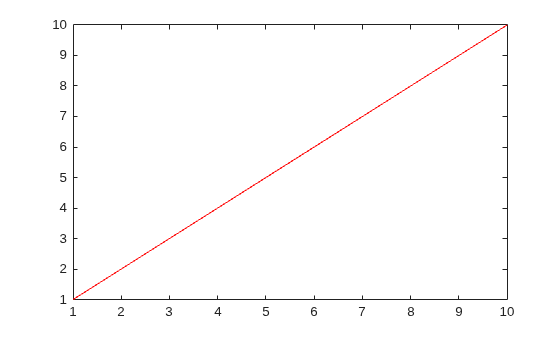
Create a line plot and return the Line object as p. Set the Color property of the line to "red".
p = plot(1:10);
set(p,"Color","red")
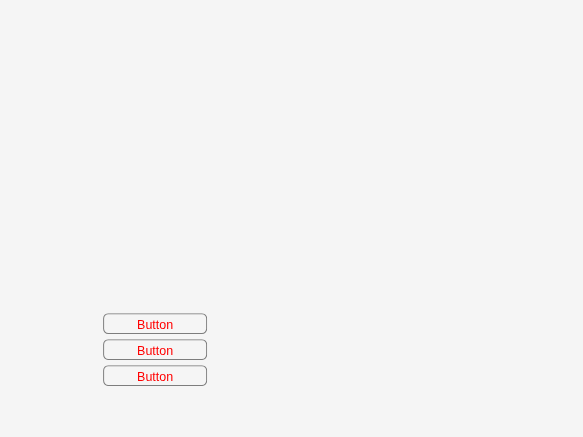
Create a figure with three buttons and put them into the array btns. Set the FontColor property of all the buttons to "red".
fig = uifigure;
btn1 = uibutton(fig,"Position",[100 100 100 20]);
btn2 = uibutton(fig,"Position",[100 75 100 20]);
btn3 = uibutton(fig,"Position",[100 50 100 20]);
btns = [btn1 btn2 btn3];
set(btns,"FontColor","red")
Create a plot with four lines using random data, and return the four Line objects as p. Set the LineStyle property of each of the four Line objects to a different value. Transpose the list of LineStyle values from a row vector to a column vector to match the shape of p.
p = plot(rand(4));
NameArray = {"LineStyle"};
ValueArray = transpose({"-","--",":","-."});
set(p,NameArray,ValueArray)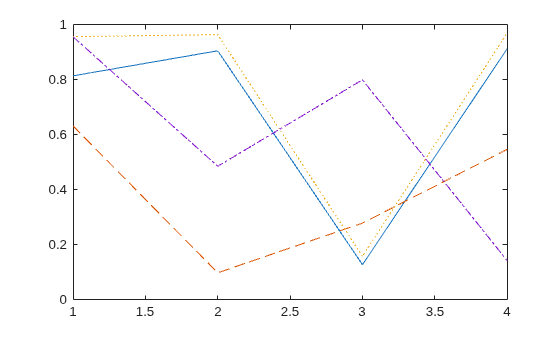
Plot a discrete data sequence and return the three Stem objects as st. Set the Marker and Tag properties of the three different Stem objects to different values. Each row of the value cell array corresponds to an object in st and contains two values, one for the Marker property and one for the Tag property.
x = 0:30;
y = [1.5*cos(x); 4*exp(-.1*x).*cos(x); exp(.05*x).*cos(x)]';
st = stem(x,y);
NameArray = {'Marker','Tag'};
ValueArray = {"o","Decaying Exponential"; ...
   "square","Growing Exponential"; ...
   "*","Steady State"};
set(st,NameArray,ValueArray)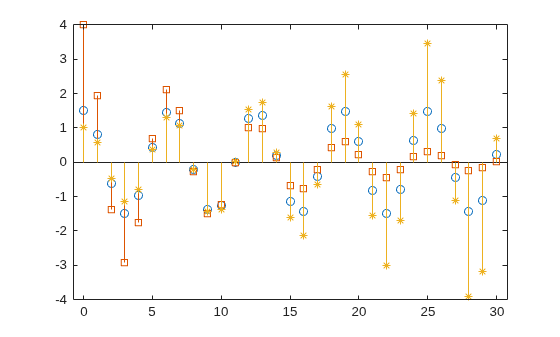
Create a figure and return the user-settable properties and possible values for the figure.
fig = uifigure;
s = set(fig);
Display the possible values for the Pointer property.
s.Pointer
ans = 17×1 cell
    {'arrow'    }
    {'ibeam'    }
    {'crosshair'}
    {'watch'    }
    {'topl'     }
    {'topr'     }
    {'botl'     }
    {'botr'     }
    {'circle'   }
    {'cross'    }
    {'fleur'    }
    {'custom'   }
    {'left'     }
    {'top'      }
    {'right'    }
    {'bottom'   }
    {'hand'     }
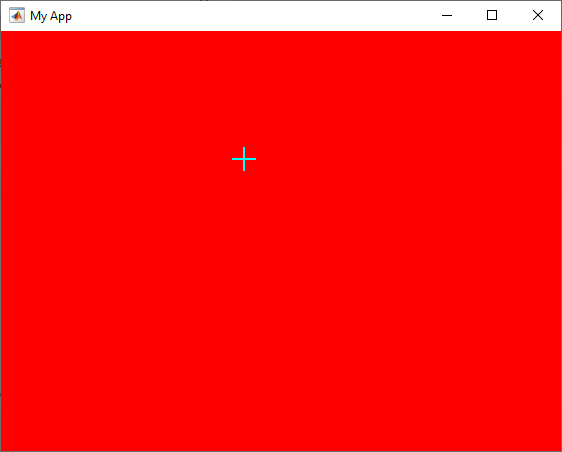
Create a structure with Name, Color, and Pointer fields, and use the structure to set those properties for the figure.
a.Name = "My App";
a.Color = "red";
a.Pointer = "crosshair";

set(fig,a)
Input Arguments
Output Arguments
Tips
When setting the
FontSizeandFontUnitsproperties in the samesetstatement, specify theFontUnitsproperty first. This order allows thesetfunction to interpret the specifiedFontSizeas intended. Similarly, when setting figure and axes units, set theUnitsproperty before setting additional properties whose values are calculated using the specified units. For example, this command sets theUnitsproperty before setting thePositionproperty, whose measurements are in units specified by theUnitsproperty.f = figure; set(f,"Units","characters","Position",[30 30 120 35]);
Version History
Introduced before R2006a

