MCAL SPI
R2026bMCAL SPI block
To add a block to a model, double-click the canvas and start typing the block name. Then, select the block from the list.
Libraries:
Embedded Coder Support Package for Renesas RH850
Microcontrollers /
Microcontroller Abstraction Layer (MCAL) Blocks
Description
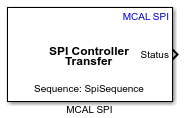
Use the MCAL SPI block to write data to, read data from, or exchange data with an SPI peripheral device using the AUTOSAR MCAL SPI block. An SPI sequence is an ordered collection of jobs that the block triggers as a single transmission unit.
The block supports three transfer modes: Transmit,
Receive, and Transmit and Receive. In all
modes, the block triggers SPI communication at the Sequence level using
Spi_SyncTransmit. When the transfer mode includes a receive
operation, the block output per channel is a 1-by-N row vector, where N is the buffer size
configured for that channel.
The SPI channel source can be configured in two ways: by selecting a predefined sequence from the Configuration Definition File (CDF), or by specifying channels manually.
Sequence from CDF — Click Get SPI sequences to choose a sequence from the CDF. The Channels table is automatically populated with the channel name, type, data width, and buffer size defined in the CDF, and becomes read-only.
Manually specified sequence — Enter the sequence name directly in the SPI Sequence field, then use the Add Channel and Delete Channel buttons to define the channels in the Channels table.
Note
For Manually specified sequence, the sequence name and channel configuration in the block must match the sequence and channels defined in the Configuration Description File (CDF). If the specified sequence is not present in the CDF, the block supports code generation only.
The following features are not supported:
Asynchronous SPI transmission (
Spi_AsyncTransmit)Interrupt-driven mode
Polling mode (
Spi_MainFunction_Handling)EB (External Buffer) channel type
SPI slave mode
Before using this block, configure SPI sequences, jobs, channels, and external devices in the AUTOSAR MCAL configuration, select the Configuration Description File (CDF) in the Simulink model configuration, and then integrate the block into your target-specific model for code generation and deployment. For information on configuring the AUTOSAR MCAL SPI module hierarchy using Vector DaVinci Configurator, see Configure MCAL SPI in DaVinci Configurator.
Examples
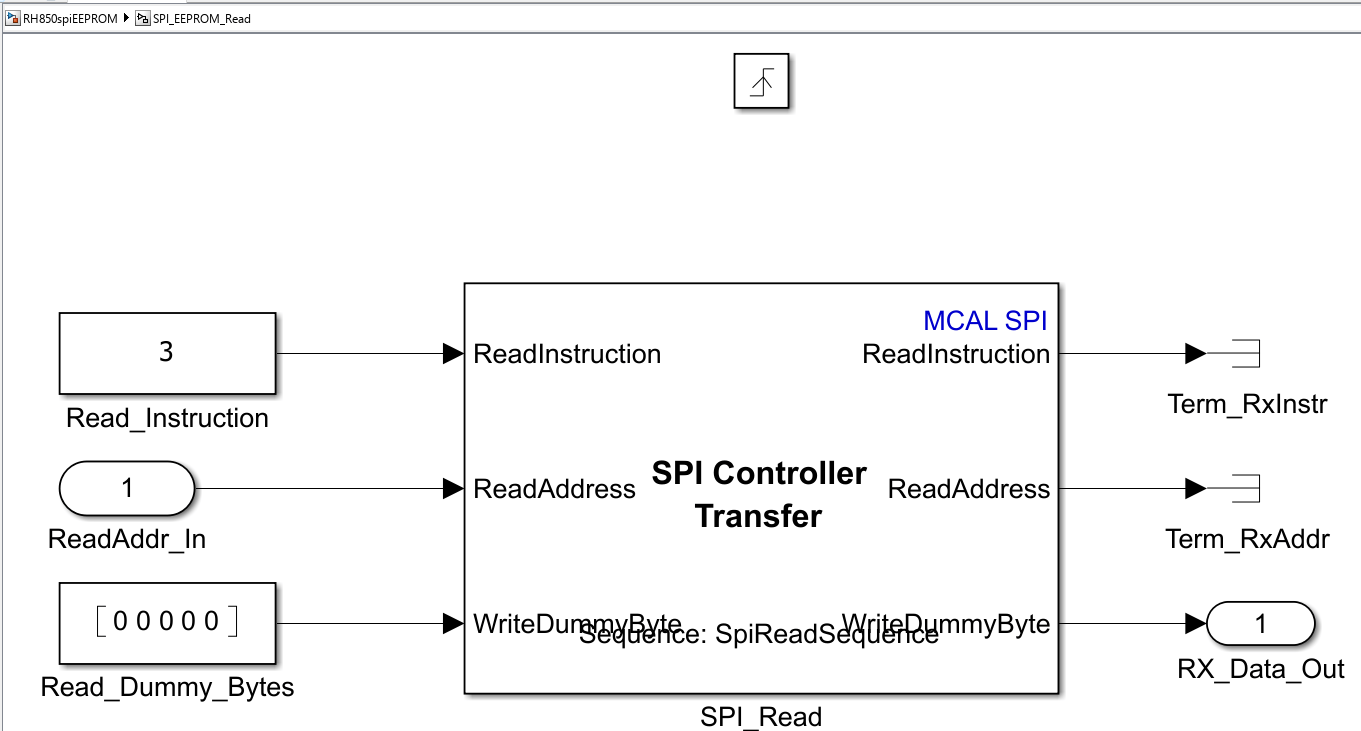
Read and Write EEPROM Using SPI Blocks on Renesas RH850 Microcontrollers
Read from and write to an SPI-based EEPROM (Microchip 25AA080) using the AUTOSAR MCAL SPI block on Renesas RH850 U2A microcontrollers in Simulink.
Ports
Input
Output
Parameters
Select the source for SPI channel configuration.
sequence from CDF— The block retrieves SPI sequence and channel configuration from the Configuration Definition File (CDF). Click Get SPI sequences to select a sequence and its corresponding channels from the CDF. The Add Channel and Delete Channel buttons are disabled in this mode.manually specified sequence— Manually add the channels for the sequence in the Channels table. The Add Channel and Delete Channel buttons are enabled, allowing you to add or remove channels.
Programmatic Use
To set the block parameter value programmatically, use
the set_param function.
To get the block parameter value
programmatically, use the get_param function.
| Parameter: | sequenceselection |
| Values: | character vector |
| Data Types: | char |
Specify the name of the SPI sequence as configured in the CDF file. The block uses this sequence name to construct the SPI sequence for invoking the MCAL SPI driver APIs.
If the Channel is input from parameter is set to
sequence from CDF and the Configuration Definition File
(CDF) is added to the model, click Get SPI sequences to
retrieve and select from available SPI sequences configured in the CDF.
Programmatic Use
To set the block parameter value programmatically, use
the set_param function.
To get the block parameter value
programmatically, use the get_param function.
| Parameter: | SPIModule |
| Values: | character vector |
| Data Types: | char |
Select the direction of SPI data transfer.
Transmit and Receive— The block transmits data to and receives data from the SPI peripheral device. Input ports accept transmit data and output ports emit received data for each configured channel.Transmit— The block transmits data to the SPI peripheral device. Only input ports are enabled for each configured channel.Receive— The block receives data from the SPI peripheral device. Only output ports are enabled for each configured channel.
Programmatic Use
To set the block parameter value programmatically, use
the set_param function.
To get the block parameter value
programmatically, use the get_param function.
| Parameter: | TransferMode |
| Values: | character vector |
| Data Types: | char |
When you select this parameter, the block enables the Status output port.
Programmatic Use
To set the block parameter value programmatically, use
the set_param function.
To get the block parameter value
programmatically, use the get_param function.
| Parameter: | OutputStatus |
| Values: | character vector |
| Data Types: | char |
Displays the SPI channels configured for the selected sequence. Each row in the table represents one channel with the following properties:
Channel ID — Name of the SPI channel.
Channel Type — Buffer type of the channel (for example, IB for Internal Buffer).
Data Width — Number of bits per data element for the channel.
Buffer Size — Number of data elements in the channel buffer.
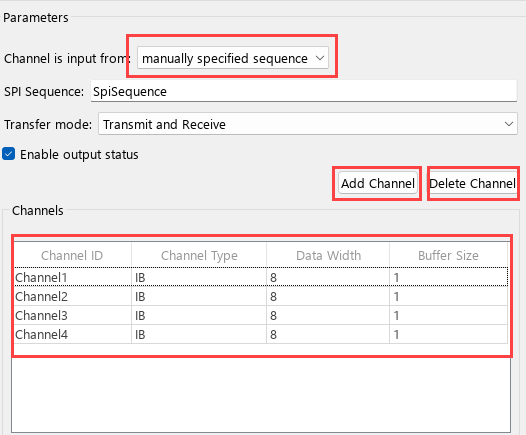
Use Add Channel to add a new channel row to the table, and Delete Channel to remove the selected channel row.
Programmatic Use
To set the block parameter value programmatically, use
the set_param function.
To get the block parameter value
programmatically, use the get_param function.
| Parameter: | ChannelsTable |
| Values: | character vector |
| Data Types: | char |
Dependencies
When Channel is input from is set to sequence
from CDF, the table is read-only; click Get SPI
sequences, select a sequence, and the table is populated with the
corresponding channels. The Add Channel and
Delete Channel buttons are disabled in this mode. When
set to manually specified sequence, the table is editable and
the buttons are enabled.
Specify how often (in seconds) the block executes the SPI transfer. Enter a value greater than zero. When you specify this parameter as -1, Simulink® determines the best sample time for the block based on the block context within the model.
Programmatic Use
To set the block parameter value programmatically, use
the set_param function.
To get the block parameter value
programmatically, use the get_param function.
| Parameter: | SampleTime |
| Values: | -1 (default) | positive scalar |
| Data Types: | double |
Version History
Introduced in R2026b

