SenseHAT
Access SenseHAT sensors, LED matrix, and joystick to collect environmental data and control outputs on Raspberry Pi hardware. Configure SenseHAT blocks and MATLAB® functions to read sensor values, display information, and respond to inputs from joystick for application-based examples.
Blocks
| HTS221 Humidity Sensor | Measure relative humidity and ambient temperature from Humidity sensor |
| LPS25h Pressure Sensor | Measure barometric air pressure and ambient temperature |
| LSM9DS1 IMU Sensor | Measure linear acceleration, angular rate and magnetic field along X, Y, and Z axes |
| Joystick | Read the state of five-position Joystick |
| 8x8 RGB LED Matrix | Control pixel(s) color of 8x8 RGB LED Matrix |
Objects
sensehat | Create a Sense HAT object passing raspi object |
Functions
readHumidity | Read the humidity value from the Humidity sensor |
readPressure | Read the pressure value from the air pressure sensor |
readTemperature | Read the temperature value from the Humidity sensor or the air pressure sensor |
readAngularVelocity | Read angular velocity measured by the gyroscope along x, y, and z axes |
readAcceleration | Read acceleration measured by the Accelerometer along x, y, and z axes |
readMagneticField | Read the magnetic field measured by the Magnetometer along the x, y and z axis |
readJoystick | Read the status of the joystick |
displayImage | Display an image on the Raspberry Pi hardware or on the LED Matrix of SenseHAT |
writePixel | Write the specified color to an individual pixel at the specified row and column of LED Matrix |
clearLEDMatrix | Clears the entire LED matrix and sets the all the pixels to blank ([0, 0, 0]) |
displayMessage | Scrolls a text message across the LED Matrix |
enableSensor | Enable sensors available on the Sense HAT to read values |
disableSensor | Disable sensors available on the Sense HAT |
Featured Examples
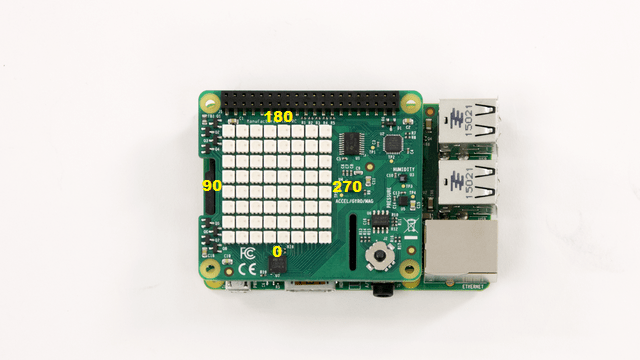
Working with Raspberry Pi Sense HAT
Read the sensor values, read the position of joystick and control the LED Matrix on Raspberry Pi® Sense HAT using Rapsberry Pi Blockset.

Communicate Data Between Raspberry Pi and Sense HAT Using NNG Blocks
Use the NNG Send and NNG Receive blocks from Raspberry Pi® Blockset to establish communication between the Raspberry Pi hardware and Sense HAT using the nanomsg next generation (NNG) library.
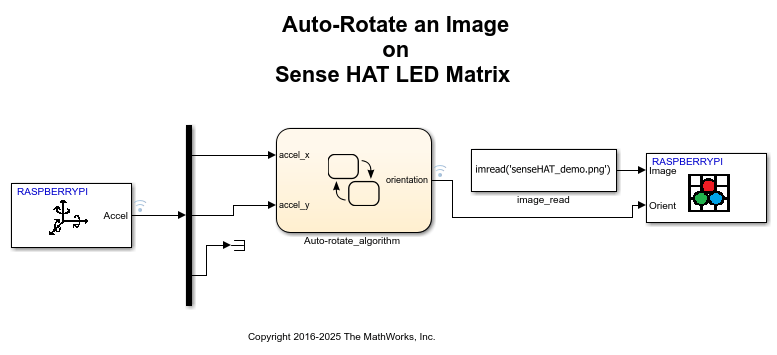
Auto-Rotate Image Displayed on Raspberry Pi Sense HAT LED Matrix
Develop a Simulink® model to implement an algorithm to read the Accelerometer On-board Sense HAT and control the rotation of the image displayed on the LED matrix.
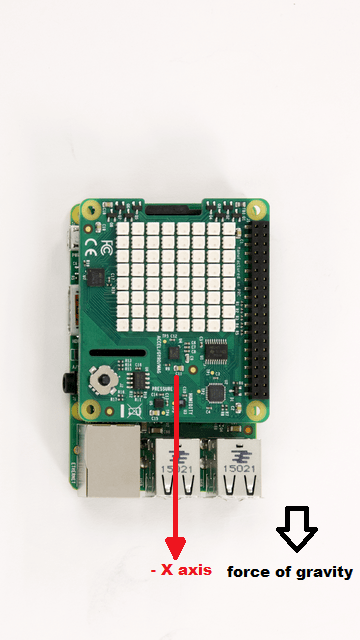
Auto Rotate LED Matrix Display
Use MATLAB® to read the accelerometer on the Raspberry Pi® Sense HAT and control the rotation of the image displayed on the LED matrix.
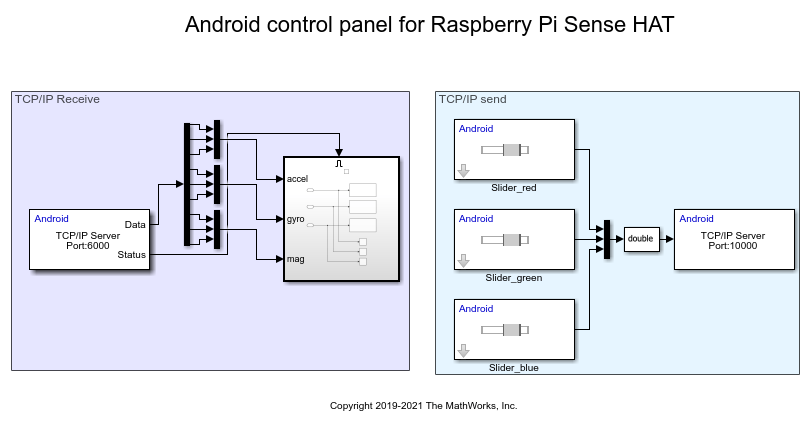
Transfer Data over TCP/IP Between Raspberry Pi Sense HAT and Android Device
Use MATLAB® commands to send data over TCP/IP from Raspberry Pi® Sense HAT to an Android™ device and also receive RGB color values from the Android device and display the same on the LED matrix of Sense HAT.
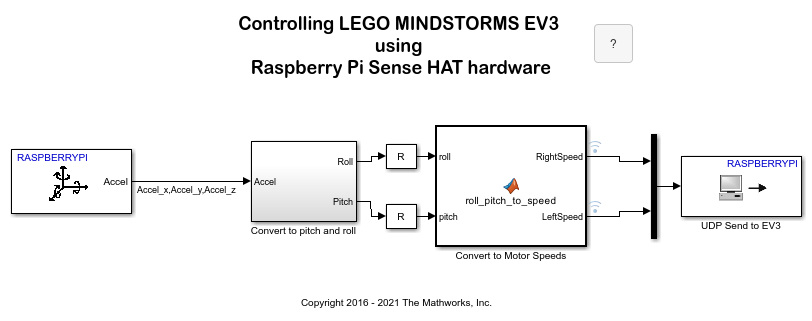
Control LEGO MINDSTORMS EV3 Robot Using Raspberry Pi Sense HAT
Read the Accelerometer on Raspberry Pi® Sense HAT and use this data to control the motion of a LEGO® MINDSTORMS® EV3 robot.
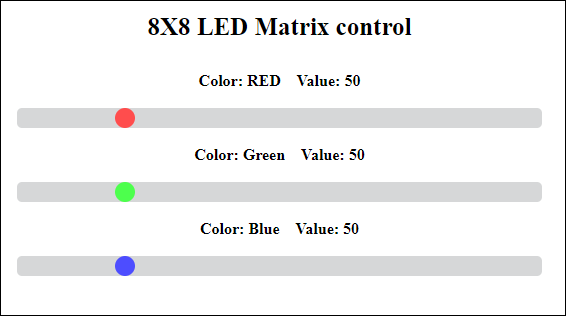
Control Color of LED Matrix on Raspberry Pi Sense HAT over WebSockets
Use the Pi® Blockset to control the color of an 8x8 LED matrix on Raspberry Pi Sense HAT from a web page over WebSockets.
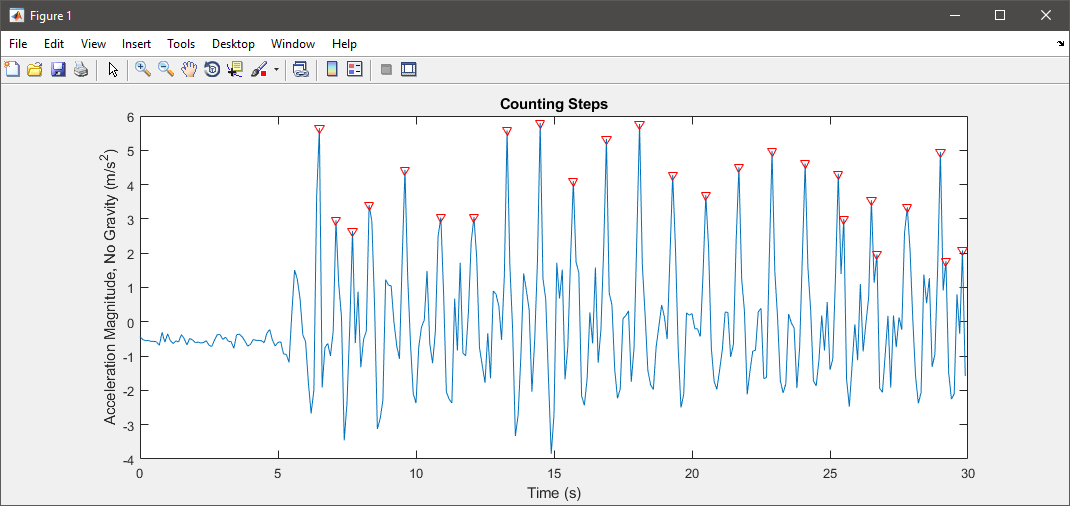
Count Steps Using Raspberry Pi Sense HAT
Demonstrates an application that counts the number of steps a person walked while holding a Raspberry Pi® Sense HAT.

Simulate Audio Visualizer on Raspberry Pi Sense HAT
Simulate an audio visualizer on Sense HAT using Raspberry Pi® Blockset.

Publish Data from Raspberry Pi Sense HAT to WebSocket Server
Use Raspberry Pi® Blockset to publish the signals obtained from a Raspberry Pi Sense HAT to a WebSocket server, and read the data on a web browser in the WebSocket client.

