Manual Switch
R2026bSwitch between two inputs
Manual Switch block

To add a block to a model, double-click the canvas and start typing the block name. Then, select the block from the list.
Libraries:
Simulink /
Signal Routing
Description
The Manual Switch block is a toggle switch that selects one of its two inputs to pass through to the output. To toggle between inputs, double-click the block. You control the signal flow by setting the switch before you start the simulation or by changing the switch while the simulation is executing. The Manual Switch block retains its current state when you save the model.
To programmatically toggle the switch, set the set_param
sw property to '0' or '1'. For
example, to connect the second input to the output:
set_param(gcb,'sw','0')
To connect the first input to the output:
set_param(gcb,'sw','1')
Note
Double-clicking the Manual Switch block does not open the block dialog box. Instead, it toggles the input choice.
Examples
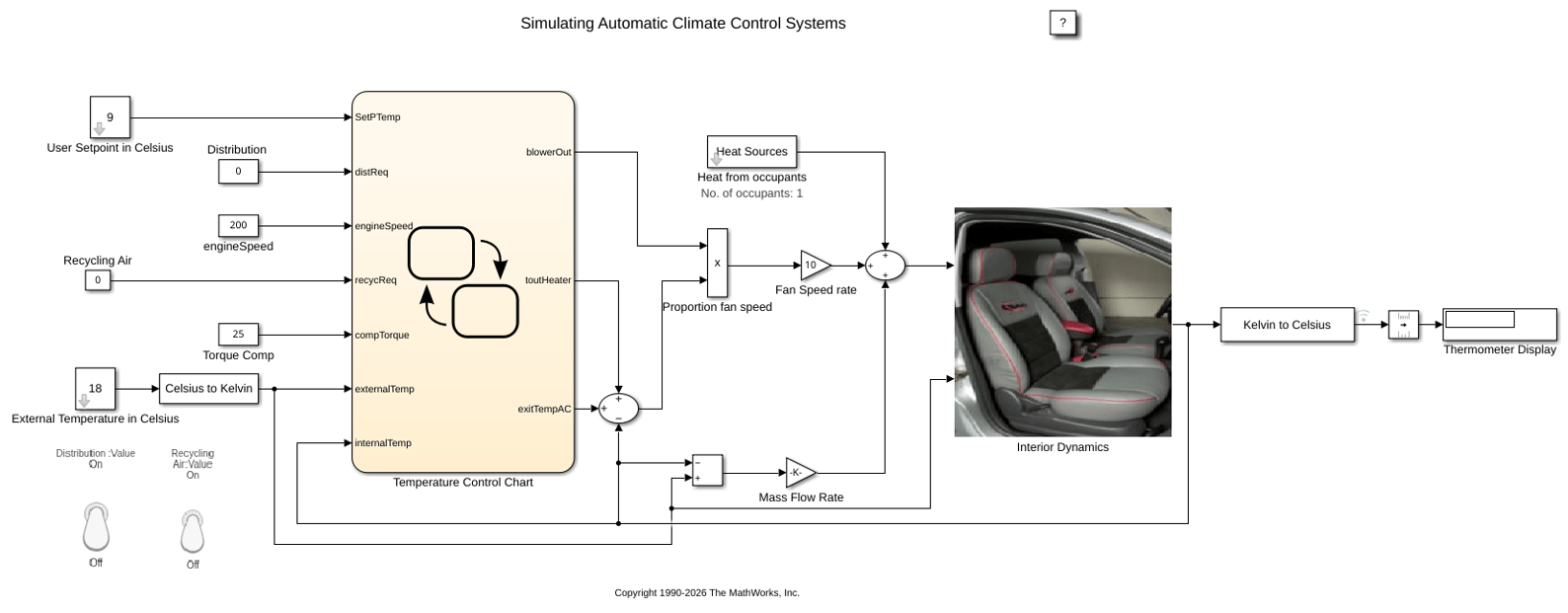
Simulating Automatic Climate Control Systems
Simulate an automatic climate control system in a car using Simulink® and Stateflow®. In the User Setpoint in Celsius block, set the desired cabin temperature. In the External Temperature in Celsius block, set the outside temperature. The Thermometer Display block shows the temperature reading from a sensor behind the driver's head, representing the temperature the driver feels.
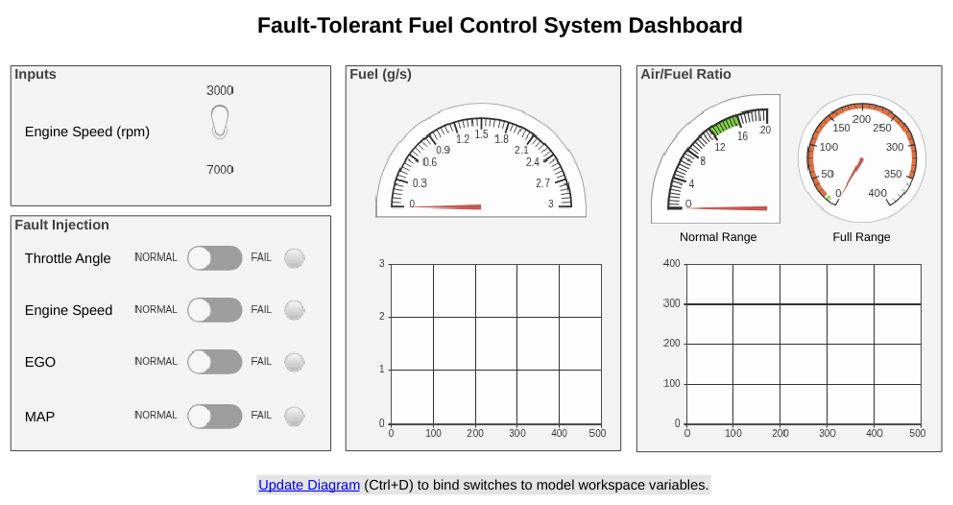
Model Fault-Tolerant Fuel Control System
Combine Stateflow® and Simulink® capabilities to model hybrid systems. This type of modeling is useful for systems that have many possible operational modes based on discrete events. Simulink handles traditional signal flow while Stateflow implements changes in control configuration. This example describes a fuel control system for a gasoline engine. The system is robust because it detects individual sensor failures, and dynamically reconfigures the control system for uninterrupted operation.
Ports
Input
Output
Parameters
To view the block parameters, right-click the block, and then click the Block Parameters button
 .
Select this check box to allow inputs with different sizes and propagate the selected input signal size to the output signal. If you clear the box, the block expands scalar inputs to have the same dimensions as nonscalar inputs. See Scalar Expansion of Inputs and Parameters.
Programmatic Use
Parameter:
varsize
|
| Type: character vector |
Value:
'on' | 'off'
|
Default:
'off'
|
Specify the time interval between samples. To inherit the sample time, set this
parameter to -1. For more information, see Specify Sample Time.
Dependencies
This parameter is visible only if you set it to a value other than
-1. To learn more, see Blocks for Which Sample Time Is Not Recommended.
Programmatic Use
To set the block parameter value programmatically, use
the set_param function.
| Parameter: | SampleTime |
| Values: | "-1" (default) | scalar or vector in quotes |
Block Characteristics
Data Types |
|
Direct Feedthrough |
|
Multidimensional Signals |
|
Variable-Size Signals |
|
Zero-Crossing Detection |
|
Programmatic Use: Add Block
To add the block programmatically, use the add_block function with one of these library block paths as the source.
"simulink/Signal Routing/Manual Switch"
Example: add_block("simulink/Signal Routing/Manual Switch","myModel/myBlock",MakeNameUnique="on")
For information about programmatic access to individual block parameters, see the Programmatic Use section of parameter descriptions on this page.
Extended Capabilities
Version History
Introduced before R2006a
See Also
Switch | Multiport Switch | Manual Variant Source | Manual Variant Sink

