Real-Time Sync
R2026bSynchronize model execution to real time in Connected IO mode
Real-Time Sync block

To add a block to a model, double-click the canvas and start typing the block name. Then, select the block from the list.
Libraries:
Simulink Desktop Real-Time
Description
The Real-Time Sync block synchronizes your Simulink® model with the real-time kernel clock at Real-Time Sync block sample hits. The parameters specify only sample time and missed tick values. There are no input ports.
The Real-Time Sync block operates only in Connected IO mode. It has no function in Run in Kernel mode.
If the Connected IO mode model contains another Simulink Desktop Real-Time™ block, the other block synchronizes the Simulink model with the real-time clock. Do not include the Real-Time Sync block in such a model.
Examples
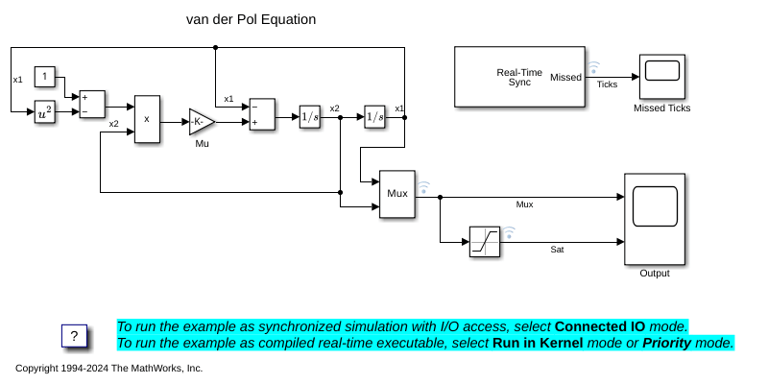
Real-Time Van der Pol Simulation
Examine a real-time version of the Simulink® Van der Pol simulation model.
Ports
Output
Parameters
Programmatic Use: Add Block
To add the block programmatically, use the add_block function with one of these library block paths as the source.
"sldrtlib/Real-Time Synchronization"
Example: add_block("sldrtlib/Real-Time Synchronization","myModel/myBlock",MakeNameUnique="on")

