LIS3DH Accelerometer Sensor
R2026bMeasure linear acceleration, voltage, and temperature from LIS3DH sensor
Since R2025a
LIS3DH Accelerometer Sensor block

To add a block to a model, double-click the canvas and start typing the block name. Then, select the block from the list.
Libraries:
STM32 Microcontroller Blockset /
Sensors /
IMU Sensors
Description
The LIS3DH Accelerometer Sensor block measures linear acceleration, voltages on external input pins (ADC1, ADC2 and ADC3) of the sensor, and temperature using the LIS3DH Accelerometer sensor interfaced with the STM32 Processors.
The block also provides the option to enable the high pass filter, FIFO and FIFO interrupt. An interrupt is generated if Generate data ready interrupt is selected. After selecting Generate data ready interrupt, if FIFO is disabled data ready interrupt is generated and if FIFO is enabled FIFO interrupt is generated.
The block outputs status of acceleration measurement, specified as a value
0, 1, or 2. The value
0 indicates that the data read is new, 1 indicates
that the data read is not new, and 2 indicates that the data is
overwritten.
The block outputs single / double click axis as a
1-by-3 vector. The click axis provides information
of the axis, on which click is detected. The axis value displays 1 when
a click is detected otherwise it displays 0.
The block supports inertial wake-up, free-fall, 6D position, 6D movement, 4D position
and 4D movement recognition. The block outputs inertial wake-up axis as a
1-by-3 vector. This provides information of the
axis, on which inertial wake-up is detected. The 6D position axis and 6D movement axis are
of size 1-by-6. The 4D position and 4D movement axis
are of size 1-by-4. The status contains the
information about the axis, on which the detection is recognized. The status value displays
1 when the configured detection is recognized on the selected axis,
otherwise it displays 0.
Note
Always ensure to connect the sensor to the board, when performing monitor and tune with sensor block available in the model.
Examples
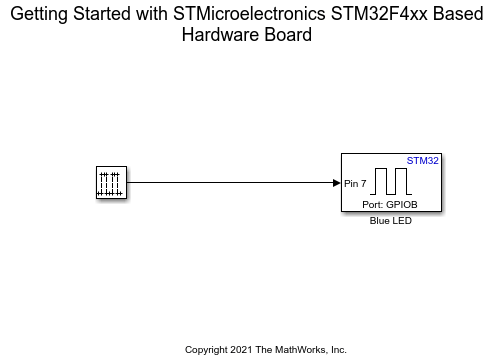
Get Started with STMicroelectronics STM32 Processor Based Boards
Run a Simulink model on STM32 processor.
Ports
Output
The block outputs acceleration as a
1-by-3 vector when FIFO is disabled.
When FIFO is enabled, the block outputs
n-by-3 vector, where
n is the number of samples. Each value represents the
measurement of acceleration in m/s^2 along the X, Y, and Z
axes.
Dependencies
This output port appears only if you select the Acceleration (m/s2) parameter.
Data Types: single | double | int16
The block outputs voltage applied on the external pin ADC1 of the LIS3DH sensor.
Dependencies
This output port appears only if you select the Voltage (external input at ADC1) parameter.
Data Types: single | double | int16
The block outputs voltage applied on the external pin ADC2 of the LIS3DH sensor.
Dependencies
This output port appears only if you select the Voltage (external input at ADC2) parameter.
Data Types: single | double | int16
The block outputs voltage applied on the external pin ADC3 of the LIS3DH sensor.
Dependencies
This output port appears only if you select Voltage
(external input) for ADC3 input
parameter.
Data Types: single | double | int16
Temperature (in ℃) measured by LIS3DH sensor connected to STM32 Processors.
Dependencies
This output port appears only if you select
Temperature for ADC3
input parameter.
Data Types: single | double | int16
The block outputs the status of acceleration measured as a value
0, 1, or 2. The
value 0 indicates that the data read is new,
1 indicates that the data read is not new, and
2 indicates that the data is overwritten.
If Enable FIFO is selected, then 0
indicates that the specified samples are collected, 1
indicates that specified number of samples are not collected, and
2 indicates that the data is overwritten.
Dependencies
This output port appears only if you select the Acceleration data ready status parameter.
Data Types: uint8
The block outputs the number of pending samples to be read as a value
ranging from 0-32.
Dependencies
This output port appears only if you select the Enable FIFO parameter.
Data Types: uint8
The block outputs the Click status of axes as a
1-by-3 vector (x,y,z) indicating on
which axis the click has been detected. The axis value 1
indicates that the click is detected on that axis and 0
indicates that the click is not detected.
Dependencies
This output port appears only if you select the click status parameter.
Data Types: uint8
The block outputs inertial wake-up status as a
1-by-3 vector. This provides
information of the axis, on which inertial wake-up is detected. The value
1 indicates that the inertial wake-up event is detected
on the selected axis and value 0 indicates the event is not
detected.
Dependencies
To enable this parameter, select Inertial
wake-up from Detect parameter and
select Detection status parameter.
Data Types: uint8
The block outputs free-fall status. The value 1 indicates
that the free-fall is detected on the selected axis and 0
indicates the interrupt is not detected.
Dependencies
To enable this parameter, select Free-fall
from Detect parameter and select Detection
status parameter.
Data Types: uint8
The block outputs 6D position status as a
1-by-6 vector. The value
1 indicates that the 6D position interrupt is detected on
the selected axis and 0 indicates the interrupt is not
detected.
Dependencies
To enable this parameter, select 6D position
from Detect parameter and select Detection
status parameter.
Data Types: uint8
The block outputs 6D movement status as a
1-by-6 vector. The value
1 indicates that the 6D movement interrupt is detected on
the selected axis and 0 indicates the interrupt is not
detected.
Dependencies
To enable this parameter, select 6D movement
from Detect parameter and select Detection
status parameter.
Data Types: uint8
The block outputs 4D position status as a
1-by-4 vector. The value
1 indicates that the 4D position interrupt is detected on
the selected axis and 0 indicates the interrupt is not
detected.
Dependencies
To enable this parameter, select 4D position
from Detect parameter and select Detection
status parameter.
Data Types: uint8
The block outputs 4D movement status as a
1-by-4 vector. The value
1 indicates that the 4D movement interrupt is detected on
the selected axis and 0 indicates the interrupt is not
detected.
Dependencies
To enable this parameter, select 4D movement
from Detect parameter and select Detection
status parameter.
Data Types: uint8
Parameters
Main
Specify the I2C module on the STM32 Processors to communicate with sensor peripherals.
Programmatic Use
Block Parameter:
I2CModule |
The I2C addresses to communicate with the accelerometer peripheral on the LIS3DH sensor are decided by the state of the SA0 pin on the hardware board. This table provides the I2C addresses corresponding to the pin and their state.
| Pin Name | Pin State | I2C address |
|---|---|---|
| SA0 | 0 | 0x18 |
| 1 | 0x19 |
Programmatic Use
Block Parameter:
I2CAddress |
Select this parameter to set Acceleration as one of the output ports.
Programmatic Use
Block Parameter:
IsActiveAccelerometer |
Select Temperature to set
Temperature as one of the output ports or select
Voltage (external input) to set ADC3
Voltage as one of the output port.
Programmatic Use
Block Parameter:
IsADC3 |
Select this parameter to set ADC1 Voltage as one of the output ports.
Programmatic Use
Block Parameter:
IsADC1 |
Select this parameter to set ADC2 Voltage as one of the output ports.
Programmatic Use
Block Parameter:
IADC2 |
Select this parameter to set Acceleration status as one of the output ports.
Programmatic Use
Block Parameter:
IsStatus |
Select the data register bit resolution for the sensor.
Programmatic Use
Block Parameter:
SensorMode |
Select the output data rate at which accelerometer data is sampled.
Programmatic Use
Block Parameter:
AccelerometerODR1 |
AccelerometerODR2 |
Select the full scale for measuring linear acceleration (the range of acceleration that the sensor needs to measure).
Programmatic Use
Block Parameter:
AccelerationRange |
Select this option to enable the option Number of samples to read from FIFO (1-32), which allows you to set the number of samples to be read. When FIFO is enabled, the oldest set of samples from the buffer is read first and newest set of samples is read last.
Programmatic Use
Block Parameter:
IsFIFOEnabled |
Enter a value for number of samples (1-32) to be read from FIFO.
Dependencies
To enable this parameter, select the Enable FIFO parameter.
Programmatic Use
Block Parameter:
FIFOSample |
Note
For AVR targets, if the value for Number of samples to read from FIFO
(1-32) parameter is set to more than 29, then the
Display Sample values might show as zeros. To avoid this issue, set the baud rate of
External Mode to a value less than 921600. To change the
baud rate, select Hardware > Hardware
Settings > Hardware Implementation >
Target hardware resources > Host-board
connection and change the value for Baudrate under
External Mode over Serial communication to
115200 (recommended value).
Select this option to receive an interrupt if the FIFO buffer gets filled and the first sample is overwritten.
Dependencies
To enable this parameter, select the Enable FIFO parameter.
Programmatic Use
Block Parameter:
IsActiveFIFOOverrunInterrupt |
Enable the high pass filter for reading accelerometer values.
Programmatic Use
Block Parameter:
HPF |
Select the required bandwidth of the high pass filter for reading
accelerometer values. The HPF cutoff frequency depends on the Accelerometer
output data rate (Hz). The HPF cutoff frequencies for the selected
Accelerometer output data rate (Hz) are shown in this table. The values
00, 01, 10, and
11 are the HPF mode configurations.
HPF cutoff frequency
| HPF cutoff frequency[2:1] | Acceleration output data rate - 1 Hz | Acceleration output data rate - 10 Hz | Acceleration output data rate - 25 Hz | Acceleration output data rate - 50 Hz | Acceleration output data rate - 100 Hz | Acceleration output data rate - 200 Hz | Acceleration output data rate - 400 Hz | Acceleration output data rate - 1600 Hz | Acceleration output data rate - 5376 Hz |
|---|---|---|---|---|---|---|---|---|---|
00
|
0.02
|
0.2
|
0.5
|
1
|
2
|
4
|
8
|
32
|
100
|
01
|
0.008
|
0.08
|
0.2
|
0.5
|
|
2
|
4
|
16
|
50
|
10
|
0.004
|
0.04
|
0.1
|
0.2
|
0.5
|
1
|
2
|
8
|
25
|
11
|
0.002
|
0.02
|
0.05
|
0.1
|
0.2
|
0.5
|
1
|
4
|
12
|
Dependencies
To enable this parameter, select the Enable high pass filter parameter.
Programmatic Use
Block Parameter:
cutoffFrequency1 |
cutoffFrequency2 |
cutoffFrequency3 |
cutoffFrequency4 |
cutoffFrequency5 |
cutoffFrequency6 |
cutoffFrequency7 |
cutoffFrequency8 |
cutoffFrequency9 |
If this option is selected, an interrupt is generated on pin INT1 of the sensor when data is ready, allowing you to trigger other subsystems to perform any action.
Programmatic Use
Block Parameter:
IsActiveDataReadyInterrupt |
Specify the output data type for the values read from lis3dh sensor. The
default data type for STM32 Processors is single. Use this
parameter to change the values to double or
int16, if required.
Programmatic Use
Block Parameter:
DataType |
Specify how often this block reads the data from the LIS3DH sensor. When you set this parameter to -1, Simulink determines the best sample time for the block based on the block context within the model.
Programmatic Use
Block Parameter:
SampleTime |
Click detection
Select this parameter to enable click detection.
Programmatic Use
Block Parameter:
IsClickEnable |
Select the type of click to be detected. The available options are
Single click and Double
click.
Dependencies
To enable this parameter, select Enable click detection parameter.
Programmatic Use
Block Parameter:
ClickType |
Specify the threshold for detecting single click or double click. When the value crosses the specified threshold value, click is detected.
Dependencies
To enable this parameter, select Enable click detection parameter.
Programmatic Use
Block Parameter:
ClickThreshold |
Specify the time limit value in seconds for detecting single click or double click. The click must occur during the specified time limit for detecting single click or double click.
Dependencies
To enable this parameter, select Enable click detection parameter.
Programmatic Use
Block Parameter:
ClickTimeLimit |
Specify the time latency value in seconds for detecting double click. The second click must occur after the specified time latency period for detecting a double click.
Dependencies
To enable this parameter, select Enable click
detection parameter and select Double
click option for Type
parameter.
Programmatic Use
Block Parameter:
ClickTimeLatency |
Specify the time window value in seconds for detecting double click. The second click must occur before the time window period expires for detecting double click.
Dependencies
To enable this parameter, select Enable click
detection parameter and select Double
click option for Type
parameter.
Programmatic Use
Block Parameter:
ClickTimeWindow |
Select this option to enable click detection along X axis. The value
1 indicates that the click is detected and
0 indicates that the click is not detected.
Dependencies
To enable this parameter, select Enable click detection parameter.
Programmatic Use
Block Parameter:
ConfigurableDetections1XHigh |
ConfigurableDetections2XHigh |
Select this option to enable click detection along Y axis. The value
1 indicates that the click is detected and
0 indicates that the click is not detected.
Dependencies
To enable this parameter, select Enable click detection parameter.
Programmatic Use
Block Parameter:
ConfigurableDetections1YHigh |
ConfigurableDetections2YHigh |
Select this option to enable click detection along Z axis. The value
1 indicates that the click is detected and
0 indicates that the click is not detected.
Dependencies
To enable this parameter, select Enable click detection parameter.
Programmatic Use
Block Parameter:
ConfigurableDetections1ZHigh |
ConfigurableDetections2ZHigh |
Select the option to generate an interrupt, if a click is detected.
Dependencies
To enable this parameter, select Enable click detection parameter.
Programmatic Use
Block Parameter:
IsActiveClickInterrupt |
If this option is selected, an interrupt is generated on pin INT1 or IN2 of the sensor when data is ready, allowing you to trigger other subsystems to perform any action.
Dependencies
To enable this parameter, select Generate click interrupt parameter.
Programmatic Use
Block Parameter:
ClickInterrupt |
Select this parameter to set Click status [X,Y,Z] as one of the output ports.
Dependencies
To enable this parameter, select Enable click detection parameter.
Programmatic Use
Block Parameter:
IsClickStatus |
Configurable detections
Select the required option for the number of configurable detections.
Programmatic Use
Block Parameter:
NumOfConfigurableDetections |
Configurable detections 1
Select the required feature of the sensor. (Inertial wake-up, Free-fall, 6D position, 6D movement, 4D position, 4D movement).
Dependencies
To enable this parameter, select 1 or
2 from Configurable
detections parameter.
Programmatic Use
Block Parameter:
ConfigurableDetections1Type |
ConfigurableDetections2Type |
Select this option to enable the configurable event detection status on X
axis. The value 1 indicates that the event is detected and
0 indicates that the event is not detected.
Dependencies
To enable this parameter, select Inertial
wake-up or 6D position or
6D movement or 4D
position or 4D movement from
Detect parameter.
Programmatic Use
Block Parameter:
ConfigurableDetections1XHigh |
ConfigurableDetections2XHigh |
Select this option to enable the configurable event detection status on Y
axis. The value 1 indicates that the event is detected and
0 indicates that the event is not detected.
Dependencies
To enable this parameter, select Inertial
wake-up or 6D position or
6D movement or 4D
position or 4D movement from
Detect parameter.
Programmatic Use
Block Parameter:
ConfigurableDetections1YHigh |
ConfigurableDetections2YHigh |
Select this option to enable the configurable event detection status on Z
axis. The value 1 indicates that the event is detected and
0 indicates that the event is not detected.
Dependencies
To enable this parameter, select Inertial
wake-up or 6D position or
6D movement from Detect
parameter.
Programmatic Use
Block Parameter:
ConfigurableDetections1ZHigh |
ConfigurableDetections2ZHigh |
Select this option to enable the configurable event detection status on -X
axis. The value 1 indicates that the event is detected and
0 indicates that the event is not detected.
Dependencies
To enable this parameter, select 6D position
or 6D movement or 4D
position or 4D movement from
Detect parameter.
Programmatic Use
Block Parameter:
ConfigurableDetections1XLow |
ConfigurableDetections2XLow |
Select this option to enable the configurable event detection status on -Y
axis. The value 1 indicates that the event is detected and
0 indicates that the event is not detected.
Dependencies
To enable this parameter, select 6D position
or 6D movement or 4D
position or 4D movement from
Detect parameter.
Programmatic Use
Block Parameter:
ConfigurableDetections1YLow |
ConfigurableDetections2YLow |
Select this option to enable the configurable event detection status on -Z
axis. The value 1 indicates that the event is detected and
0 indicates that the event is not detected.
Dependencies
To enable this parameter, select 6D position
or 6D movement from Detect
parameter.
Programmatic Use
Block Parameter:
ConfigurableDetections1ZLow |
ConfigurableDetections2ZLow |
Specify the threshold for detecting the selected configurable detection. When the acceleration value crosses the specified threshold value, the event is detected.
Dependencies
To enable this parameter, select 1 or
2 from Configurable
detections parameter.
Programmatic Use
Block Parameter:
ClickThreshold |
Specify the time limit for detecting the configurable event. To detect an event, the Threshold criteria must be satisfied for a minimum time equal to Duration.
Dependencies
To enable this parameter, select 1 or
2 from Configurable
detections parameter.
Programmatic Use
Block Parameter:
ConfigurableDetections1Duration |
ConfigurableDetections2Duration |
If this option is selected, an interrupt is generated for the selected configurable detection.
Dependencies
To enable this parameter, select 1 or
2 from Configurable
detections parameter.
Programmatic Use
Block Parameter:
IsActiveConfigurableDetections1interrupt |
IsActiveConfigurableDetections2Interrupt |
If this option is selected, an interrupt is generated on pin INT1 or IN2 of the sensor when the configurable event is detected, allowing you to trigger other subsystems to perform any action.
Dependencies
To enable this parameter, select the Generate interrupt parameter.
Programmatic Use
Block Parameter:
ClickInterrupt |
Note
Parameters for Configuration detections 2 are similar to Configuration detections 1. For information to configure these parameters, see Configurable detections.
Extended Capabilities
C/C++ Code Generation
Generate C and C++ code using Simulink® Coder™.
Version History
Introduced in R2025a
MATLAB Command
You clicked a link that corresponds to this MATLAB command:
Run the command by entering it in the MATLAB Command Window. Web browsers do not support MATLAB commands.


Select a Web Site
Choose a web site to get translated content where available and see local events and offers. Based on your location, we recommend that you select: .
You can also select a web site from the following list
How to Get Best Site Performance
Select the China site (in Chinese or English) for best site performance. Other MathWorks country sites are not optimized for visits from your location.
Americas
- América Latina (Español)
- Canada (English)
- United States (English)
Europe
- Belgium (English)
- Denmark (English)
- Deutschland (Deutsch)
- España (Español)
- Finland (English)
- France (Français)
- Ireland (English)
- Italia (Italiano)
- Luxembourg (English)
- Netherlands (English)
- Norway (English)
- Österreich (Deutsch)
- Portugal (English)
- Sweden (English)
- Switzerland
- United Kingdom (English)