How to convert Matlab cell array into Python numpy array?
Show older comments
In matlab, I generate a random # of images of the shape (130,100) and save them one by one in a cell array. I then need to import this cell array of images into python and convert them into a numpy array (number_images, 130,100).
I've tried the following, but I get an error. Not sure how to fix. Would appreciate help- thanks!
import scipy.io as sio
import numpy
from PIL import Image
folder='insert path of mat file here'
imgs = sio.loadmat(folder+'/img_array.mat')
num_imgs=len(imgs['img_array'][0])
img_array=np.array(imgs['img_array'][0])
new_array=img_array.reshape((num_images,130,100))
ValueError: cannot reshape array of size 9 into shape (9,130,100)
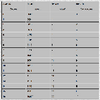
**In this case, 9 images were generated from matlab, and this was the cell array shown.

Accepted Answer

Al Danial
on 9 Nov 2022
One way to get the 3D array of images in Python is to convert the cell array to a 3D matrix on the matlab side and save that (instead of saving a cell array of 2D matrices). It would be nice if cell2mat() preserved the 3D structure but it doesn't so a bit of reshaping in matlab is needed. A fortuitous side effect is that matlab's column-major storage flips nicely into NumPy's row-major storage. Here's an example using a cell array of two images, each of which is 3x4:
MATLAB:
>> img_array = { reshape(1:12, 3,4) reshape(13:24, 3,4) }; % cell array of two matrices
>> img_array{:}
ans =
1 4 7 10
2 5 8 11
3 6 9 12
ans =
13 16 19 22
14 17 20 23
15 18 21 24
>> cell2mat(img_array) % all matrices concatenated horizontally to a large 2D matrix
ans =
1 4 7 10 13 16 19 22
2 5 8 11 14 17 20 23
3 6 9 12 15 18 21 24
>> three_d = reshape(cell2mat(img_array), 4,3,2) % gives the transpose of original images
three_d(:,:,1) =
1 5 9
2 6 10
3 7 11
4 8 12
three_d(:,:,2) =
13 17 21
14 18 22
15 19 23
16 20 24
save('cell_array.mat','three_d')
Then in Python the .mat file loads directly into the original 3D array:
Python:
In : from scipy.io import loadmat
In : x = loadmat('cell_array.mat')
In : x['three_d'].T
Out:
array([[[ 1, 2, 3, 4],
[ 5, 6, 7, 8],
[ 9, 10, 11, 12]],
[[13, 14, 15, 16],
[17, 18, 19, 20],
[21, 22, 23, 24]]], dtype=uint8)
More Answers (0)
Categories
Find more on Call Python from MATLAB in Help Center and File Exchange
Community Treasure Hunt
Find the treasures in MATLAB Central and discover how the community can help you!
Start Hunting!
